Mumbai Local Ticketing:
Usability Gaps & Opportunities

Mumbai Local Ticketing:
Usability Gaps & Opportunities

Design-first solutions for Mumbai local ticketing challenges
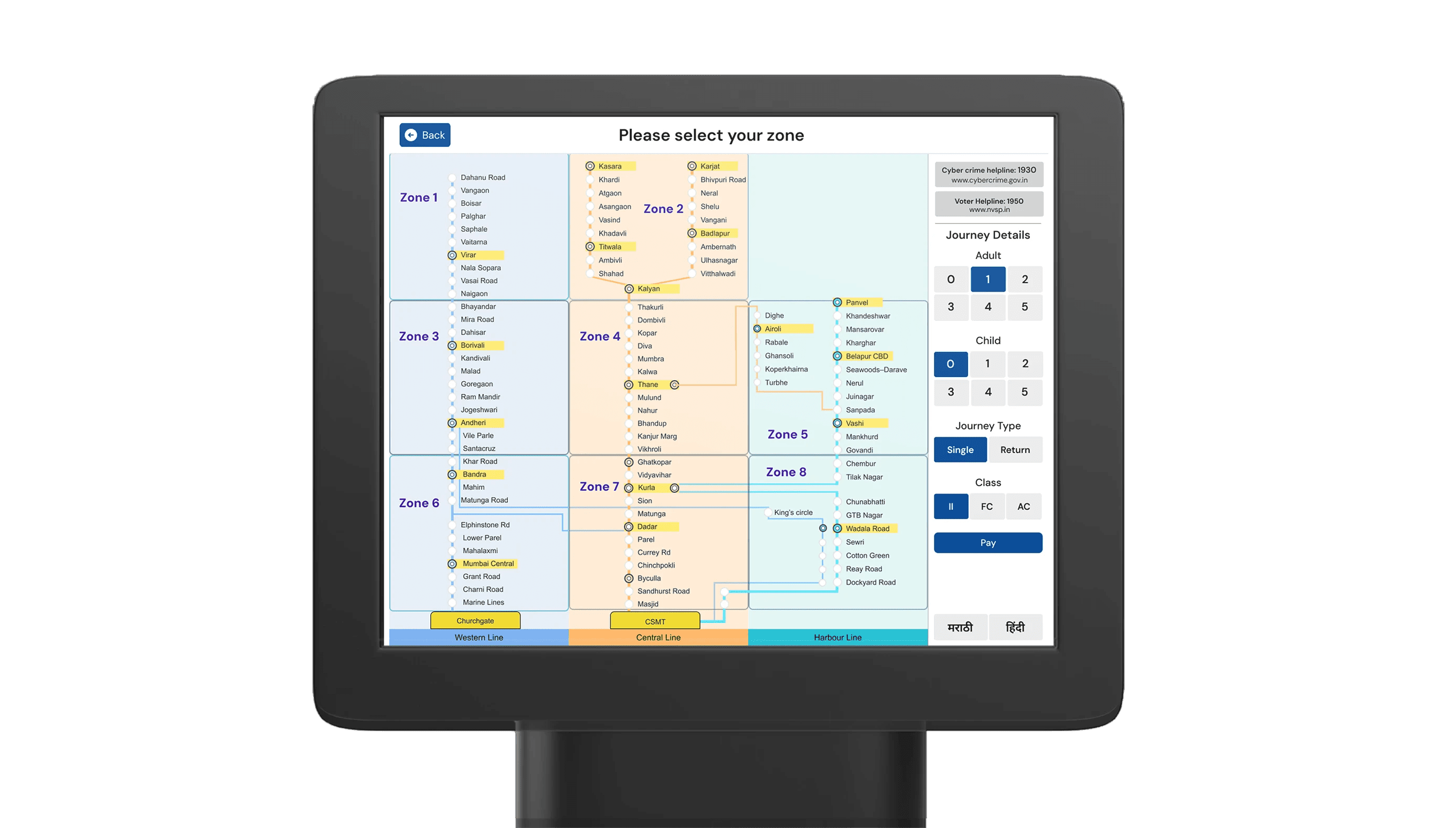
Duration

Duration

3 weeks

3 weeks

Team

Team

1 Member

1 Member

Role

Role

Interaction Designer

Interaction Designer

Process

Process

Research, CompetiUI design, Prototyping, User interaction

Research, CompetiUI design, Prototyping, User interaction

Start Point

Why this project began?

Why this project began?

The Mumbai Local is often called
the lifeline of the city, carrying 7.5-8 million commuters every day.
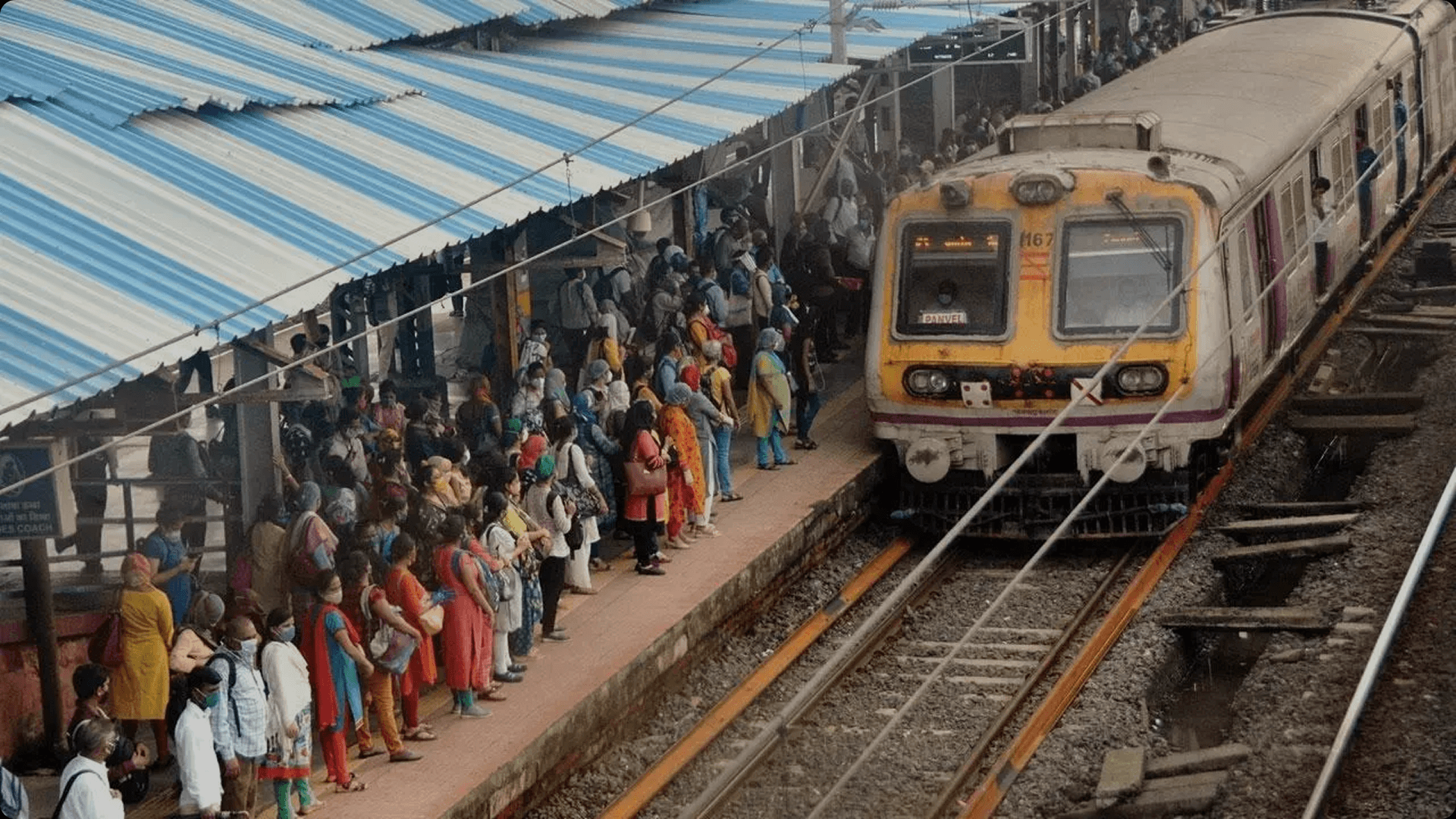
To manage this flow..

To manage this flow..

The mumbai local railway system offers multiple methods for booking tickets.

Ticket counters

traditional offline counters

Ticket counters

traditional offline counters

Ticket counters

traditional offline counters

UTS Mobile App

enabling digital bookings through smartphones.

UTS Mobile App

enabling digital bookings through smartphones.

UTS Mobile App

enabling digital bookings through smartphones.

Smart Cards

rechargeable cards for faster tap-and-go transactions

Smart Cards

rechargeable cards for faster tap-and-go transactions

Smart Cards

rechargeable cards for faster tap-and-go transactions

ATVM Kiosks

self-service machines to reduce queues and speed
up the process.

ATVM Kiosks

self-service machines to reduce queues and speed
up the process.

ATVM Kiosks

self-service machines to reduce queues and speed
up the process.

Research

Understanding the system and people

Understanding the system and people

While the surge of digital payment options promise faster, queue-free travel, ATVM Kiosk systems are still used by roughly 2 million travelers in a week

Key Findings

Key Findings

Alternative service

System provides an alternative to traditional ticket counter queues.

Limited adoption

Only 20-25% of commuters have tried using the ATVM system.

Wide coverage

ATVMs are available across all 119 local railway stations in Mumbai.

Facilitator impact

Adoption rates fell dramatically after human facilitators were removed.

User assistance

Human support proved crucial for encouraging commuter engagement with ATVMs.

Interface struggles

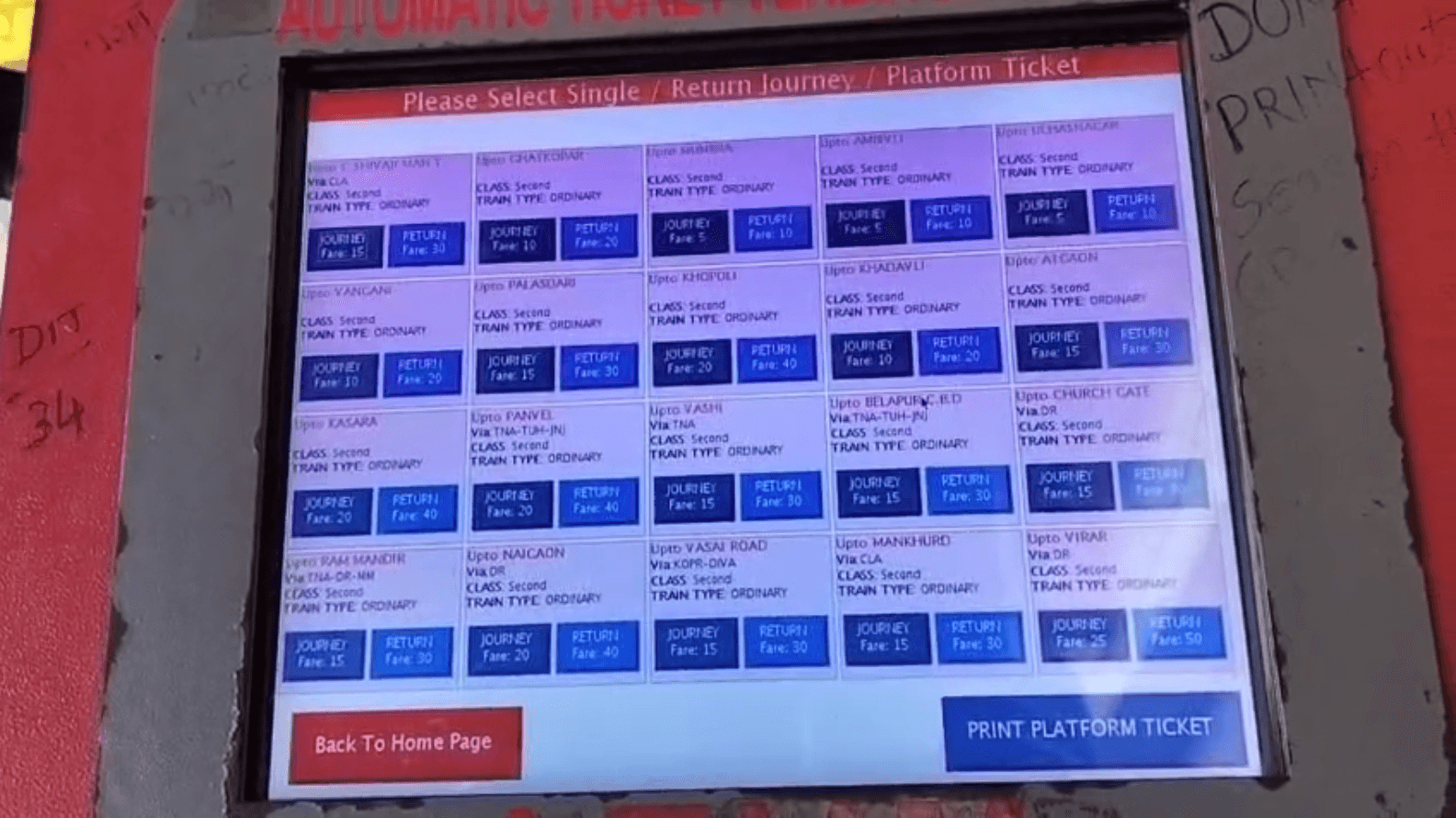
Many commuters find the ATVM interface difficult to navigate.

User lens

User lens

A ground level look of what challeneges real commuters face at the screen.

A ground level look of what challeneges real commuters face at the screen.

Persona 1:

Aakash

Age: 34

Goals: Book tickets while multitasking during calls or breaks.

Behaviours: Gets irritated when multiple screens slow him down

Triggers: Rush hour with limited time between train arrivals

Frustrations: Small touch targets → frequently wrong selections

Persona 2:

Vanshika

Age: 20

Goals: Get a valid train ticket in under ~30 seconds end-to-end

Behaviours: Often remembers to book on UTS only after reaching the station

Triggers: UTS geofencing / unavailability forces
ATVM kiosk usage

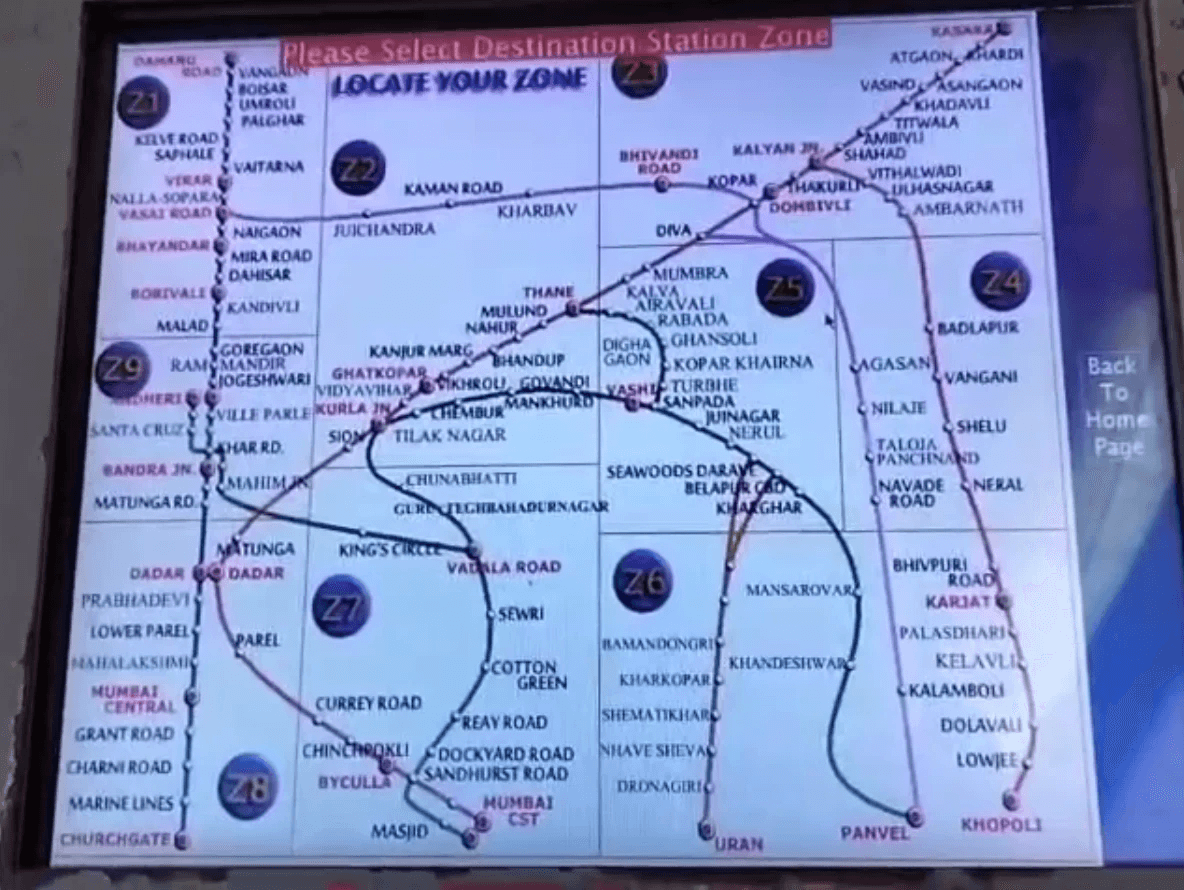
Frustrations: ATVM station map overload leads
to hesitation

Persona 3:

Ashok

Age: 34

Goals: A simple and dependable way to buy tickets without stress

Behaviours: Reads the screen slowly; prefers clear labels over icons

Triggers: Kiosks without staff support

Frustrations: Too many station names visible
at once
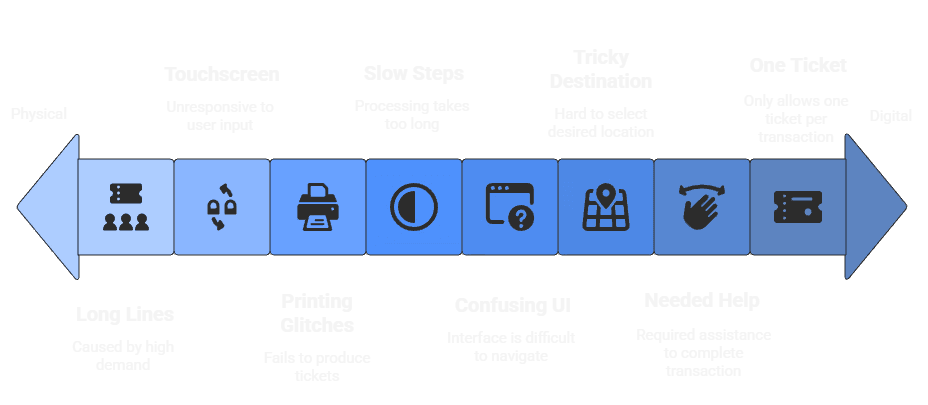
To sum it up

To sum it up

ATVM issues range from physical to digital problems.

ATVM issues range from physical to digital problems.

Problem Statement

Why the volcano erupts?
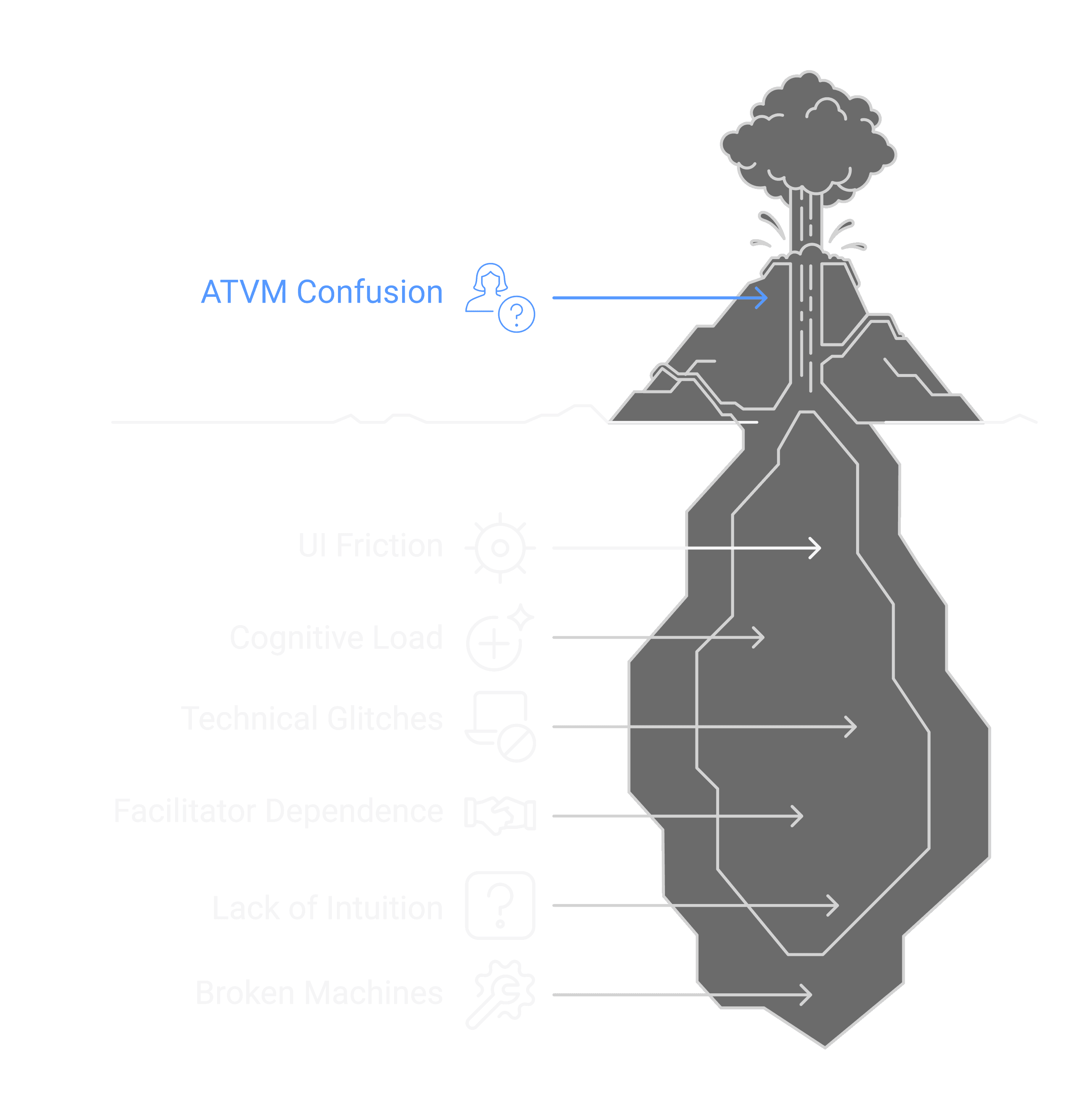
The current ATVM interface does not support efficient, independent ticketing for a broad range of users, resulting in confusion, slow transactions, and high dependence on Human facilitators.

The current ATVM interface does not support efficient, independent ticketing for a broad range of users, resulting in confusion, slow transactions, and high dependence on Human facilitators.

Journey mapping

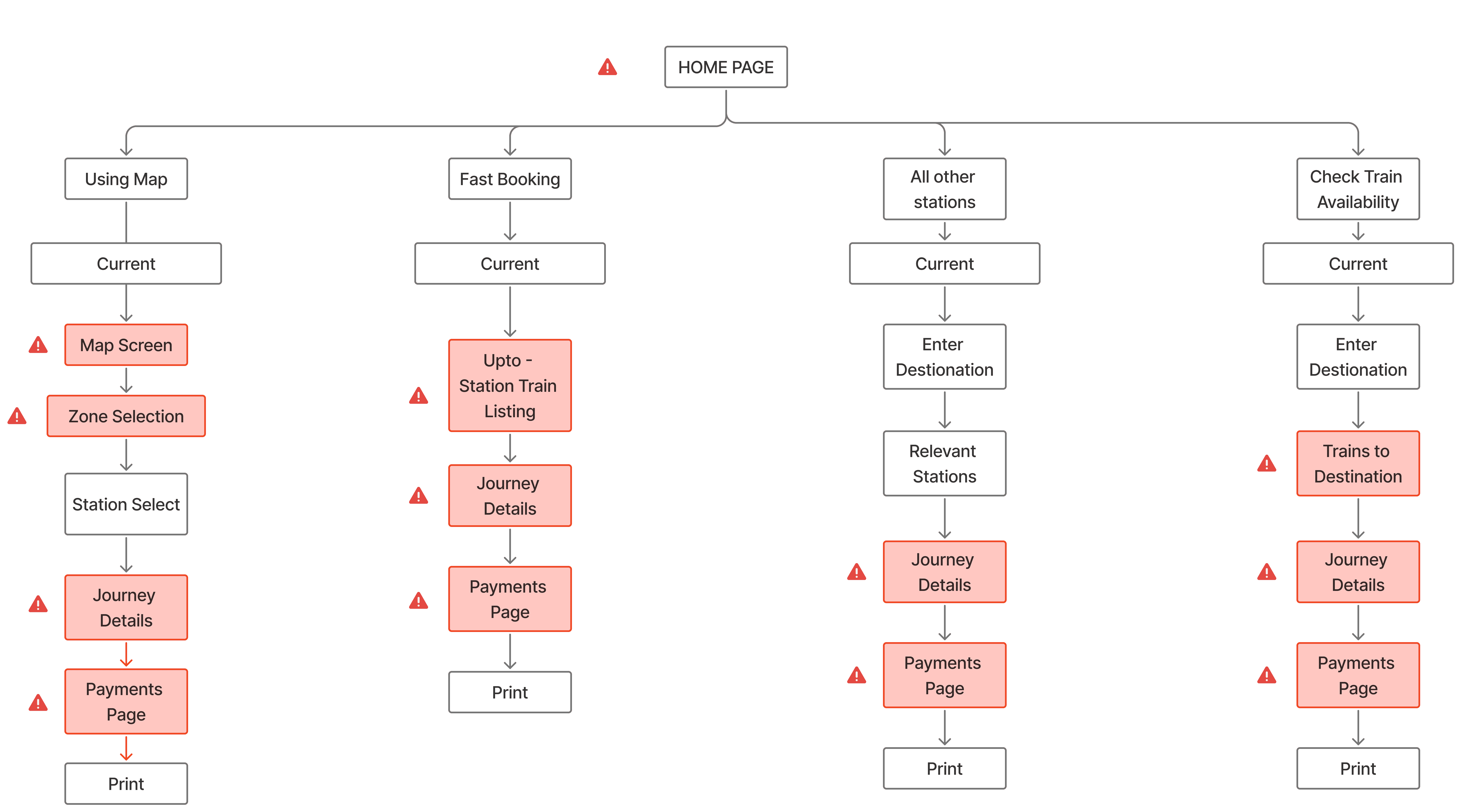
ATVM Ticketing Journey

ATVM Ticketing Journey

A detailed breakdown of how commuters navigate the ATVM and where confusion, hesitation, and delays typically occur.

A detailed breakdown of how commuters navigate the ATVM and where confusion, hesitation, and delays typically occur.

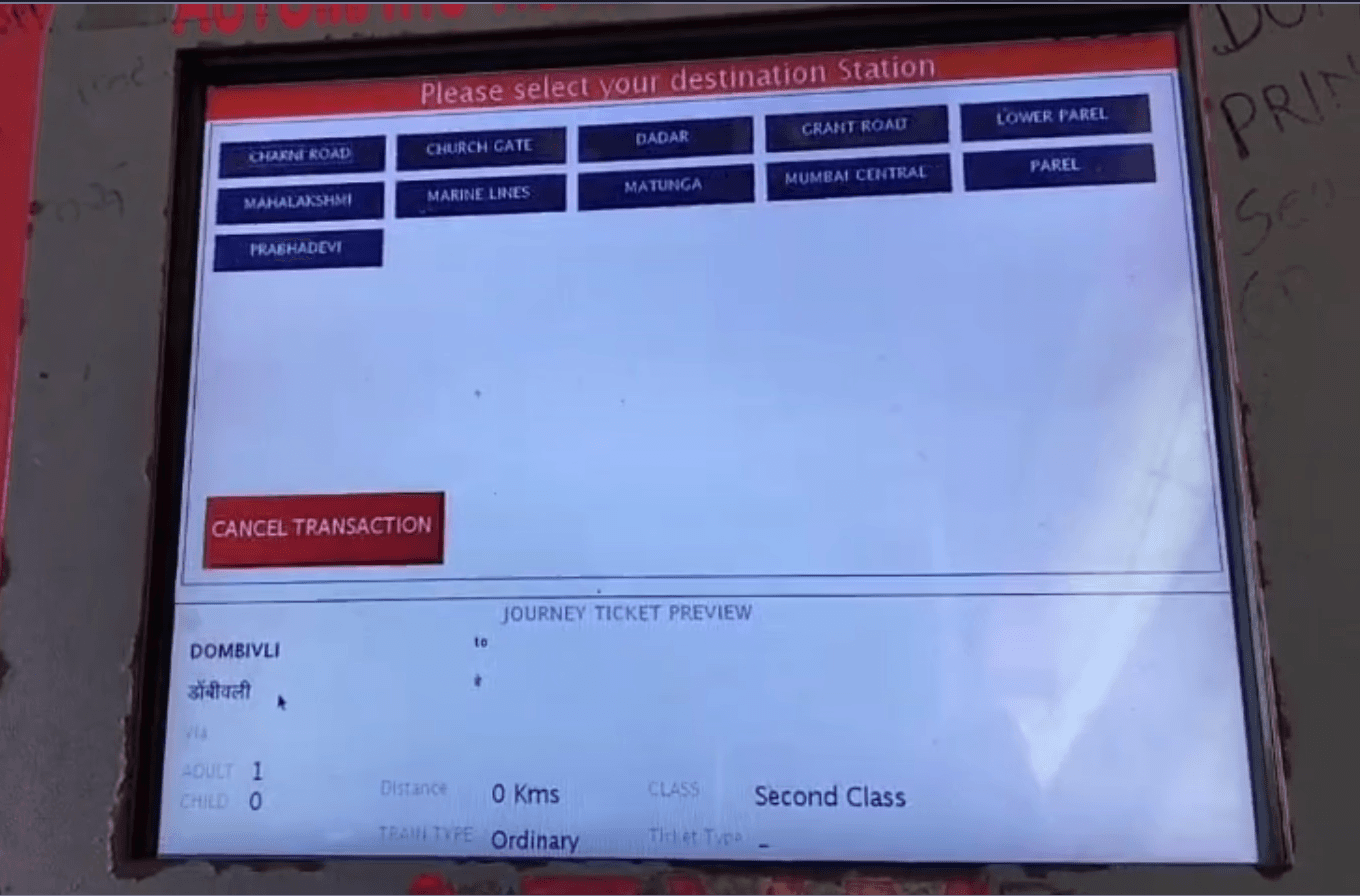
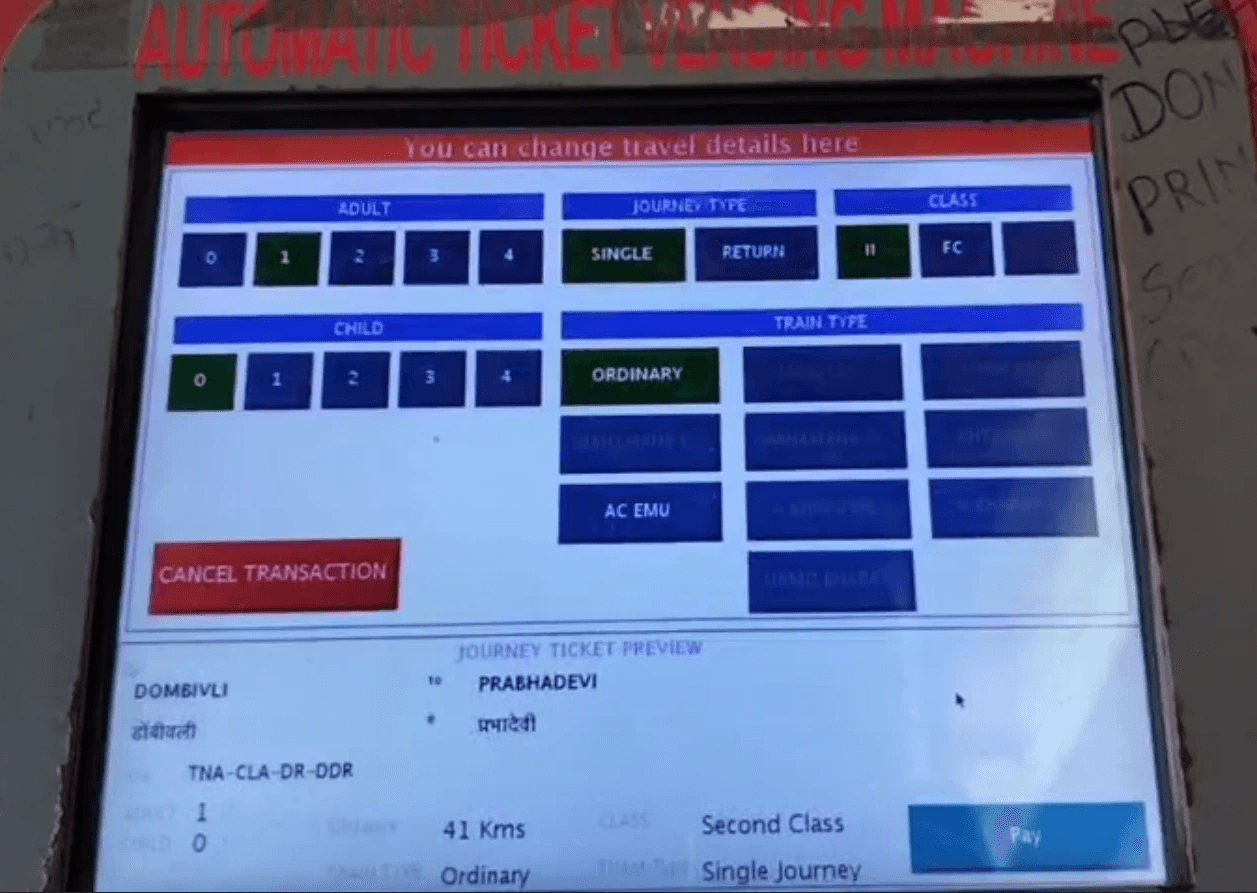
These marked screens are observed to cause user struggles becuase of UI and ATVM Heuristic problems
Heuristic Evaluation

ATVM Usability Evaluation Heuristics

ATVM Usability Evaluation Heuristics

Studied and adapted core usability heuristics to fit the context of ticketing. This framework guided every design decision.

Studied and adapted core usability heuristics to fit the context of ticketing. This framework guided every design decision.

01

Keep visuals clean and focused

02

Ensure strong visibility & contrast

03

The interface should be multilingual

04

Communicate both visually and verbally

05

Guide users before they start

06

Make actions and touch areas obvious

07

Keep steps minimal and direct

08

Show progress and transaction feedback

09

Help users recover from mistakes

10

Prevent critical errors and confusion

11

Reveal the journey ahead

12

Design for speed and patience

Before
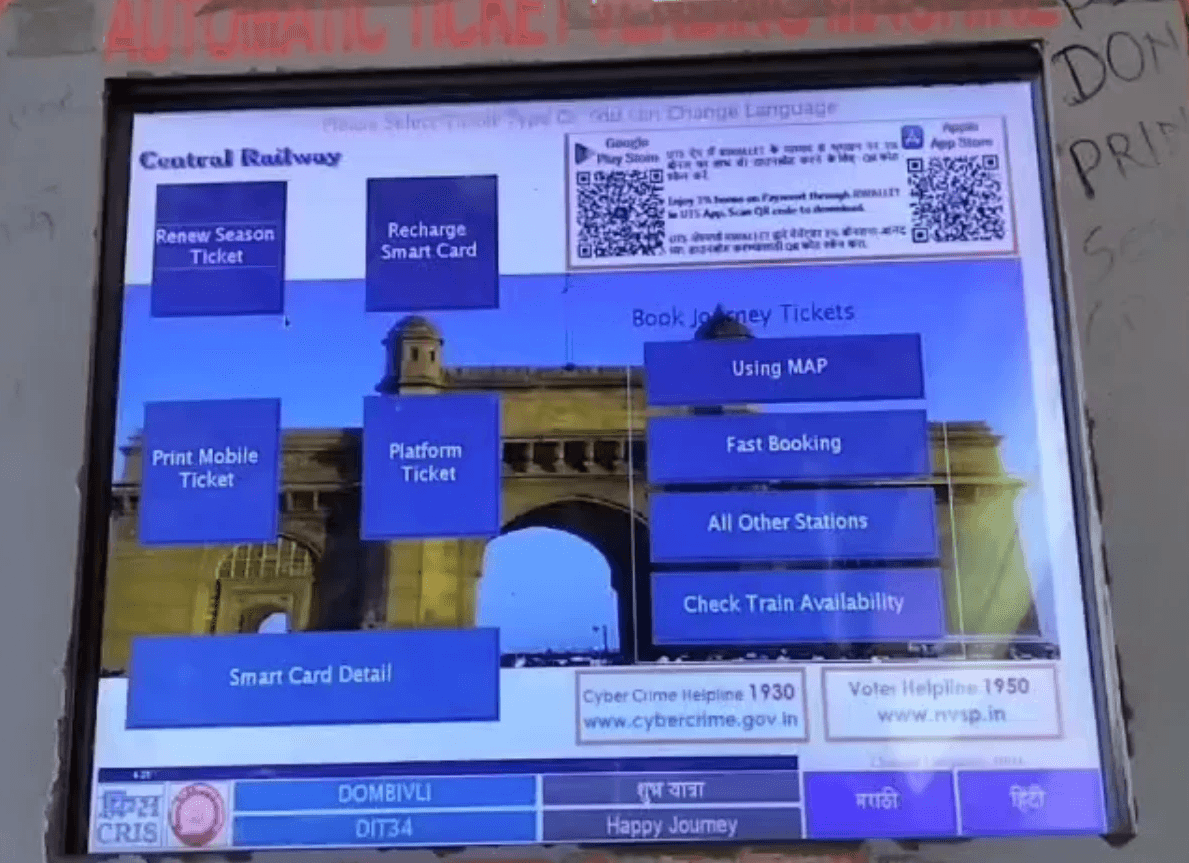
Evaluating the existing ATVM screens to pinpoint gaps in hierarchy, feedback, and navigation that impact real-world usage.

Evaluating the existing ATVM screens to pinpoint gaps in hierarchy, feedback, and navigation that impact real-world usage.

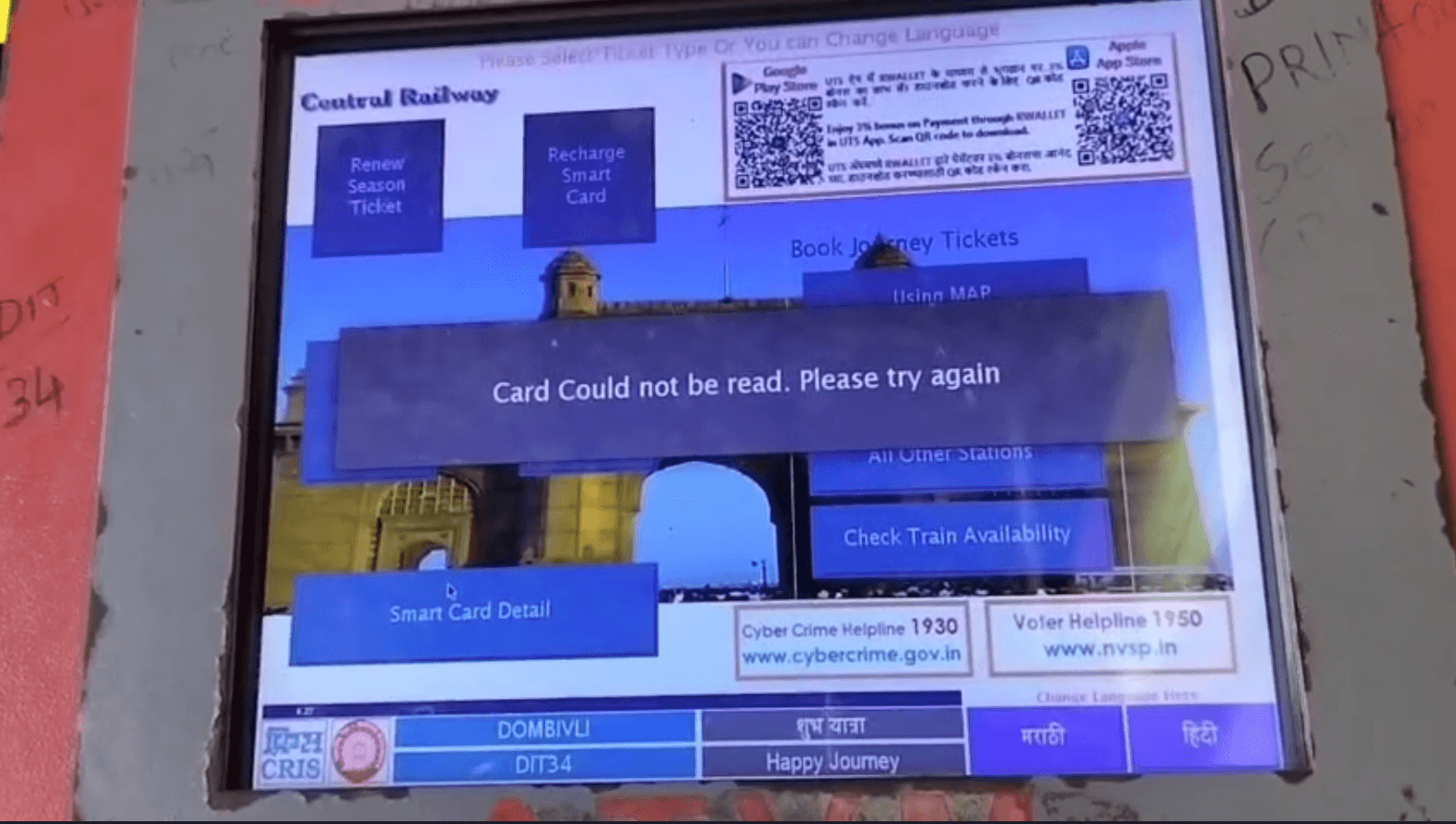
Home screen

ATVM issues range from physical to
digital problems.

Map screen

ATVM issues range from physical to digital problems.

Select station screen

ATVM issues range from physical to digital problems.

Journey details screen

ATVM issues range from physical to digital problems.

Fast booking screen

ATVM issues range from physical to digital problems.

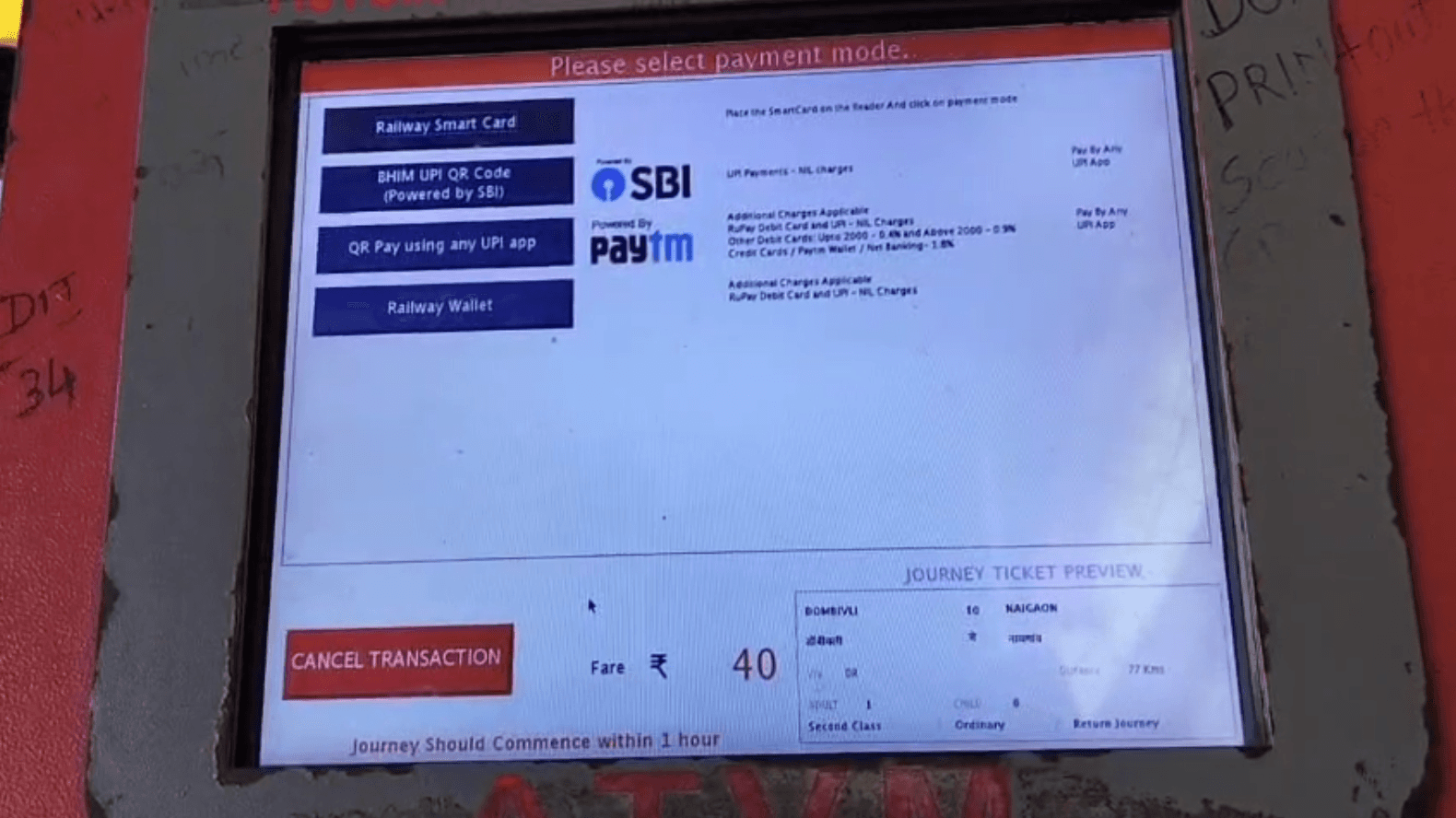
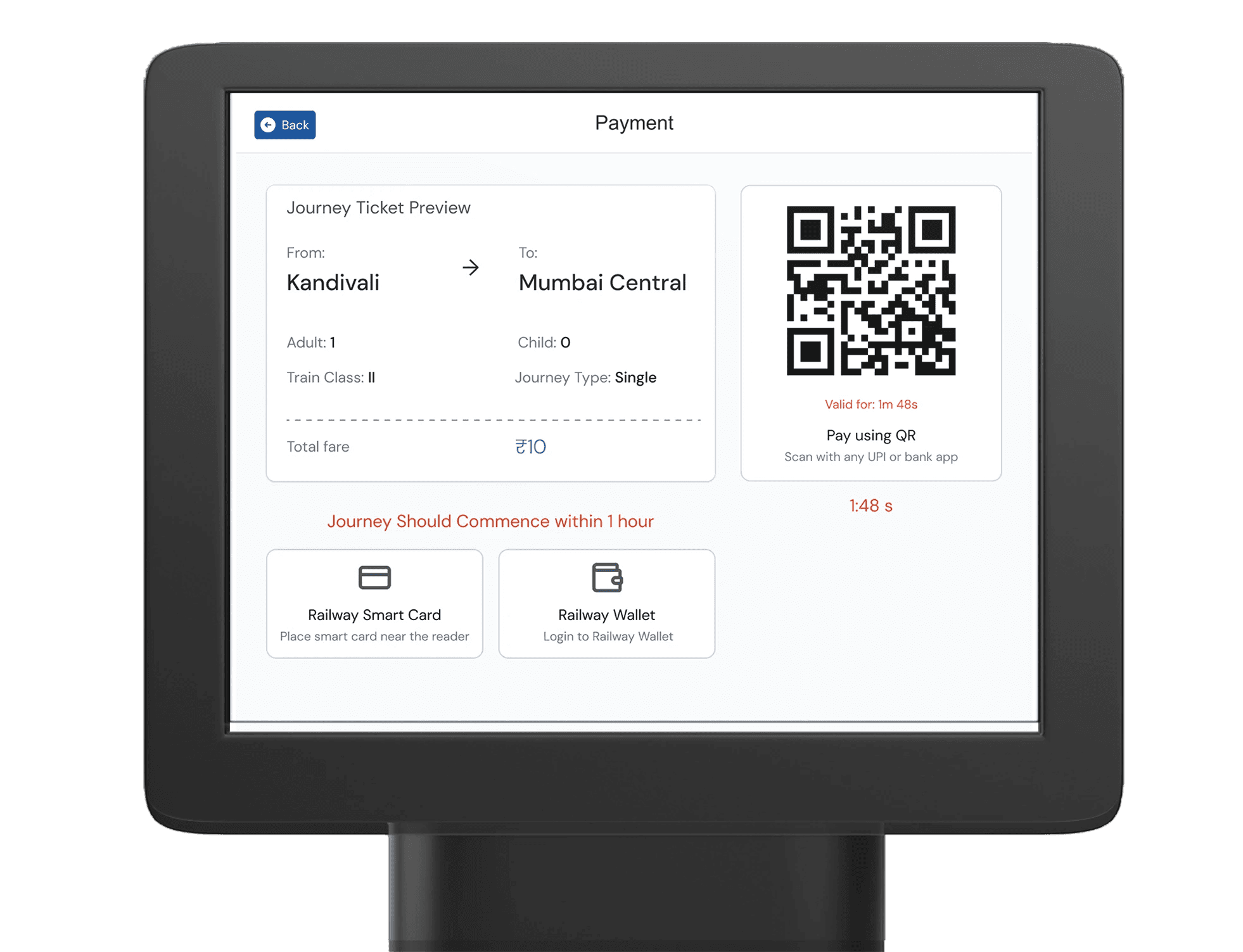
Payment screen

ATVM issues range from physical to digital problems.

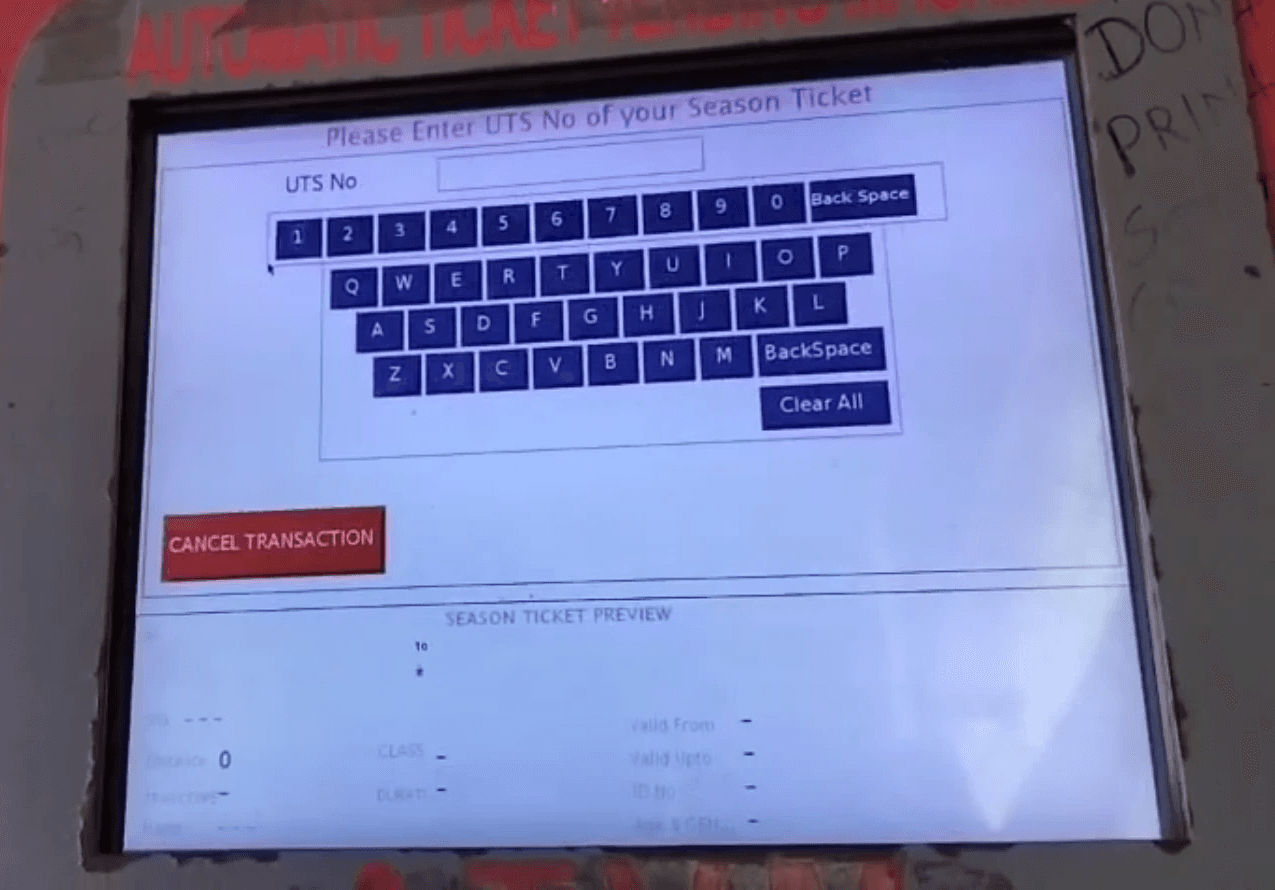
Season ticket renew

ATVM issues range from physical to digital problems.

Error screen

ATVM issues range from physical to digital problems.

Home screen

ATVM issues range from physical to
digital problems.

Map screen

ATVM issues range from physical to digital problems.

Select station screen

ATVM issues range from physical to digital problems.

Journey details screen

ATVM issues range from physical to digital problems.

Fast booking screen

ATVM issues range from physical to digital problems.

Payment screen

ATVM issues range from physical to digital problems.

Season ticket renew

ATVM issues range from physical to digital problems.

Error screen

ATVM issues range from physical to digital problems.

Journey mapping

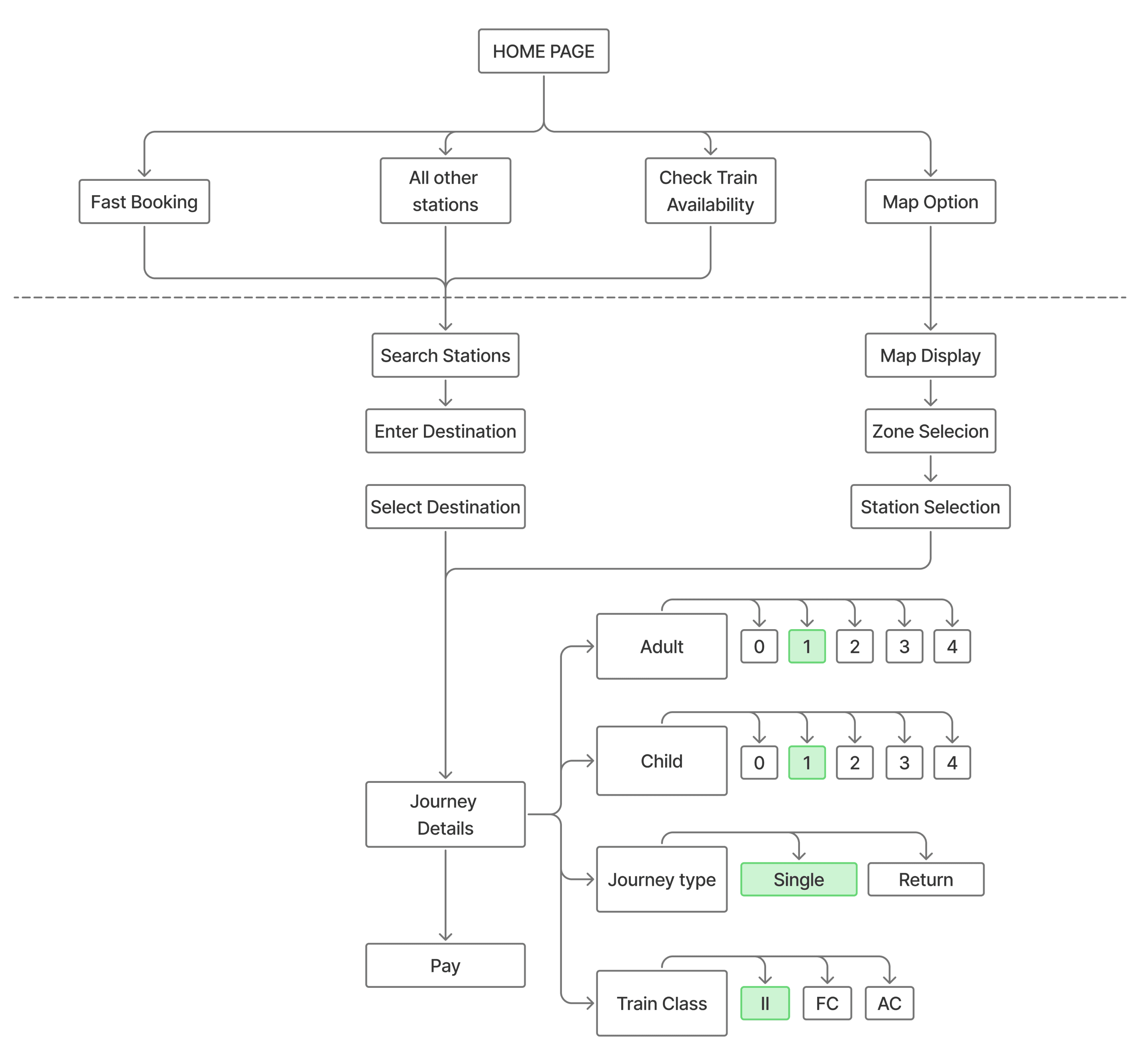
Revised ATVM Ticketing Journey

Revised ATVM Ticketing Journey

Problems identified

  1. This flow reduces the steps upto just 4 for a single ticket buying user

  1. Two clear and clean ways of choosing a station and booking a ticket (Map and search).

  1. Clear payment instructions to follow through with ticket buying
How might we?
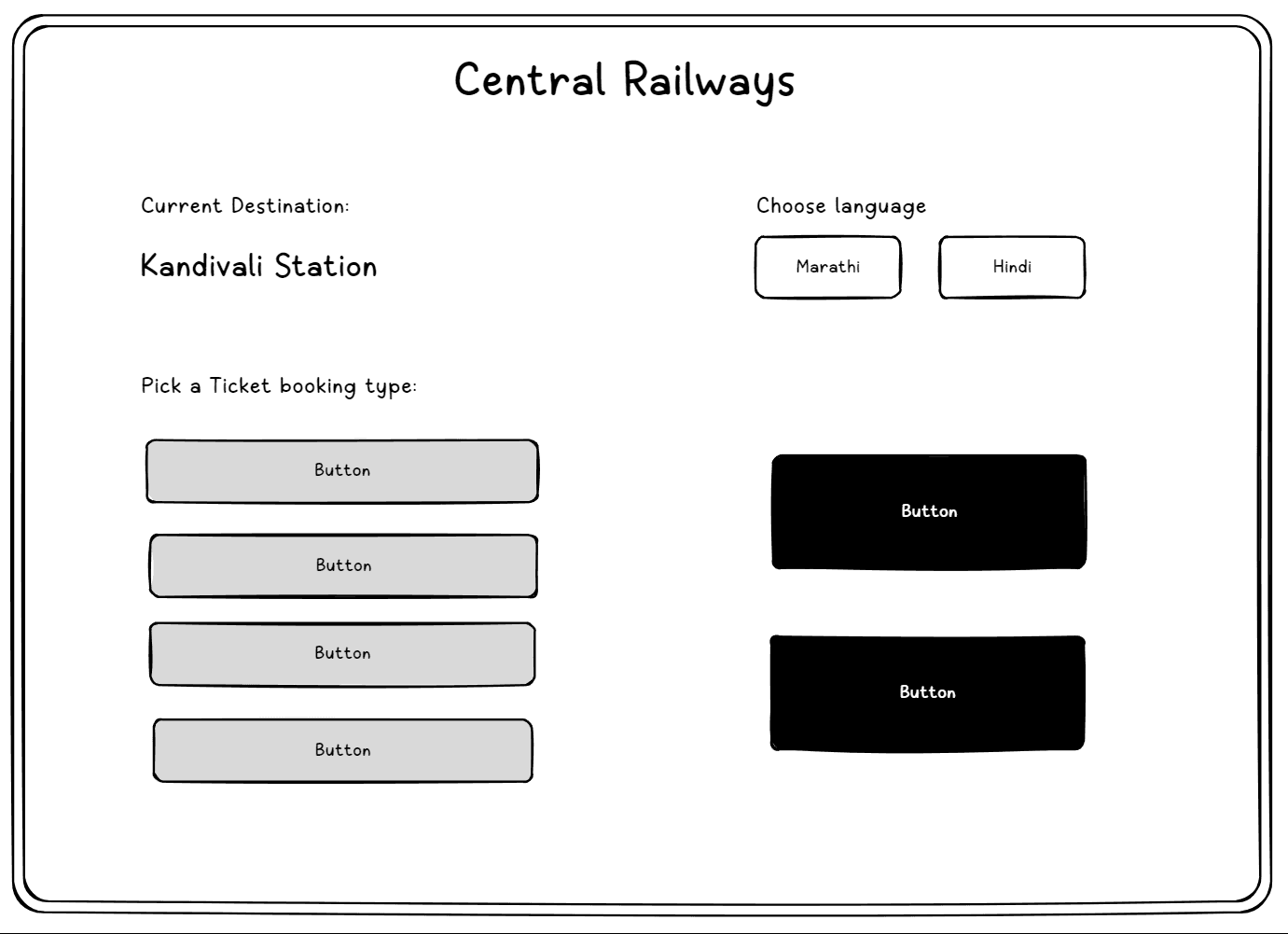
How might we help everyday commuters book tickets in under 30 seconds on ATVM kiosks by introducing an error-tolerant, map-first flow?

How might we help everyday commuters book tickets in under 30 seconds on ATVM kiosks by introducing an error-tolerant, map-first flow?

Output

Let's start

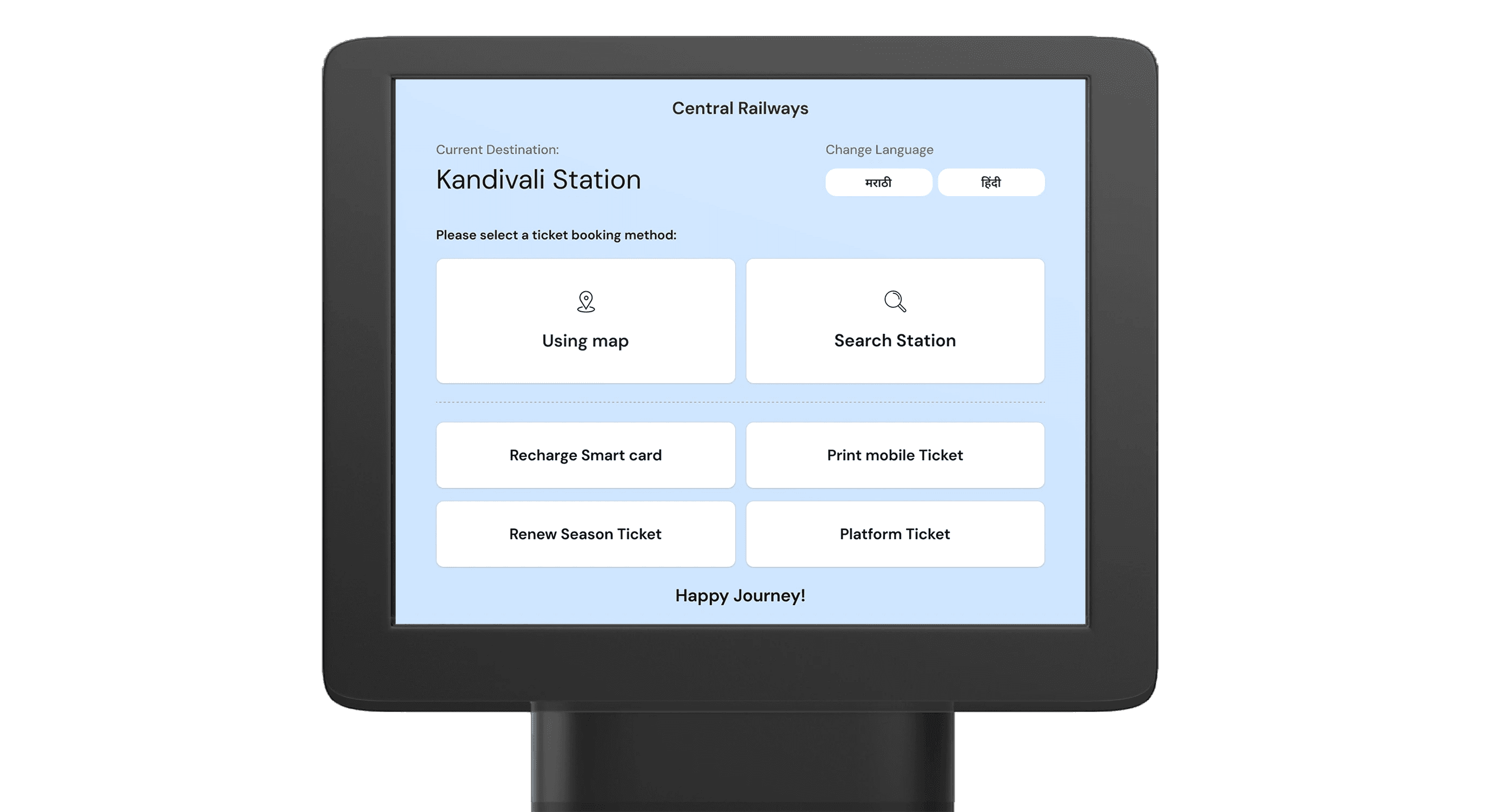
  1. Home screen now directs commuters to the correct booking path.

  1. Primary actions are highlighted up front, while secondary options remain accessible without cluttering the interface.
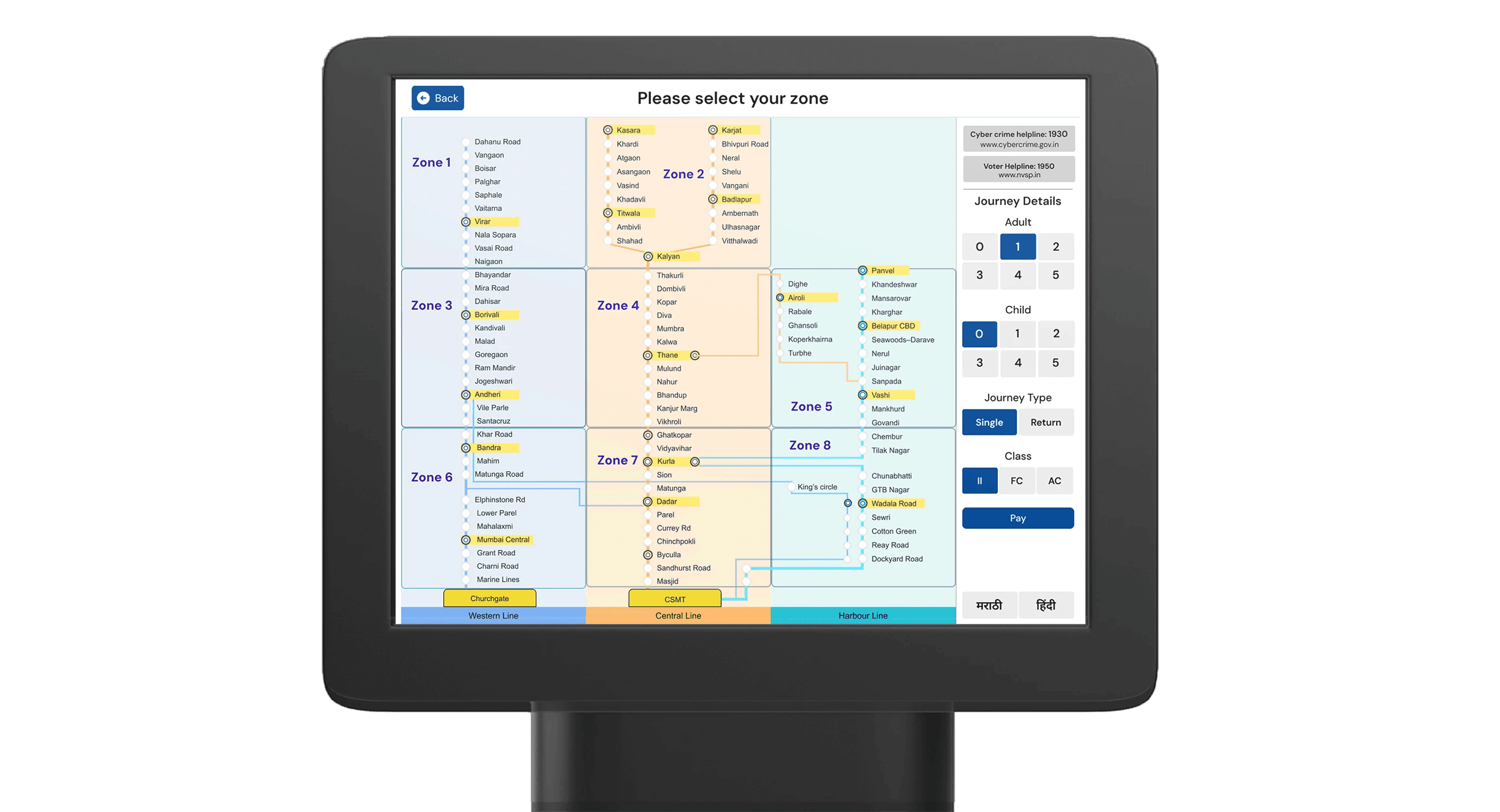
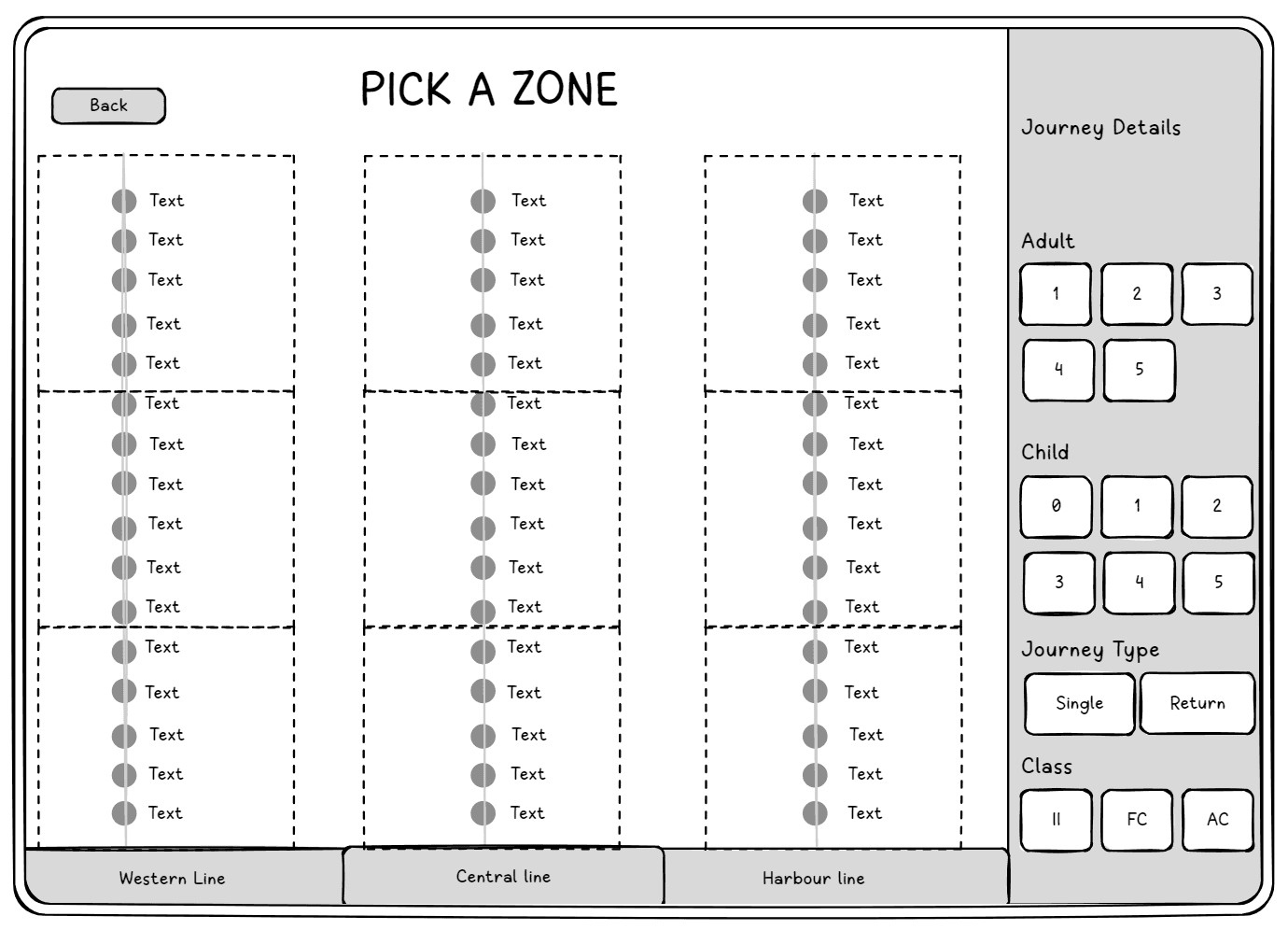
Pick a zone

  1. Easy navigation through division of zones (clear information hierarchy).

  1. Auto filled journey details with most commonly chosen option (Can be changed as per user discretion)

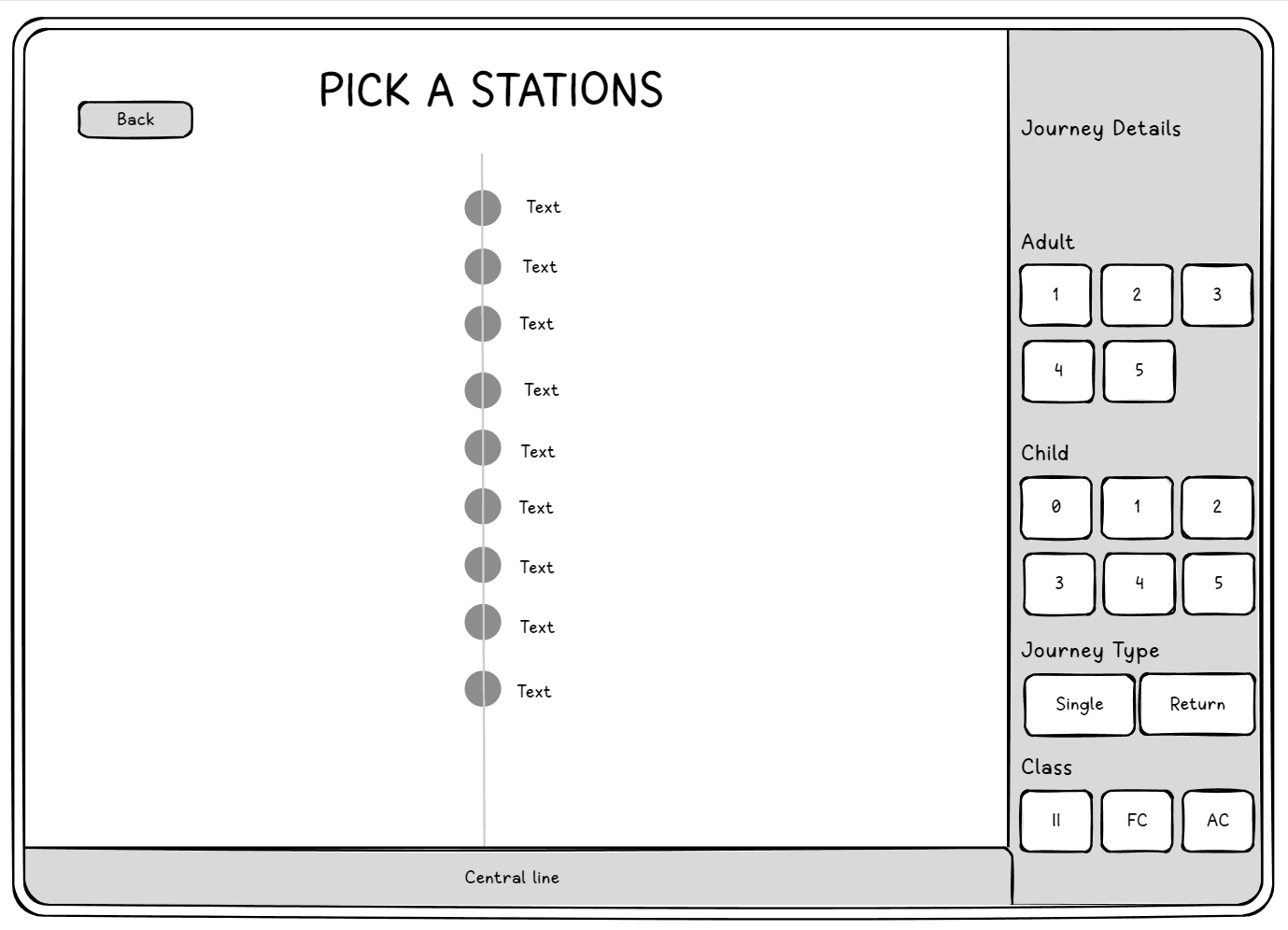
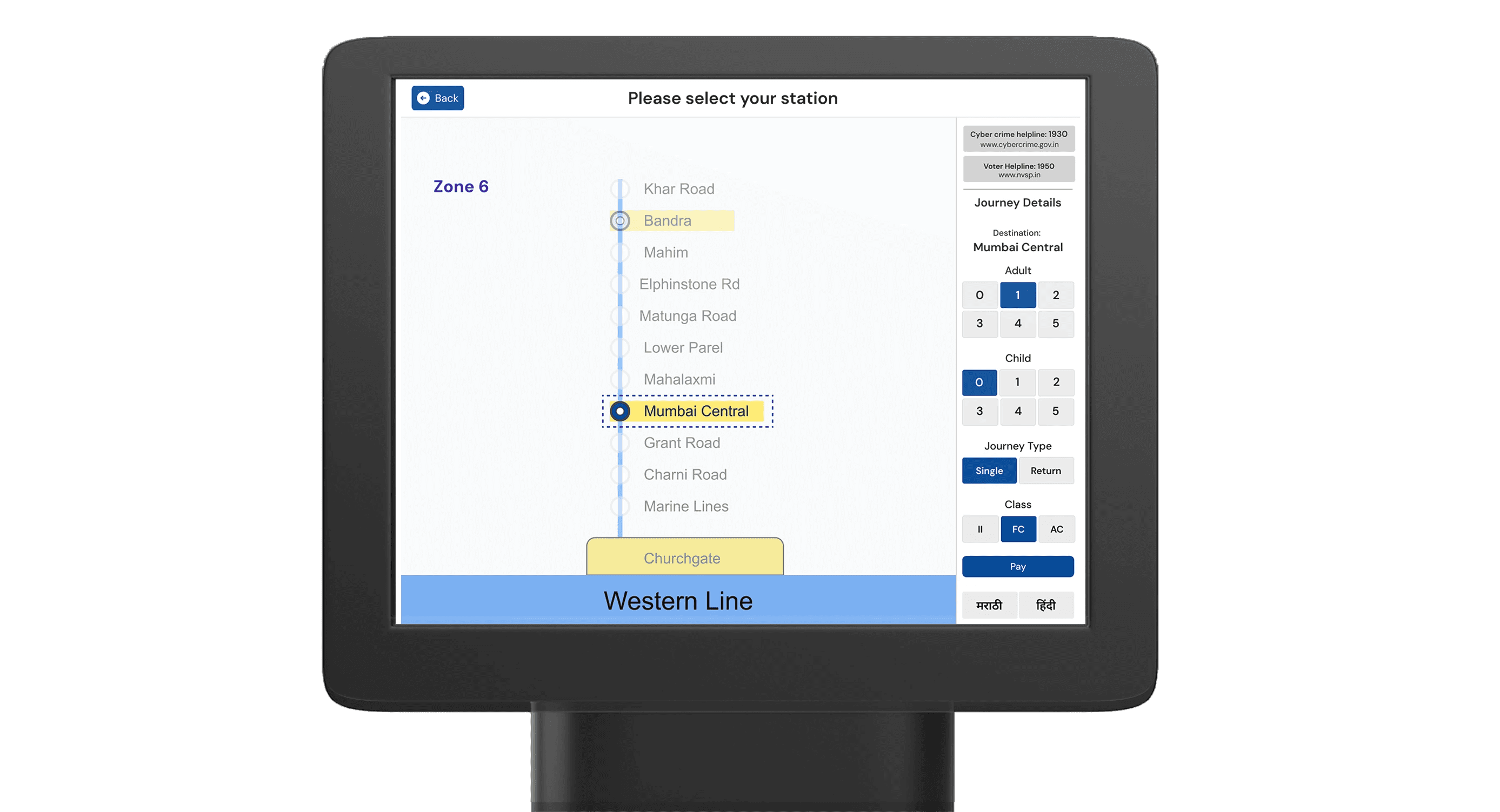
Pick a Station

  1. Choose where you want to go once you identify your zone.
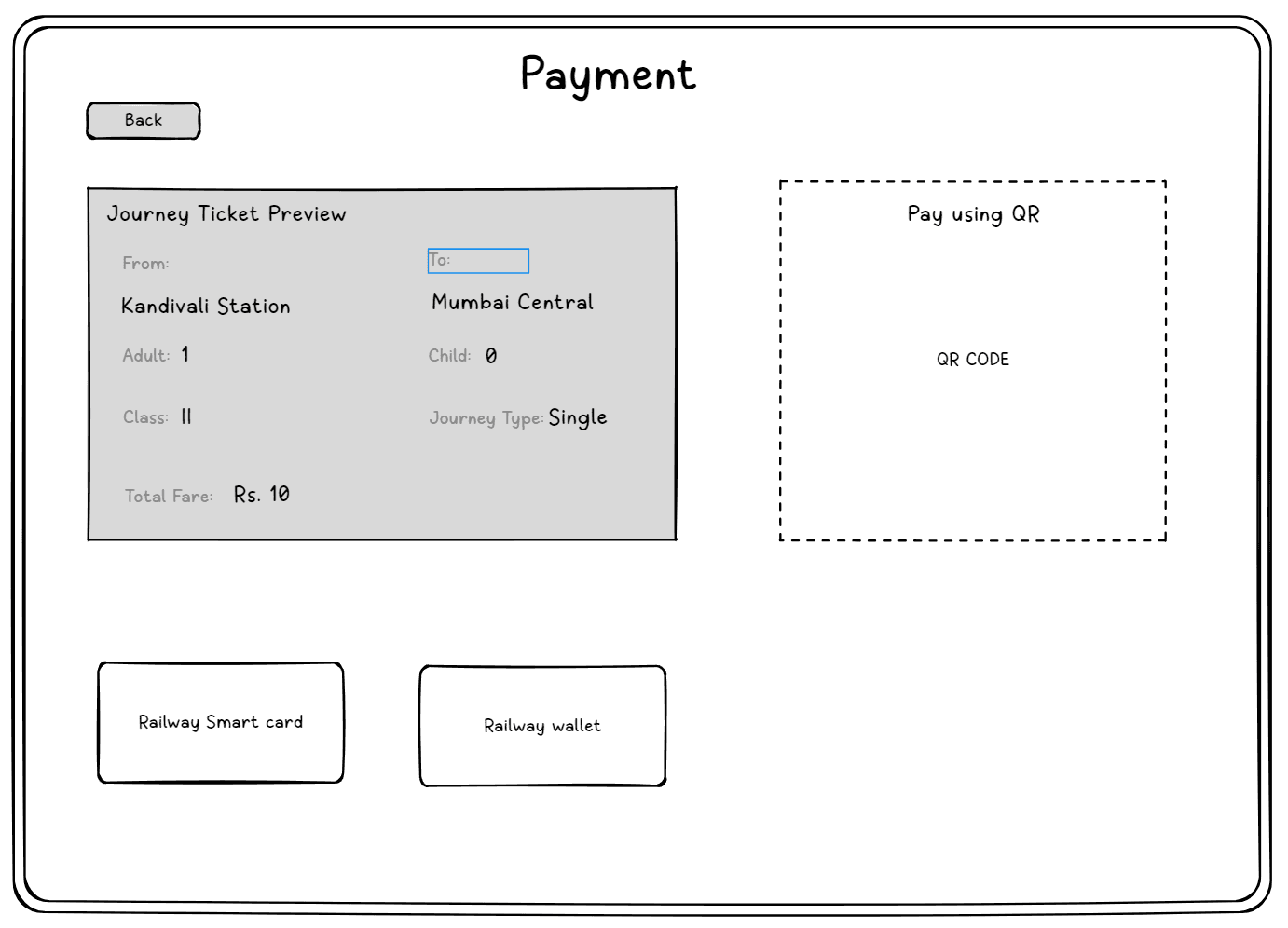
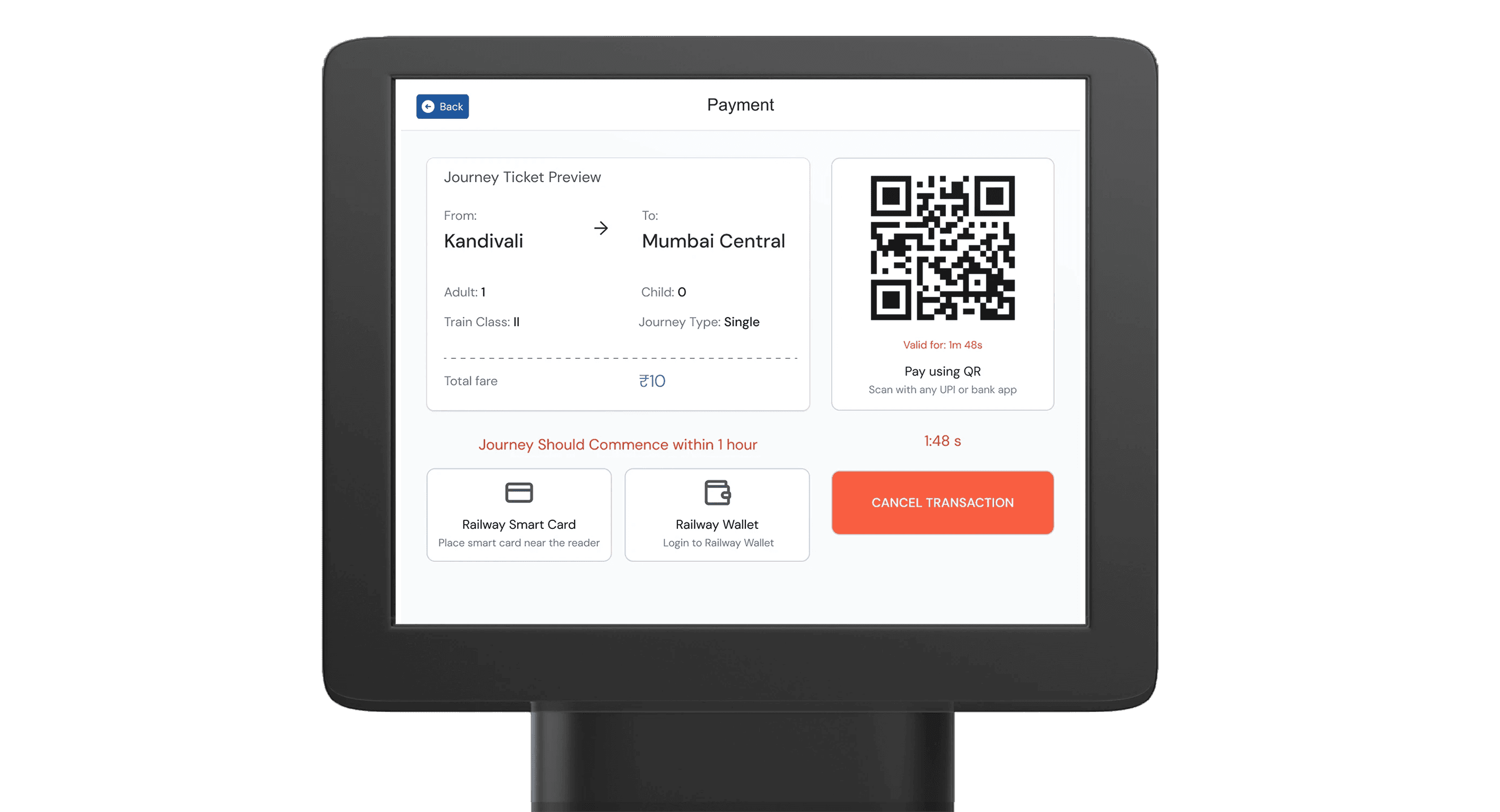
Pay now

  1. Generated Qr code for easy scan and pay through any UPI application or bank app

  1. Clear Journey ticket preview to check and confirm for details.

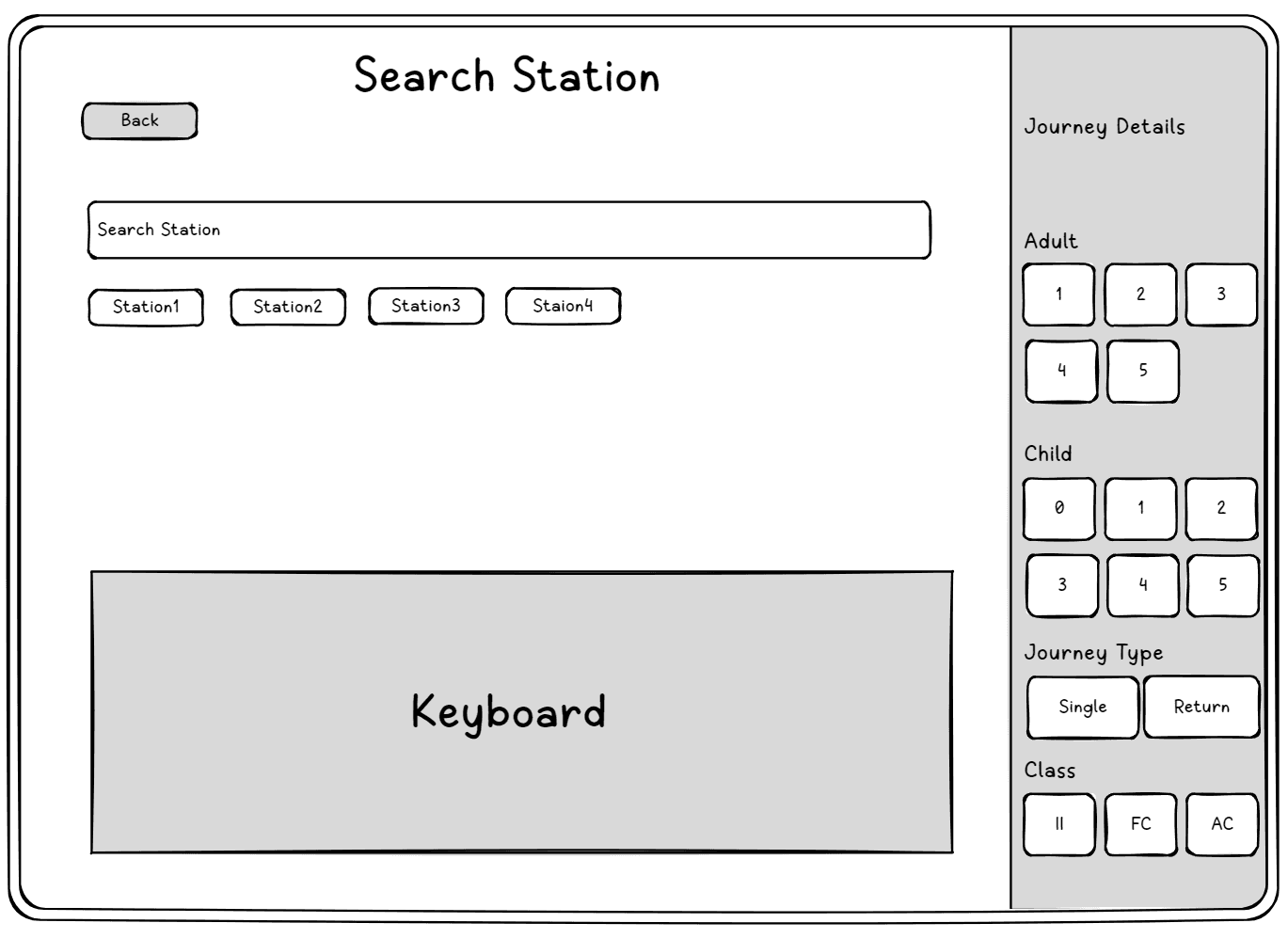
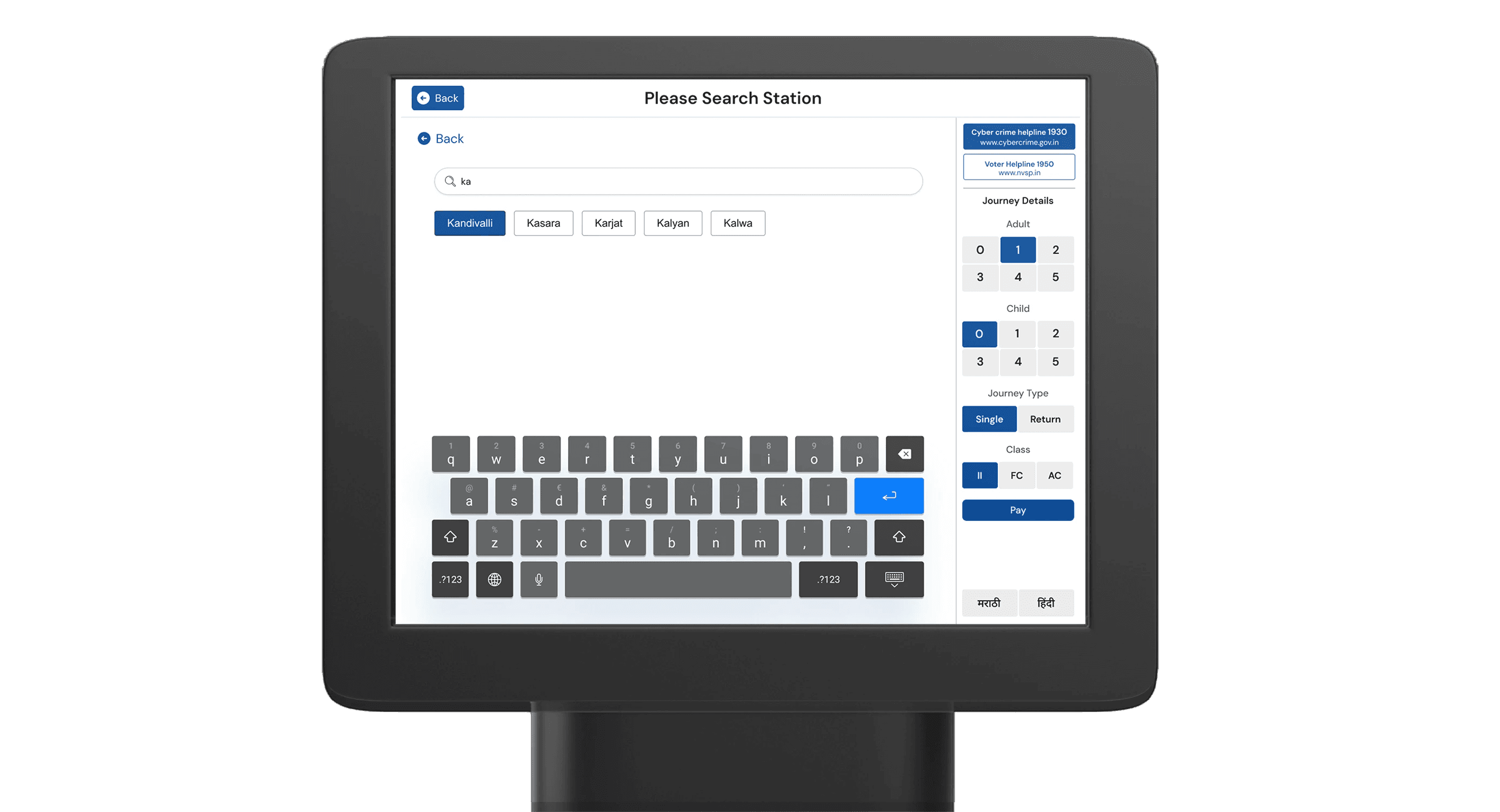
Search your station

  1. Search your station instantly with predictive search.
Let's see it all work together

Consistent Components &
Clear Details

A maximum of 4 steps required to book a single user ticket (the most commonly booked ticket)

A maximum of 4 steps required to book a single user ticket (the most commonly booked ticket)

Result?

By prioritizing user feedback, we streamlined navigation and transformed ticket booking into an intuitive process, reducing friction and boosting satisfaction for a more engaging, user-centric experience.

By prioritizing user feedback, we streamlined navigation and transformed ticket booking into an intuitive process, reducing friction and boosting satisfaction for a more engaging, user-centric experience.

Key Learnings

  1. Learned how to design for real users under real constraints

  1. Learned how to design for real users under real constraints

  1. Understood the importance of simplifying flows without removing functionality.

  1. Understood the importance of simplifying flows without removing functionality.

  1. Realised how immersion and field research shape better UX decisions.

  1. Realised how immersion and field research shape better UX decisions.

  1. Learned how to design for real users under real constraints

  1. Learned how to design for real users under real constraints

Create a free website with Framer, the website builder loved by startups, designers and agencies.