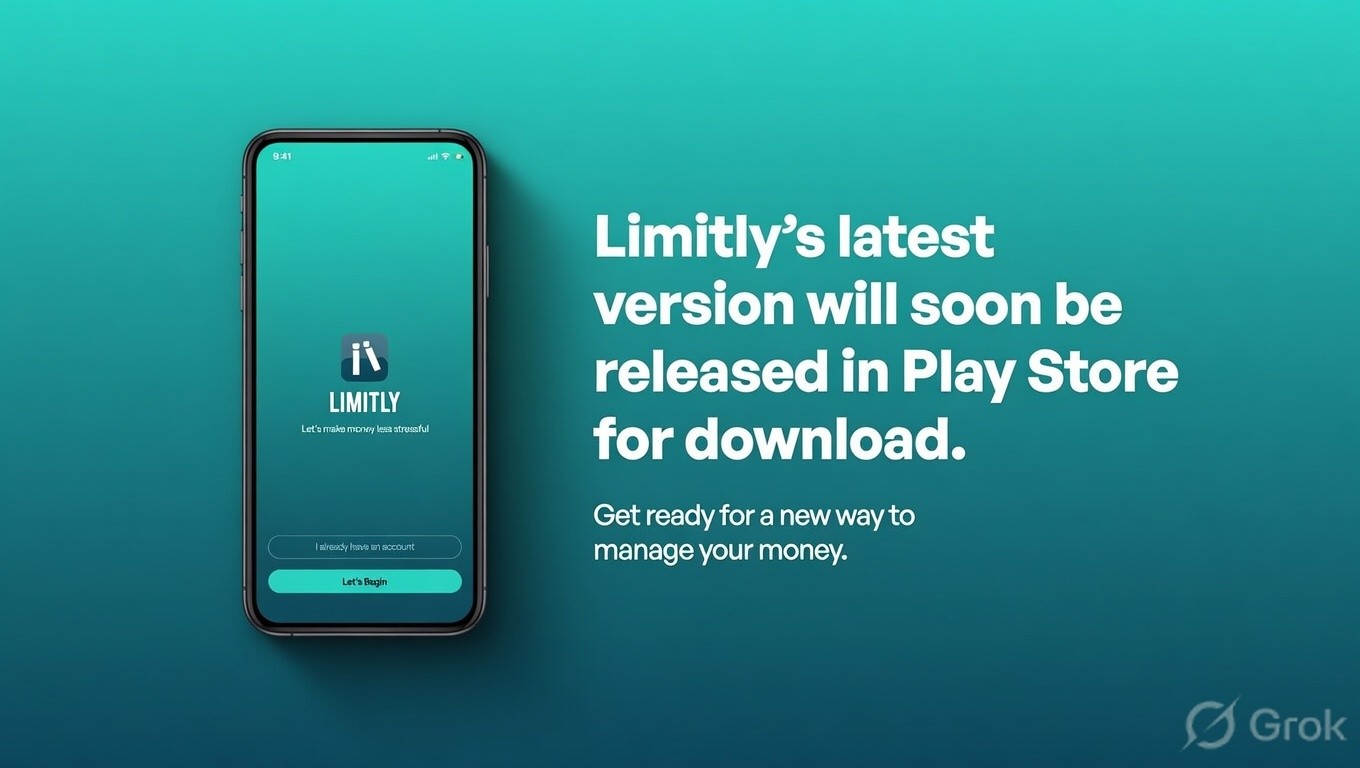
Limitly - designing a better way to manage personal finances
Company
Swachh AI Technologies
Toolkit
Figma, Figjam, Illustrator, Photoshop, Claude, Grok, Gemini
Timeline
3 months
Role
UX Designer

Summary
At Swachh AI, I led design for the onboarding experience of limitly app. The make-or-break moment where users either commit to changing their financial habits or abandon the app entirely. I ran user interviews, mapped behavioral drop-off patterns, and tested improved flows across archetypes to arrive at an interface that achieved higher onboarding completion rates and stronger Day 0 engagement, with average session time reaching 727 seconds.
Key tasks performed
Skip to design
🚀 Rebuilding Onboarding from the Ground Up
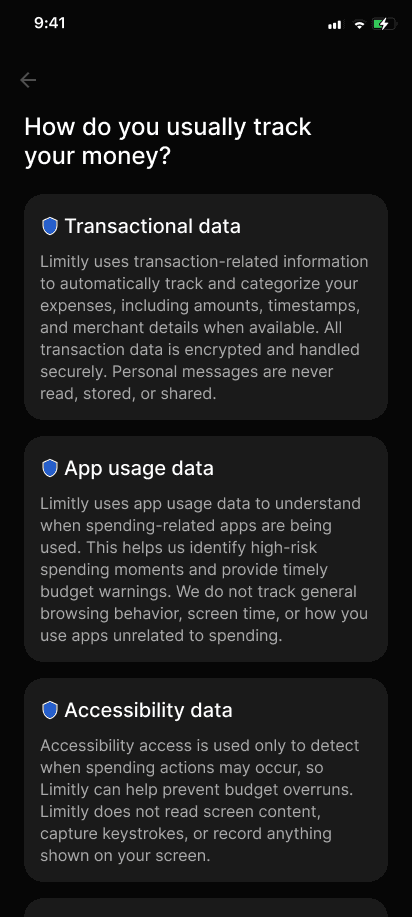
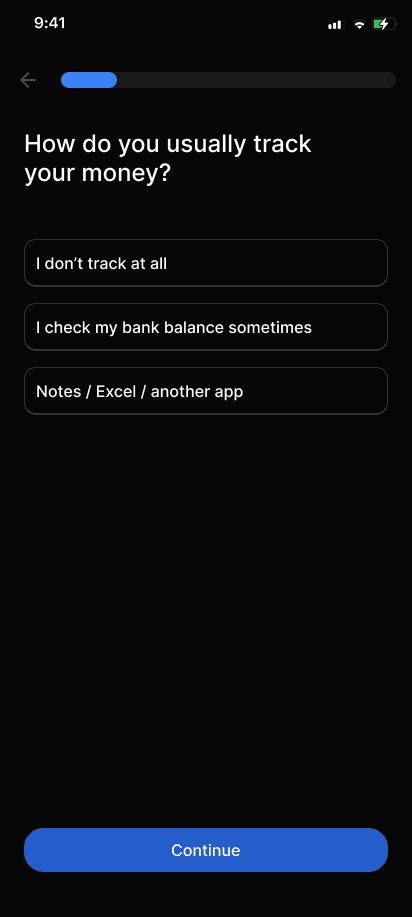
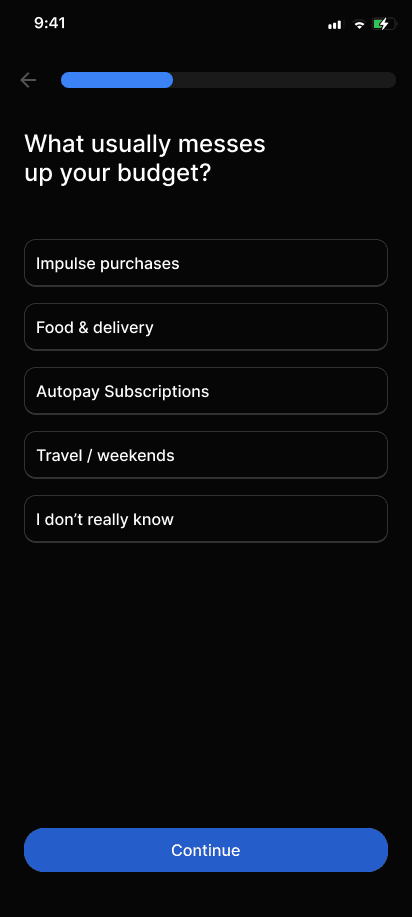
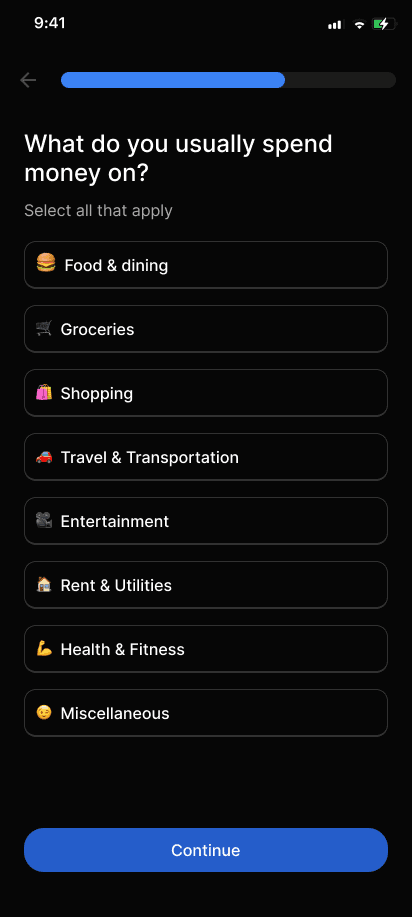
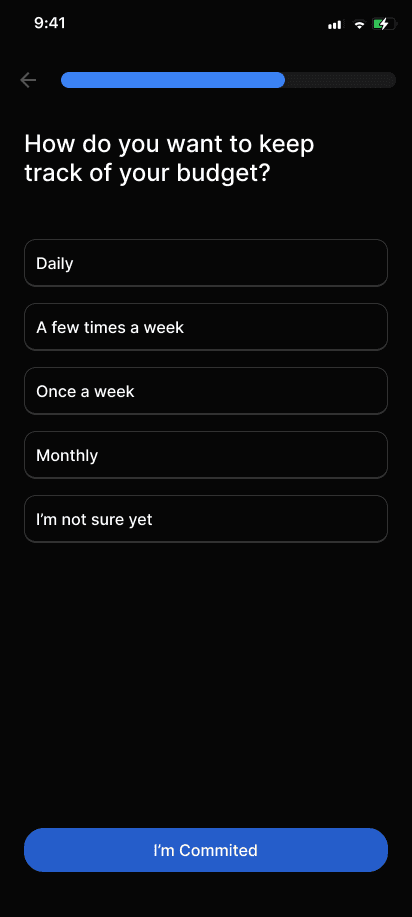
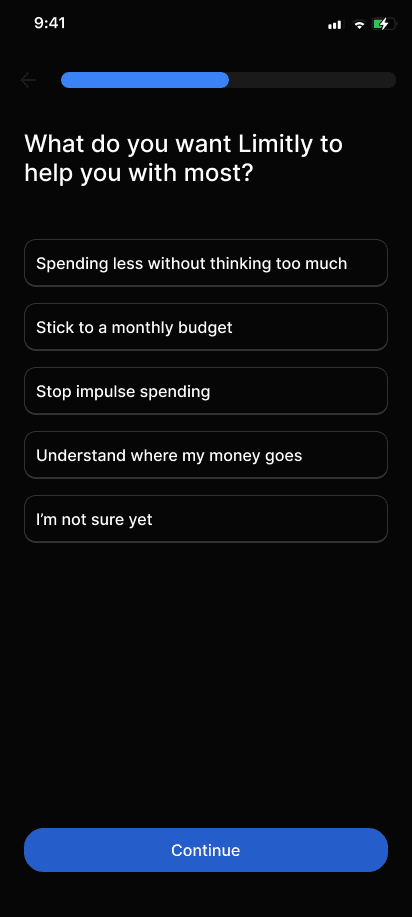
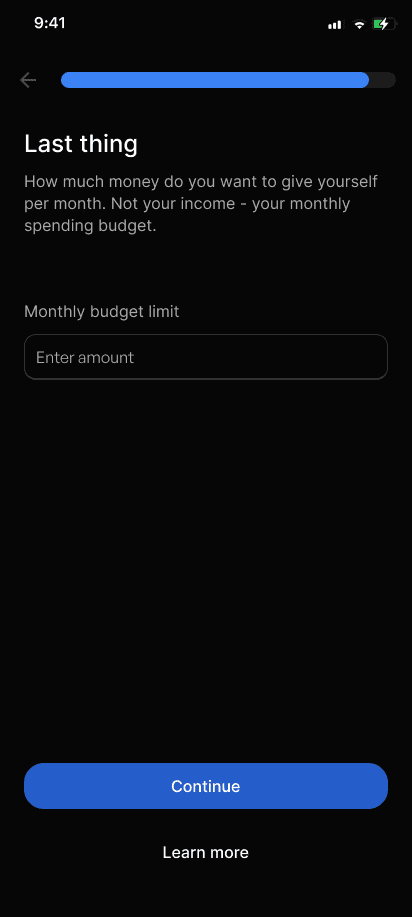
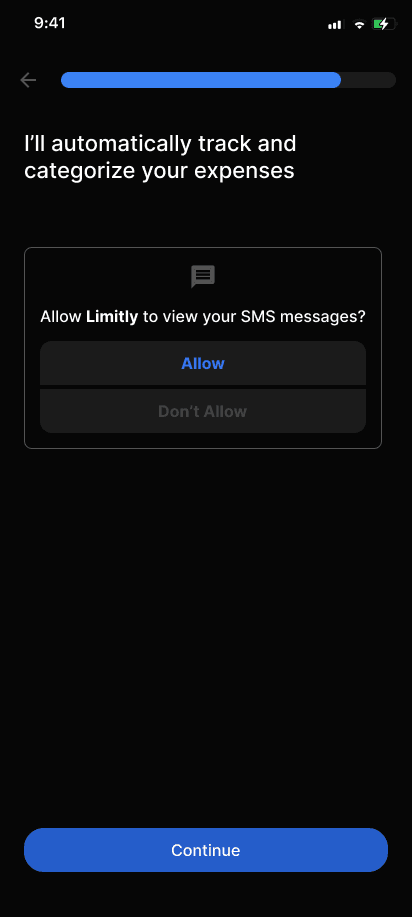
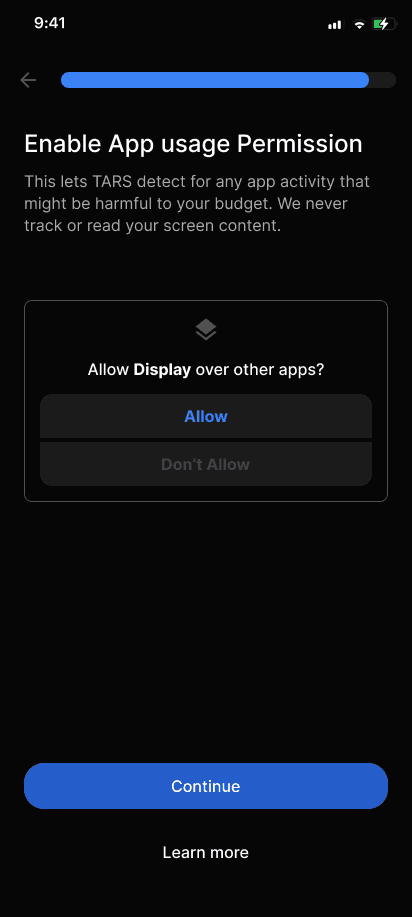
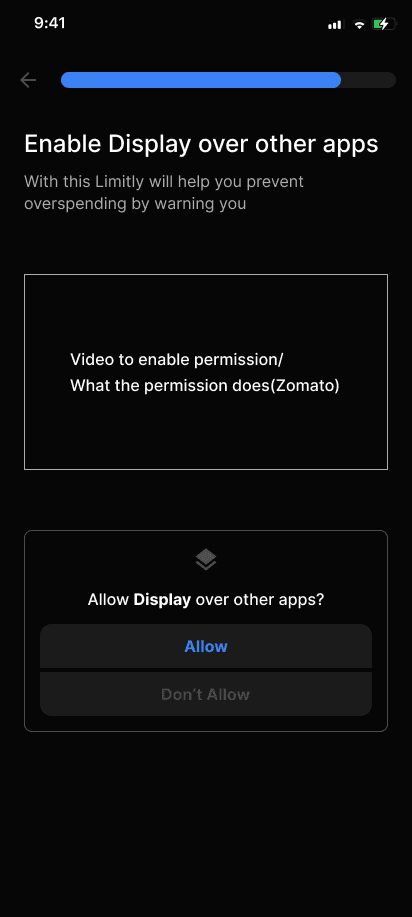
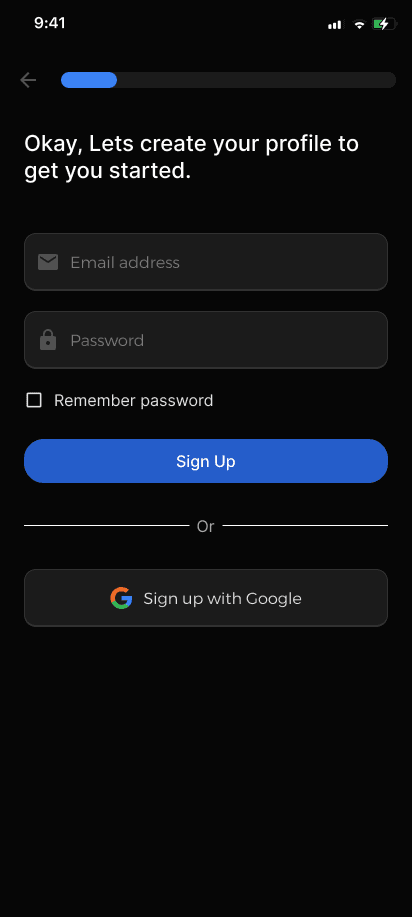
The original pushed users into sign-up before showing value. The redesign opened with an empathetic hook, transparent data policy, and a conversational T.A.R.S. flow that personalised setup before asking for commitment.
🎨 Building Limitly’s Interface
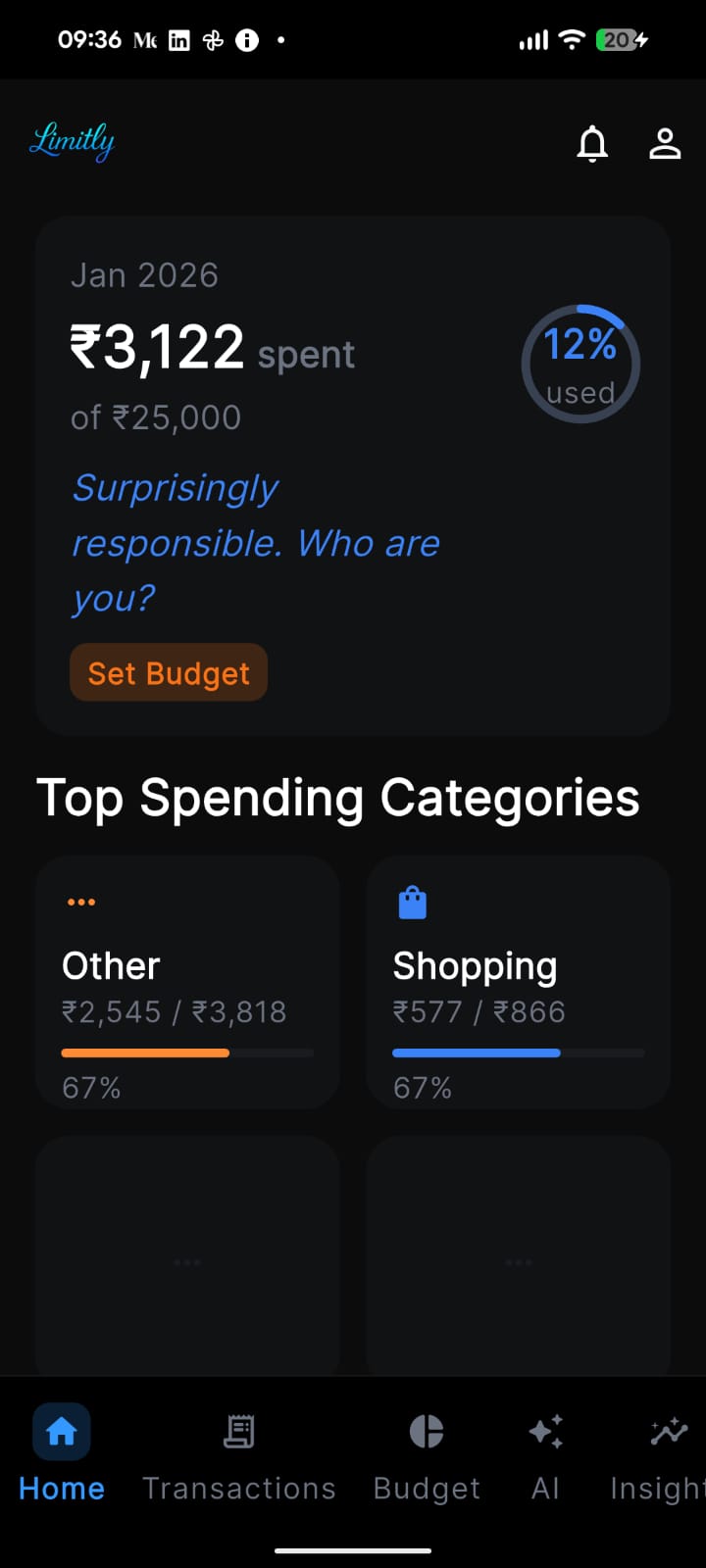
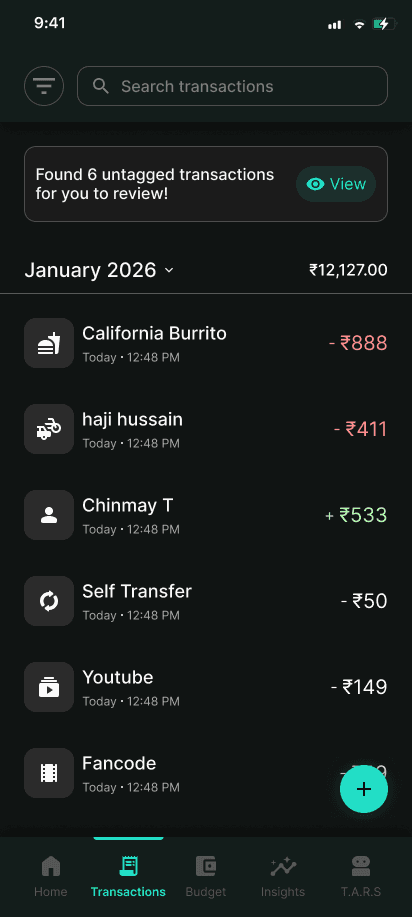
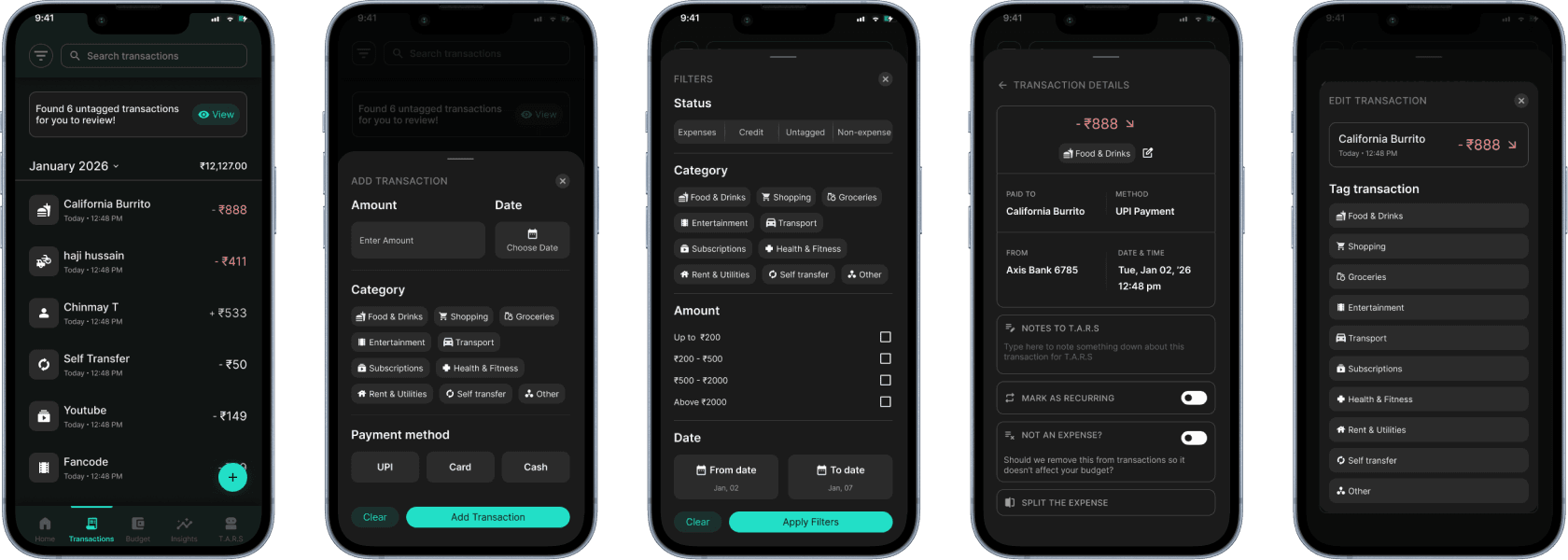
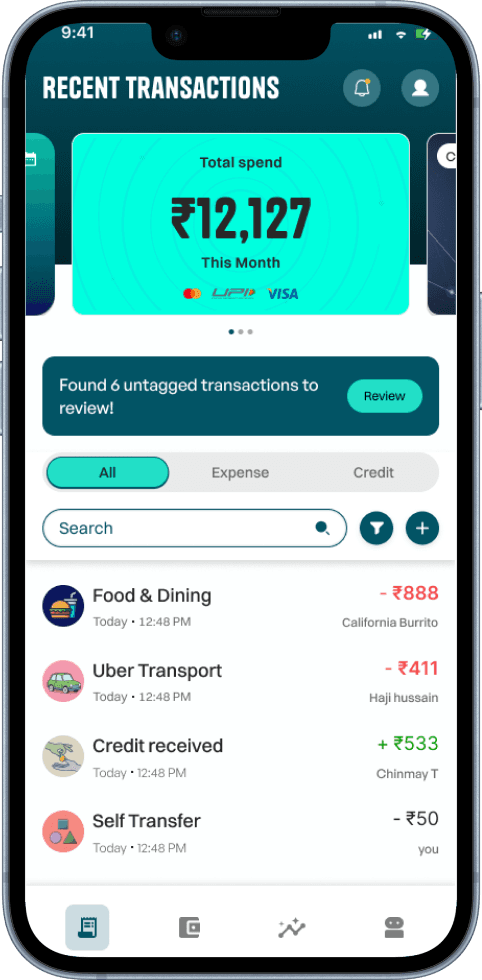
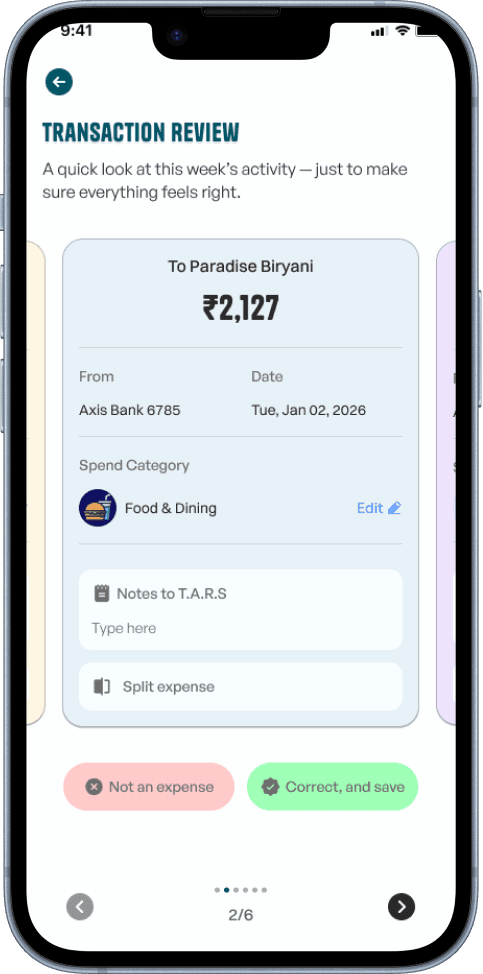
The original was a bare list. The redesign added monthly totals, category filtering, recurring controls, split payments, and prompted untagged transaction reviews — wrapped in a dark-mode reskin with clear identity.
🤝 Designed for Payment Splits
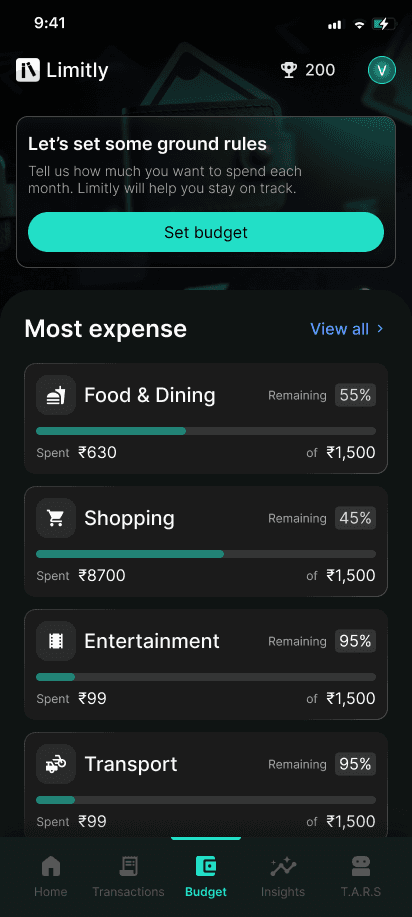
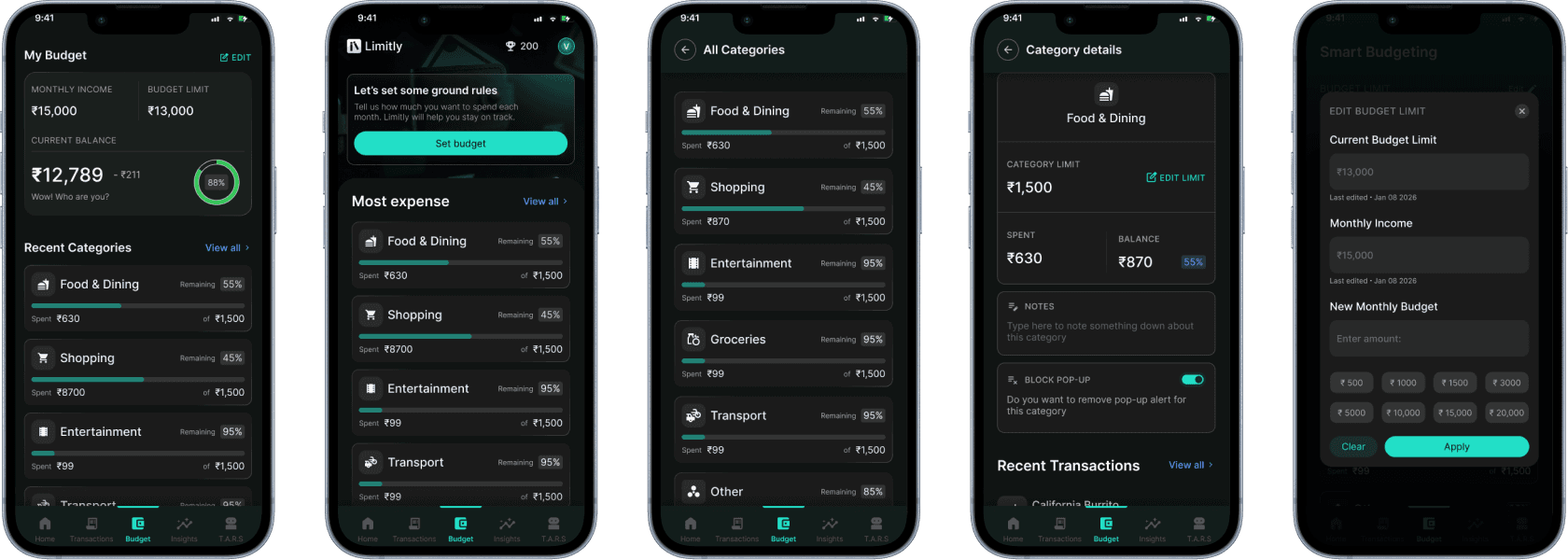
Numbers became visual planning — donut charts, category progress bars, upcoming bills, and a savings stack. Limits reframed to feel motivating rather than restrictive.
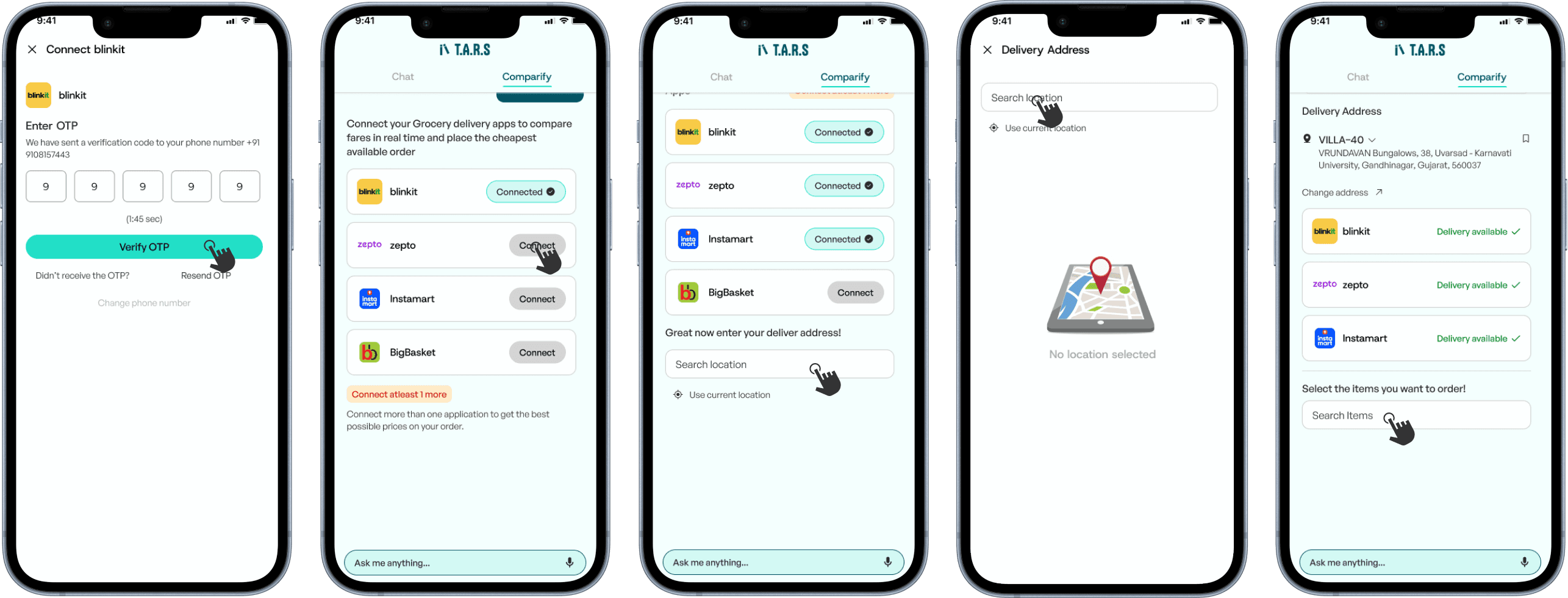
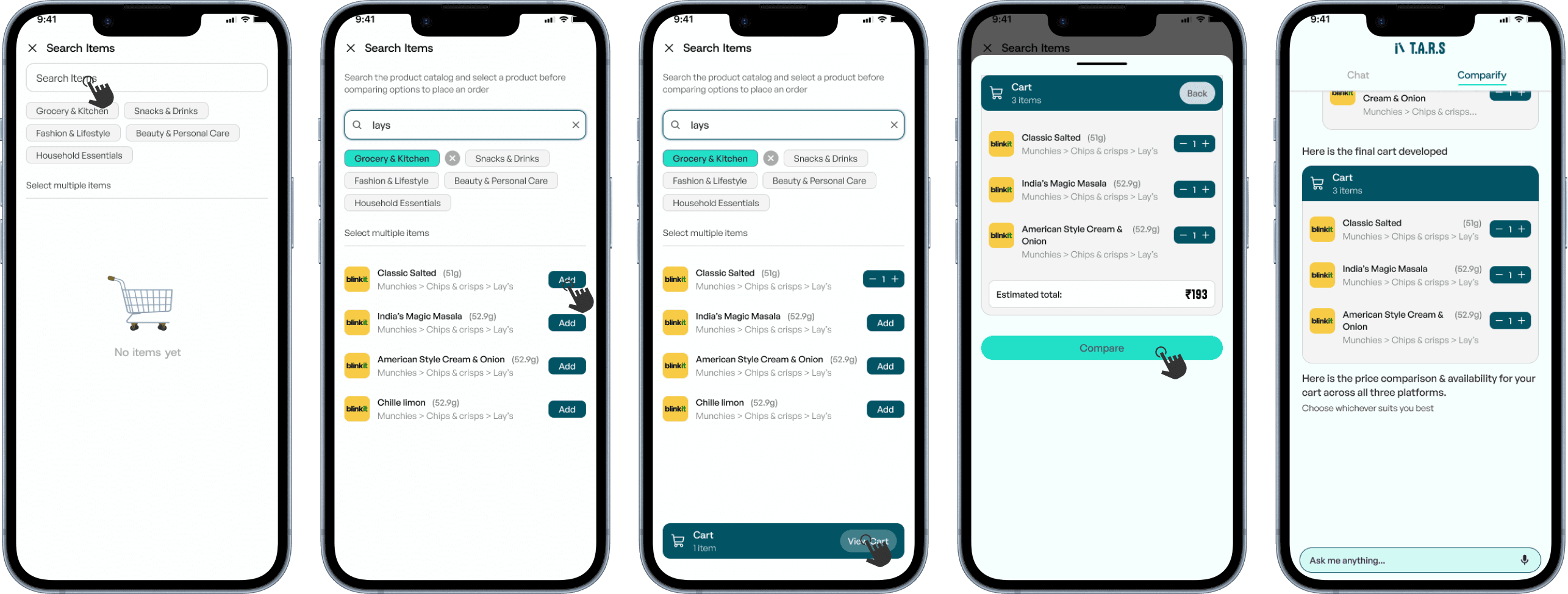
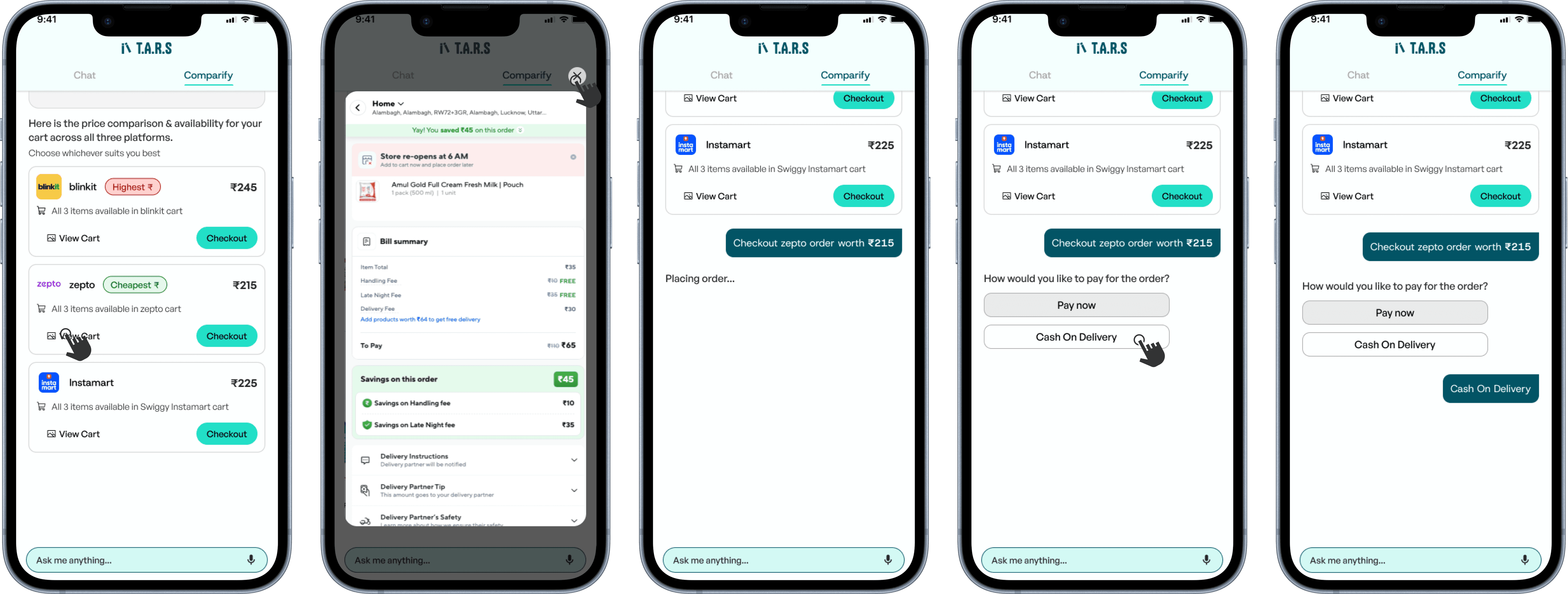
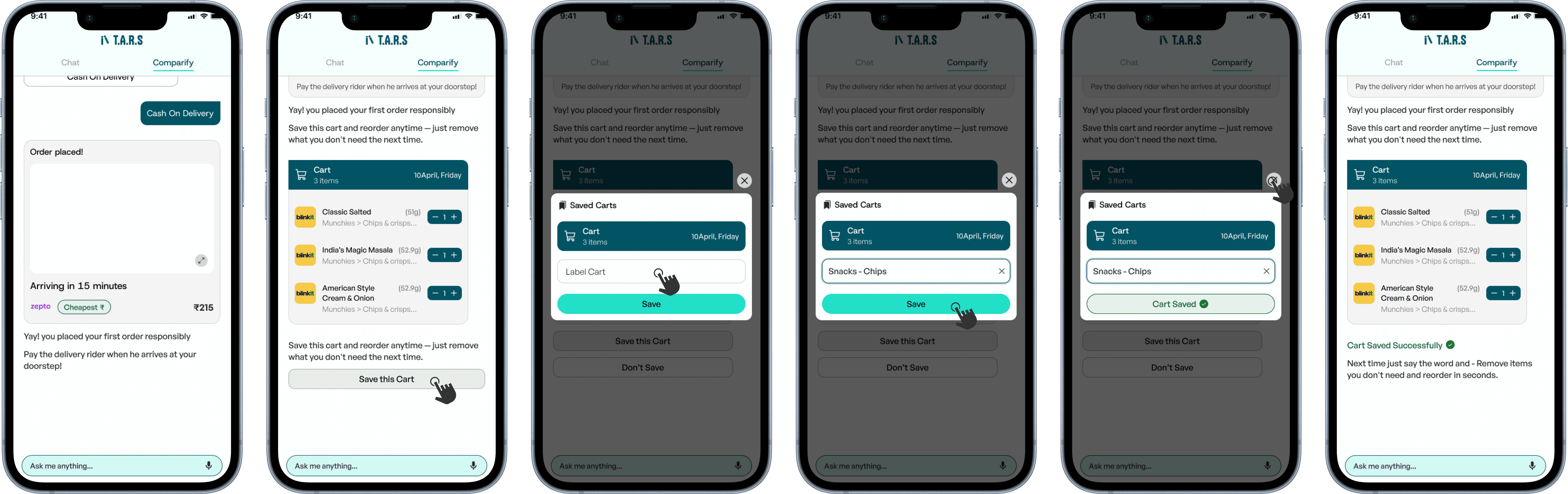
🤖 Exploring T.A.R.S as an Agent
The cluttered insights page became a conversational interface that flagged specific moments and prompted action. Explorations pushed further — prototyped to order groceries and compare prices in real time.
The context
What is Limitly?
Limitly is a personal finance and expense-tracking mobile app that helps users manage their money and stay within budget using smart, AI-powered feedback/insights and automation.
The app tracks expenses, sets spending limits, and proactively engages users through conversational prompts and personalised nudges, making budgeting feel interactive rather than tedious.
Who is it for?
Students (18-24)
Students building money habits
Learning to budget save, and grow
Early Professionals
Starting careers & managing income
Building financial stability & savings
Self-Employed/Buisness owners
Managing multiple or project based income
Tracking multiple cash flows & staying in control
So, whats the problem?


Can you perform a UX audit of the current application to find out where the app is lacking?
Very well then, I’d like to audit the app as if I’m a Day 1 user walking in with no context — through onboarding, setup, dashboard, insights. Then analyse every friction point as the designer.

Friction points in the current app
1
Value proposition not instantly clear
Users are asked to sign up before the product has said anything about why it should matter to them
2
High cognitive load in early onboarding
New users are forced to make multiple decisions (budget limits, categories, tracking method) before they've seen their own data
3
Insights lack clear priority
Too many signals surfaced at once; users can't tell what needs attention right now
4
Trust is asked for but remains unexplained
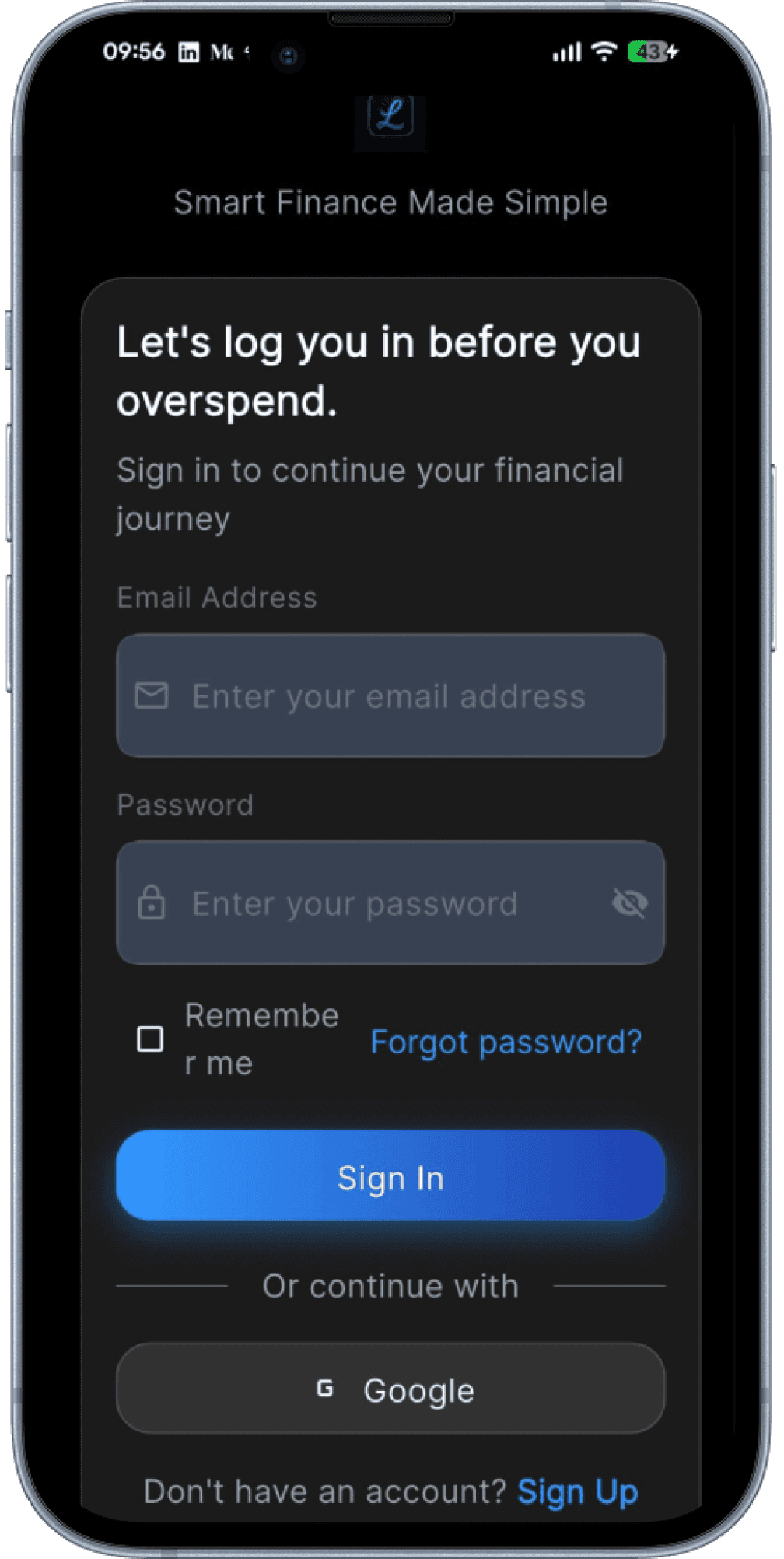
The app requests permissions and data access without earning the moment
How these blockers manifest across audience layers
Audience
Stated friction
Core JTBD blockers
Students (18-24)
"I don't see why I need this"
Fear of accountability — not ready to face spending habits
Early Professionals
"Too many questions upfront"
Overwhelm — unstable income, afraid to admit lack of control
Self-Employed/Business Owners
"This doesn't understand my situation"
Distrust — multiple cash flows, afraid app won't capture the real picture
Alright, time for some research
What are the people saying?
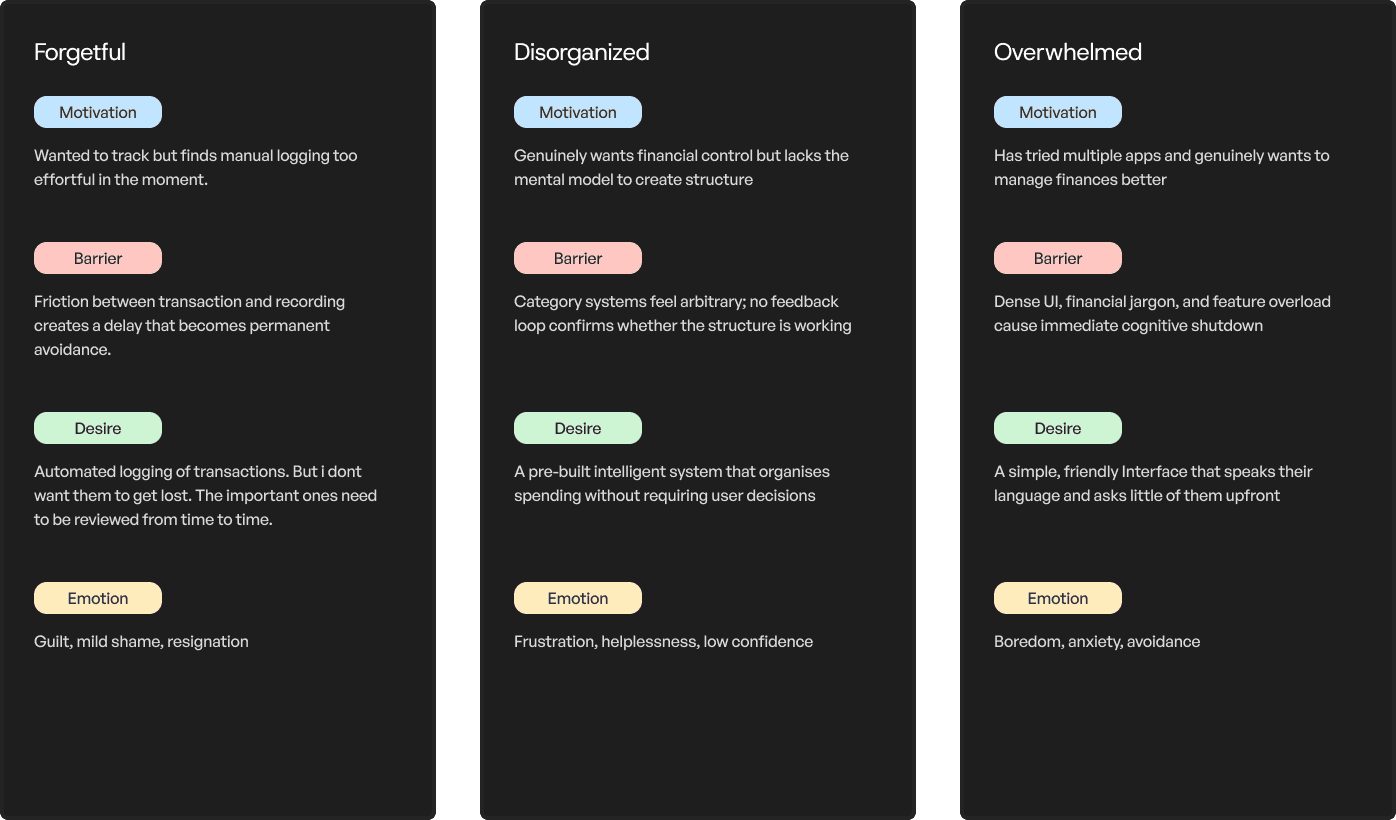
80 visitor interviews + 12 usability tests revealed a pattern: Users weren't struggling with features. They were struggling with clarity. Three distinct user archetypes emerged:

Identifying proof from secondary sources to validate the problems people were facing
Emotions in the background
Financial anxiety is not a background condition for this generation, it is the dominant one. They are arriving already overwhelmed, already self- critical, and already primed to interpret a confusing interface as confirmation that managing money is simply beyond them. The product does not just need to be usable. It needs to be emotionally safe to enter.
Retention reality
Across all sectors and app categories, 90% users leave without experiencing clear value in the first week. Day 1 retention industry-wide sits between 22-25% and by Day 7 that number falls to 10-15%, regardless of how motivated the user was when they downloaded the app.
46%
of Gen Z feel confident about managing their own finances
CoinLaw, 2025
73%
abandon apps during onboarding due to design problems alone
SaaS Factor, 2024
68%
of Gen Z identify money stress as their top mental health concern
Bank of America, 2024
39%
would delete a finance app after a single security issue
EY, cited in Contentworks, 2024
10–15%
Day 7 retention rate — regardless of motivation in all sectors
ContextSDK, 2024
The problem for most people wasn't how to manage money it was the weight of having to face it.
Okay, lets try and fix that
Before designing a solution it was worth understanding what had already been tried and where there was genuine room to improve.
Cleo

Users: 8M+ users (2025)
Market: United States only
Audience: Gen Z, paycheck-to-paycheck workers, (18–30)
Cleo proved that tone is a product decision, not a copywriting one. By replacing clinical financial language with a conversational, occasionally irreverent voice, Cleo made a category that typically triggers anxiety feel approachable — even on a bad spending day. Users did not feel judged. They felt talked to.
Fold

Users: 600K+ (Nasdaq-listed FLD, 2025)
Market: -
Audience: Crypto-curious spenders, (20–35), BTC enthusiasts
Fold proved that structure is the product. By building automatic expense categorisation from day one, users never had to organise anything themselves — the system existed before they arrived. Fold showed that the biggest drop-off trigger isn't complexity. It's the blank page. Give people a starting point, and they stay.
Revolut India

Users: 50M+ globally, 40M+ active (2025)
Market: UK, EU, US, expanding APAC
Audience: 25–40, frequent travellers, multi-currency
Revolut proved that the moment of spending is the moment to intervene. Instant notifications and smart budgeting tools meant users never had to manually log a thing. The app already knew. Revolut showed that frictionless financial visibility is a baseline, not a premium. Awareness without effort is the real product.
Curie money UPI

Users: ~1L downloads, beta until Oct 2025
Market: India only (Bengaluru-based)
Audience: Salaried Indians seeking yield on idle cash
Curie Money proved that your money should work even when you don't. By parking balances in liquid mutual funds with a 6.7% interest annually, while keeping them ready for instant UPI payments. Users changed nothing about their behaviour. Passive growth is the retention hook.
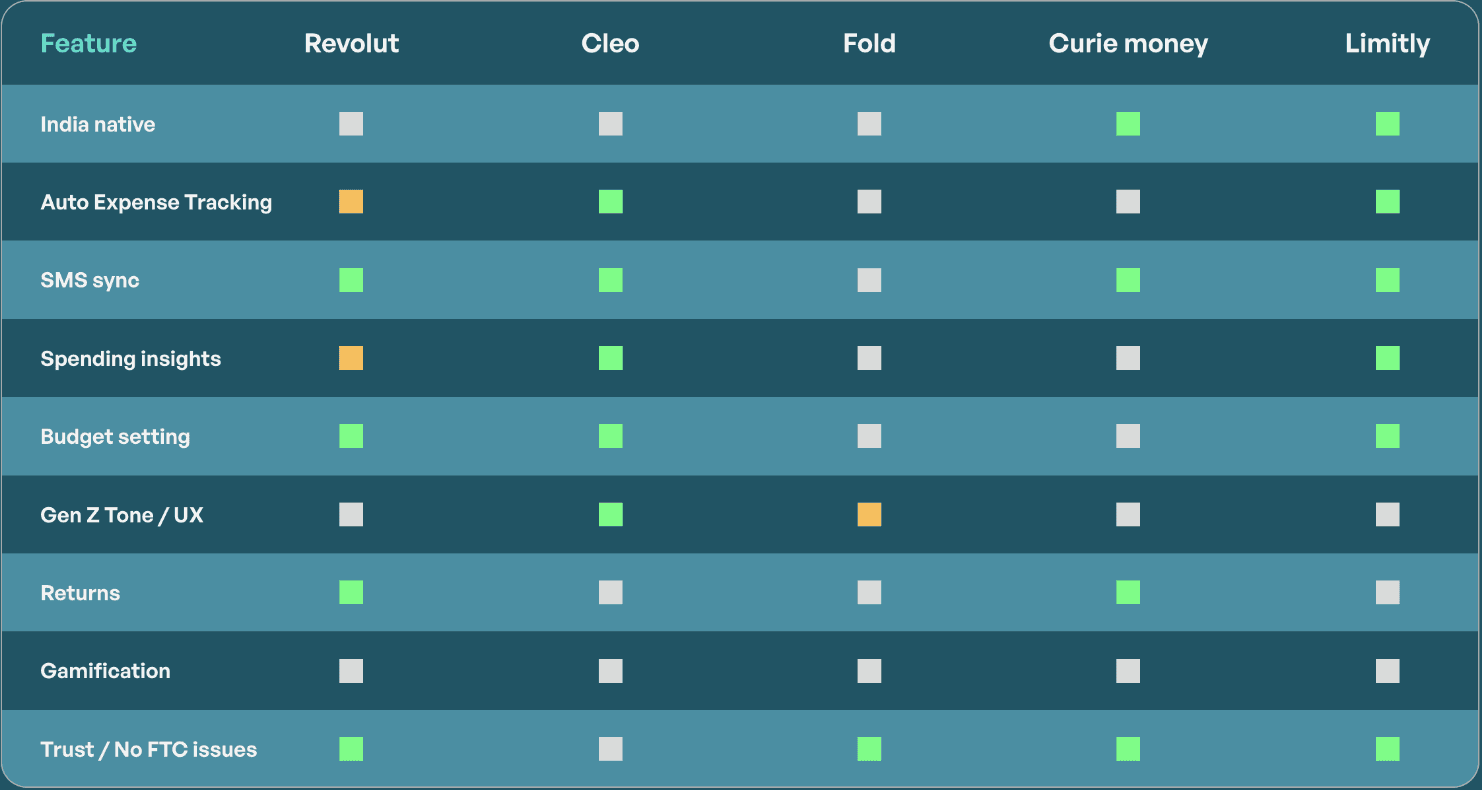
Feature comparison matrix
Limitly vs all 4 competitors across their feature listings
Feature
Revolut
Cleo
Fold
Curie money
Limitly
India native
Auto Expense Tracking
SMS sync
Spending insights
Budget setting
Gen Z Tone / UX
Returns
Gamification
Trust / No FTC issues
Not Available
Implemented
Partially Implemented / Similar Approach
Opportunity areas
Show value before asking for anything
Demonstrate what Limitly can do for the user before requesting permissions, decisions, or configuration of any kind. Value first, friction later — or never.
Replace enforcement with understanding
Let users see and learn their own patterns before the product starts setting limits or making judgements. One insight, one action, every session — not a dashboard, not a lecture. Just one thing they can act on now.
Make money grow while it sits
Introduce a savings pot where unspent balance earns passive returns like Curie Money's liquid fund model. Users don't need to save intentionally. The product makes every rupee work by default.
Turn money management into a challenge
Borrow Duolingo's streak and challenge mechanics to build daily financial habits. Weekly spend challenges, no-spend streaks, and category goals
— completing them feels rewarding, not disciplinary.
Okay now how do we go about implementing this?
01
Using research findings to inform design
Using the data collected from research sessions to guide the wireframes and eventually implementing those into high-fidelity mobile interfaces
02
Test and validate design decisions
Validate the design decisions made through user testing and identify further areas of improvement
03
Refine & iterate
Implement the feedback received from the user testing sessions to iterate and improve on the screens
Alright, lets Design
One of the biggest challenges was the onboarding flow, becuase there wasn't one to begin with
Inititially users were pushed to:
sign up—give permissions—review transactions—home screen
before they understood what the features are and how they were
adding value.
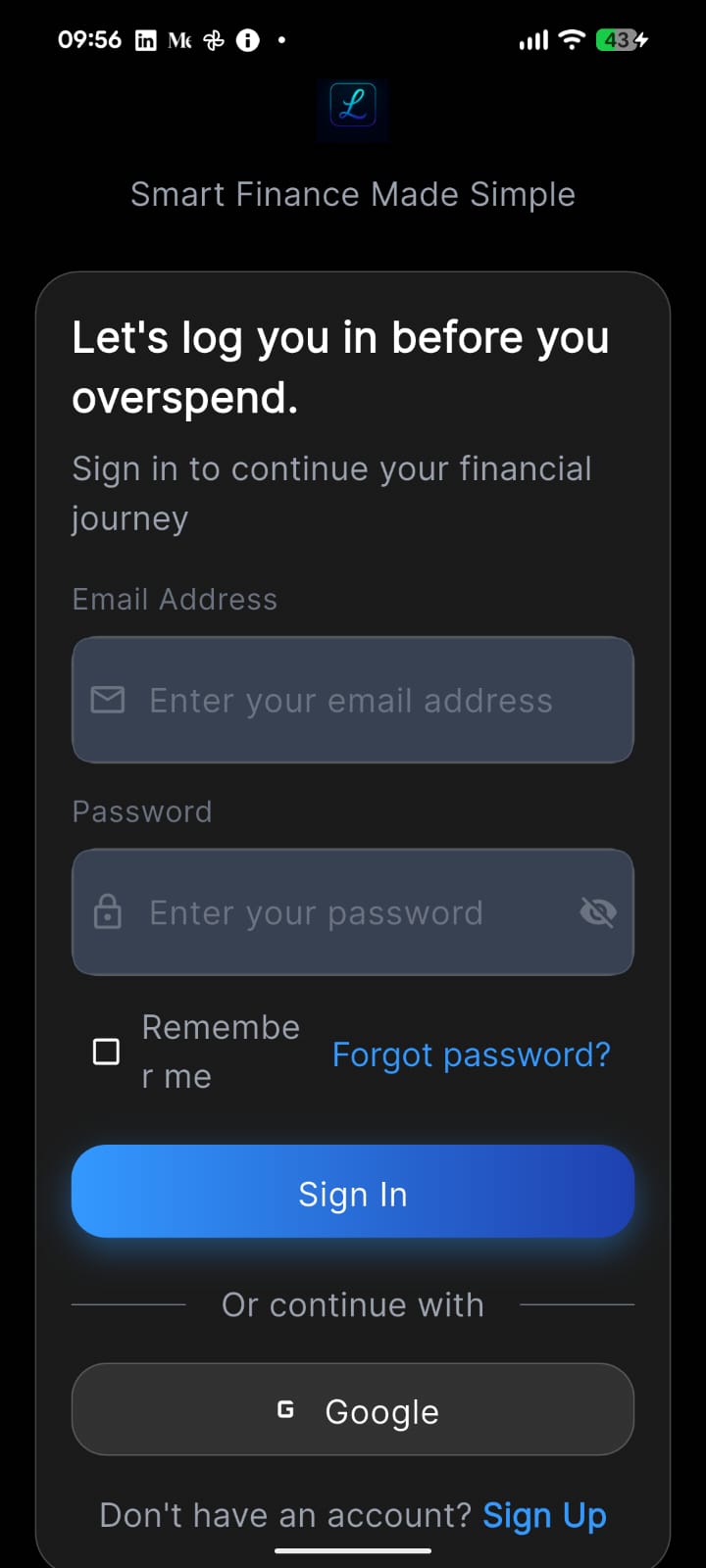
Trust is a scary thing in Fintech, you can't be pushy.
Speed was key.
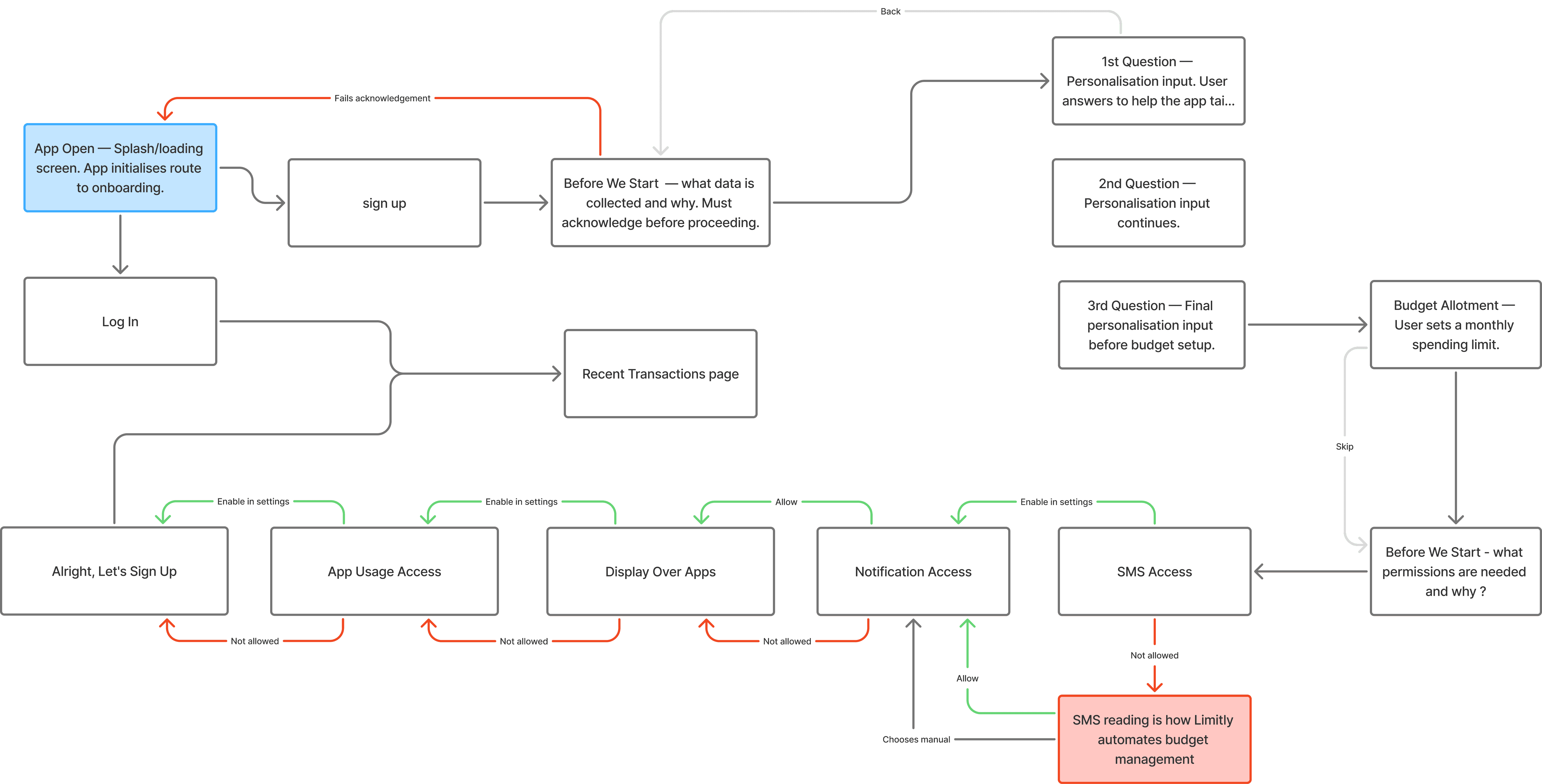
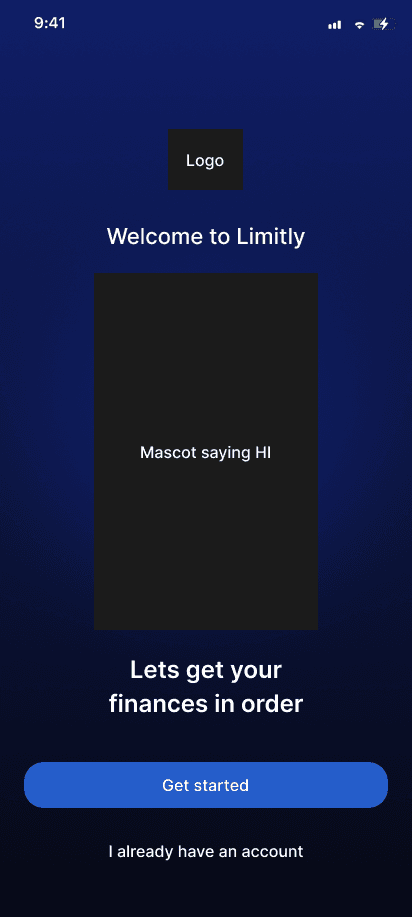
Using Claude we built a complete onboarding experience, focusing on clearer Value Propositions and personalization to build trust at early stages.
Onboarding user flow
Wireframes / Mid-fidelity screens
The first sprint
We then proceeded to update the landing pages for each of the following sections/features in the application.
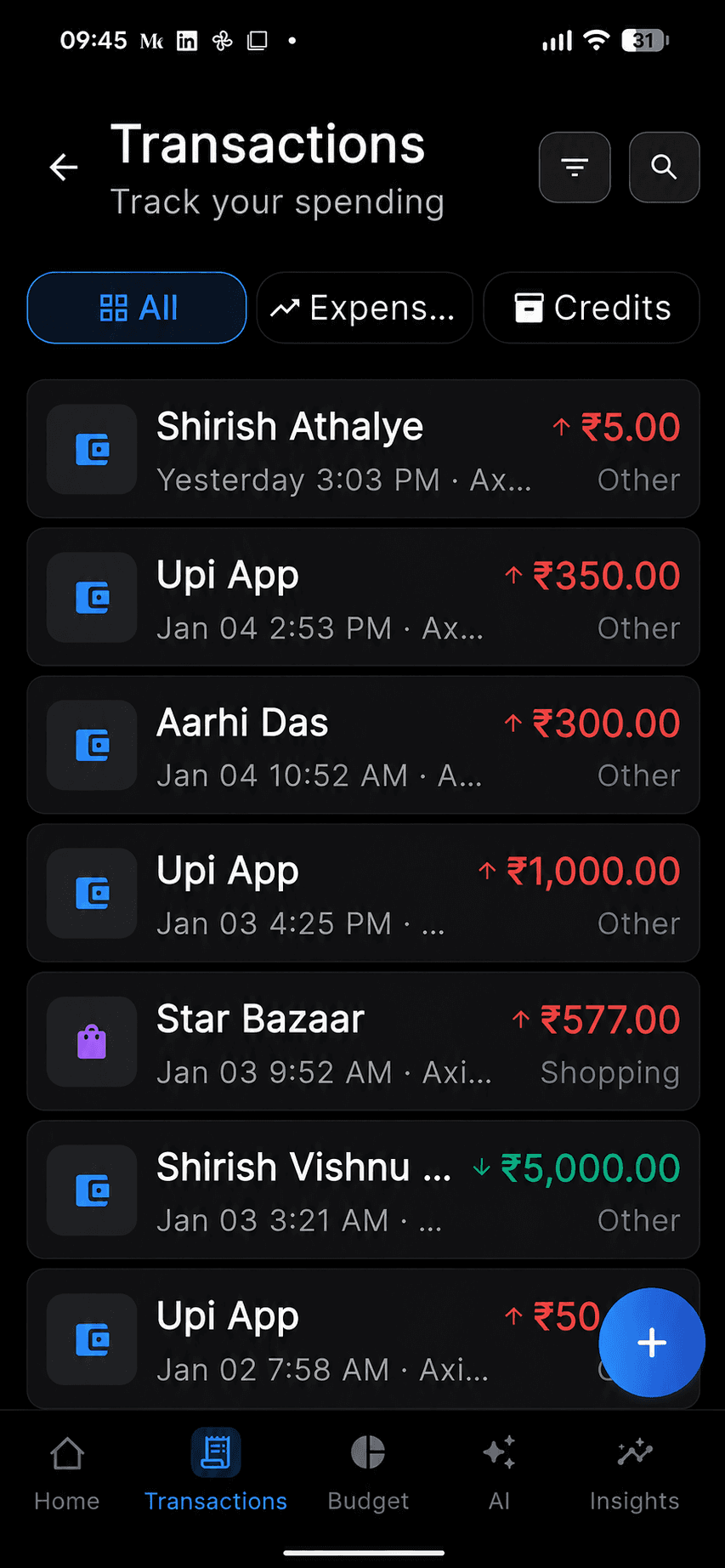
Transactions page
Dense transaction cards reduced scanability and created a visually cluttered experience.
Limited hierarchy made important transaction details harder to identify quickly.
Filters and controls occupied excessive space, reducing visible transaction content.
Before


VS
After


Cleaner layouts improved scanability and reduced cognitive load during navigation.
Improved visual hierarchy made financial information easier to understand at a glance.
Integrated search and compact controls increased efficiency and visible transaction space.
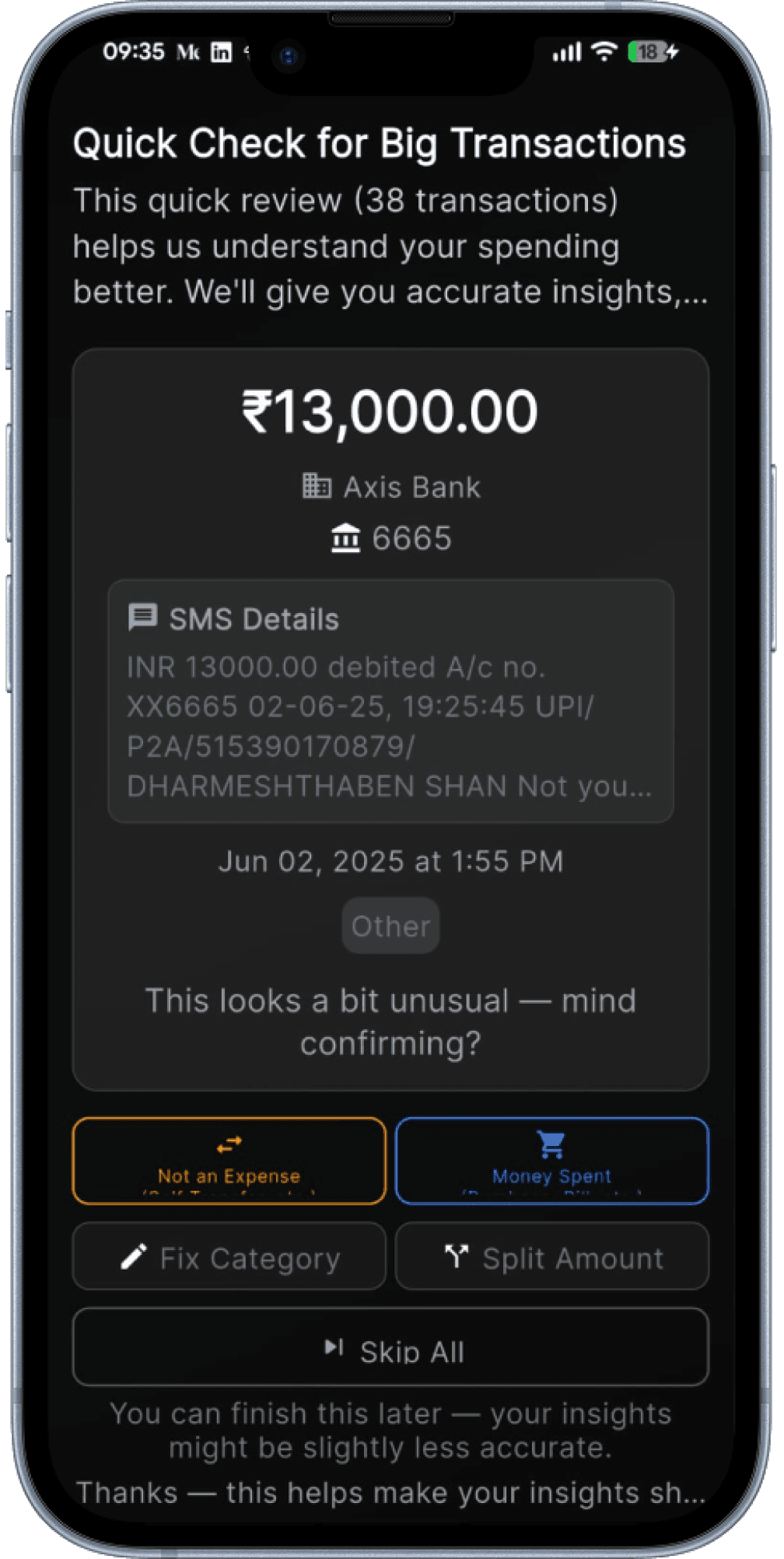
Added review banner to sort out untagged transactions, encouraging action.
Budget page
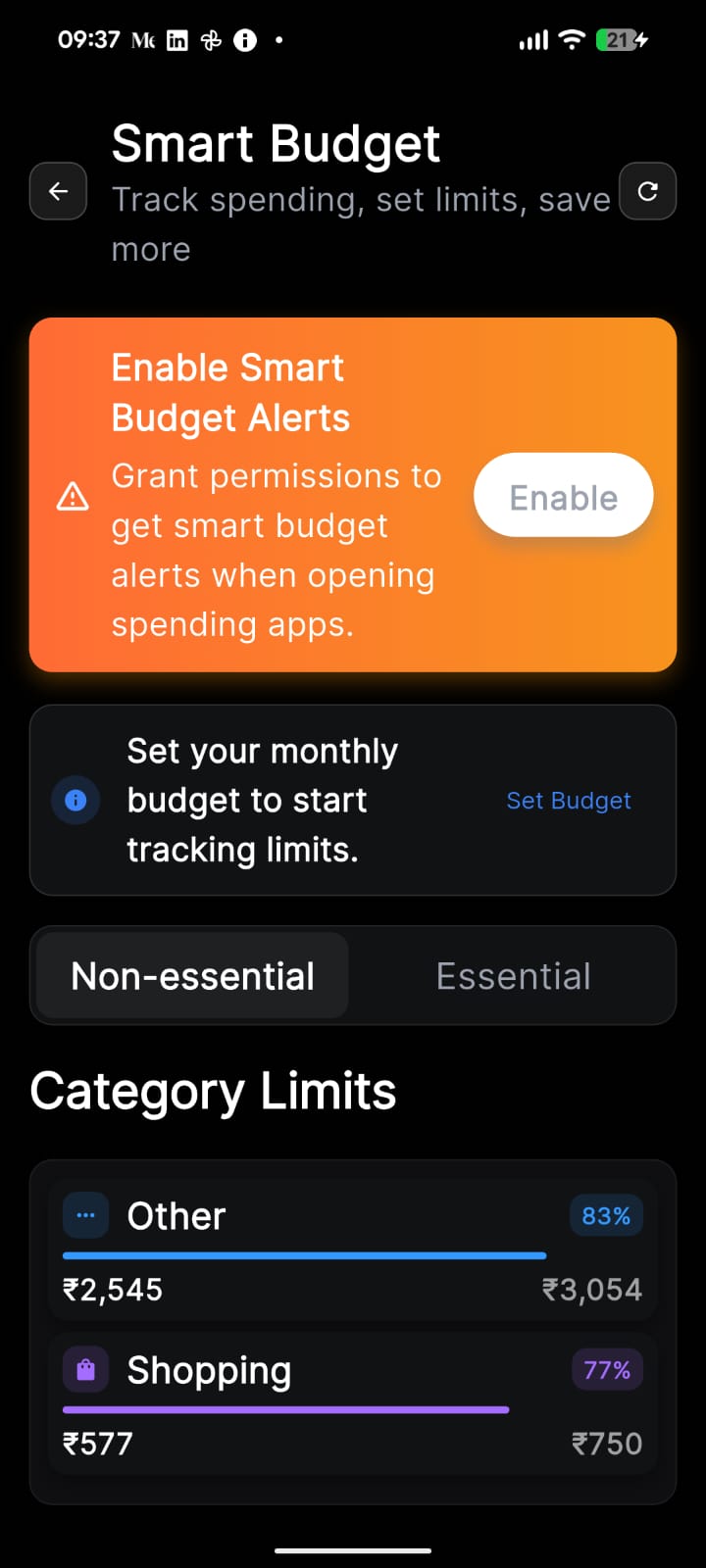
Primary budgeting experience feels distracting and overwhelming.
Lacked clear prioritization and hierarchy
Sections felt disconnected and visually fragmented.
Before


VS
After


Encouraging users to set budgets confidently.
Progress indicators simplified expense tracking across categories.
Consistent spacing and layouts improved clarity and overall usability.
T.A.R.S
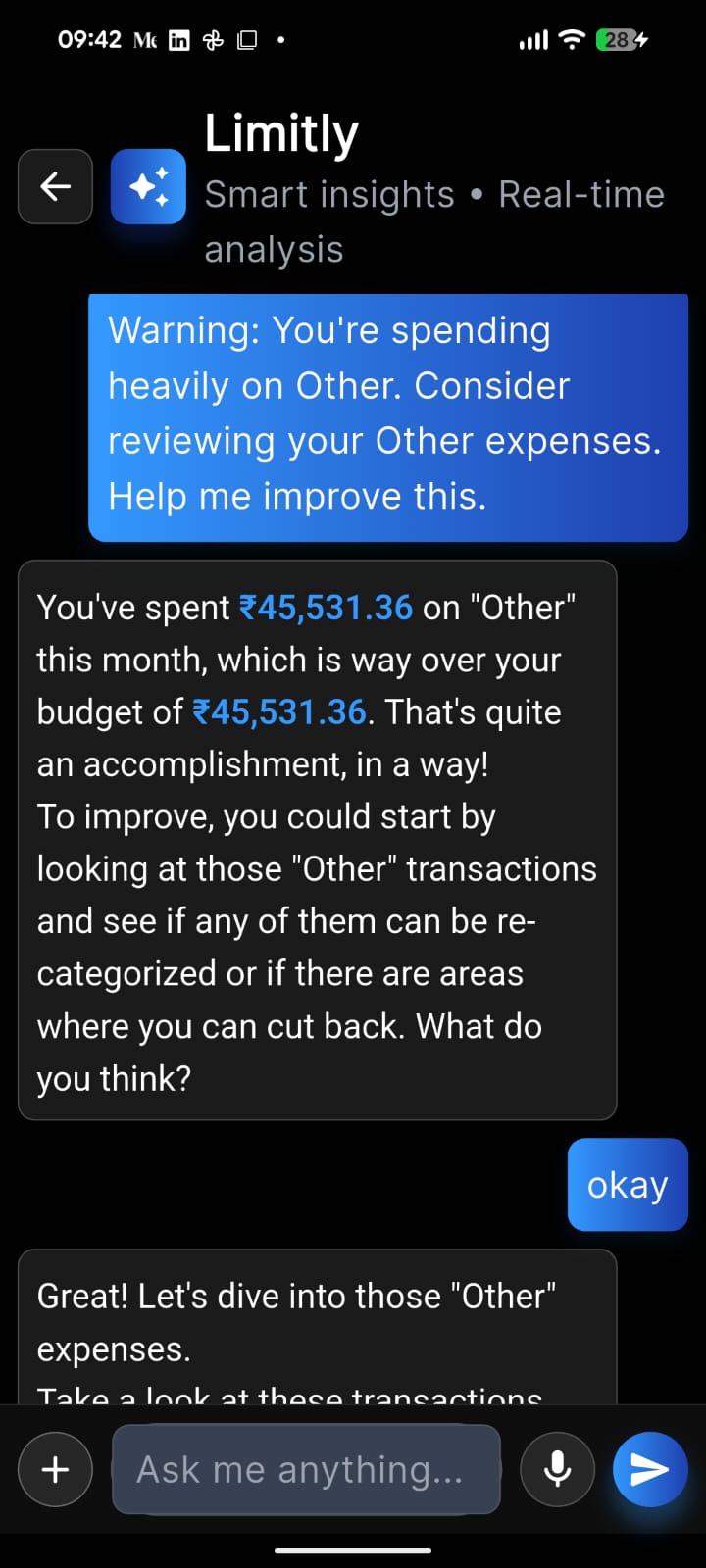
Important financial insights were difficult to skim quickly.
Users needed more effort to understand spending patterns.
Messaging lacked conversational guidance and contextual assistance.
Before


VS
After


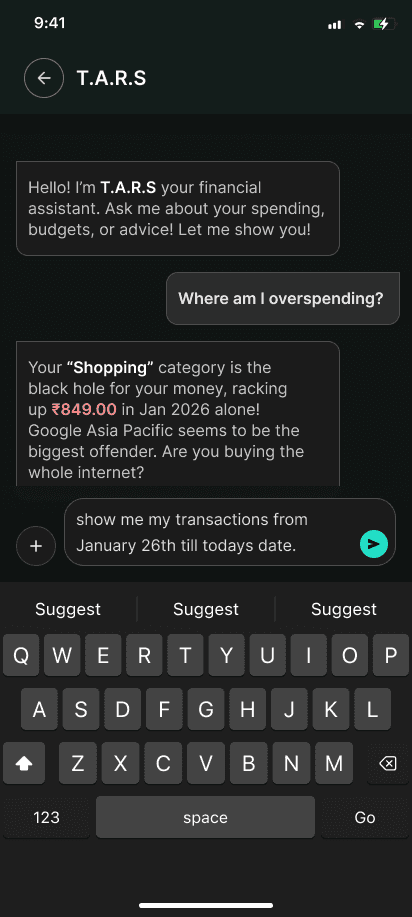
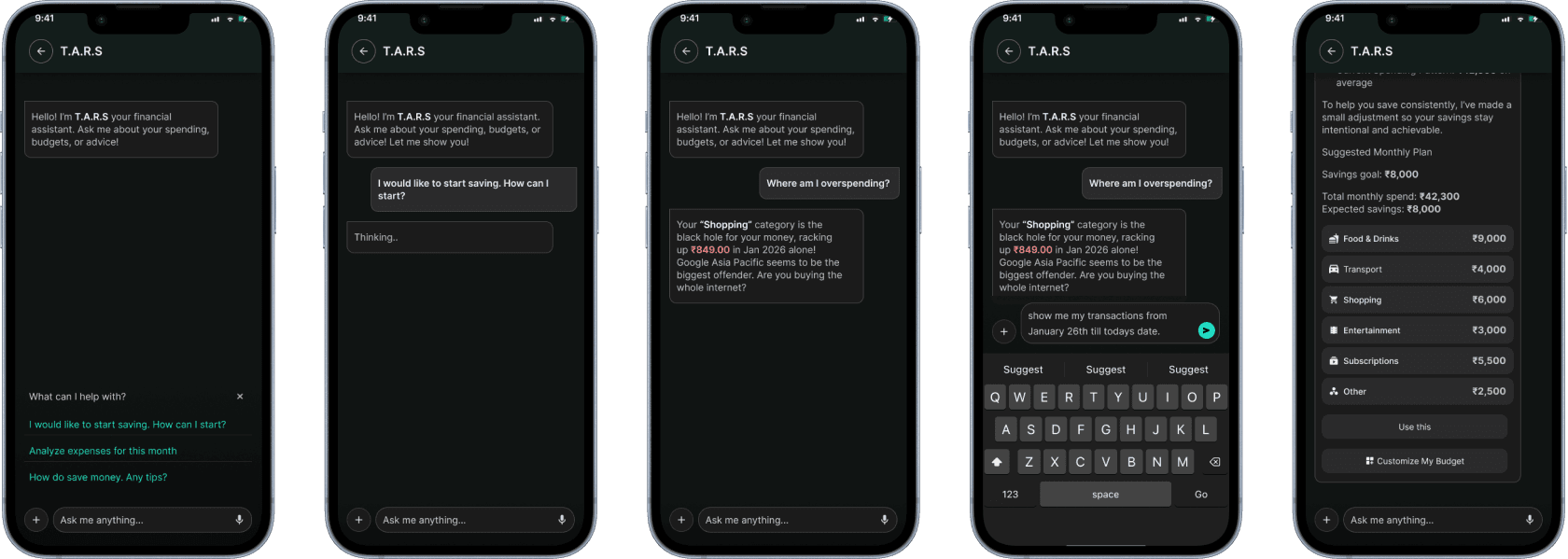
Cleaner chat hierarchy improved readability
Reduced visual noise created a calmer interface better suited for longer AI conversations.
Refined spacing and card structure
conversation patterns made interactions feel more natural, responsive & guided
since the budget page did most of the heavy lifting we decided to scrap the idea of having a home section.

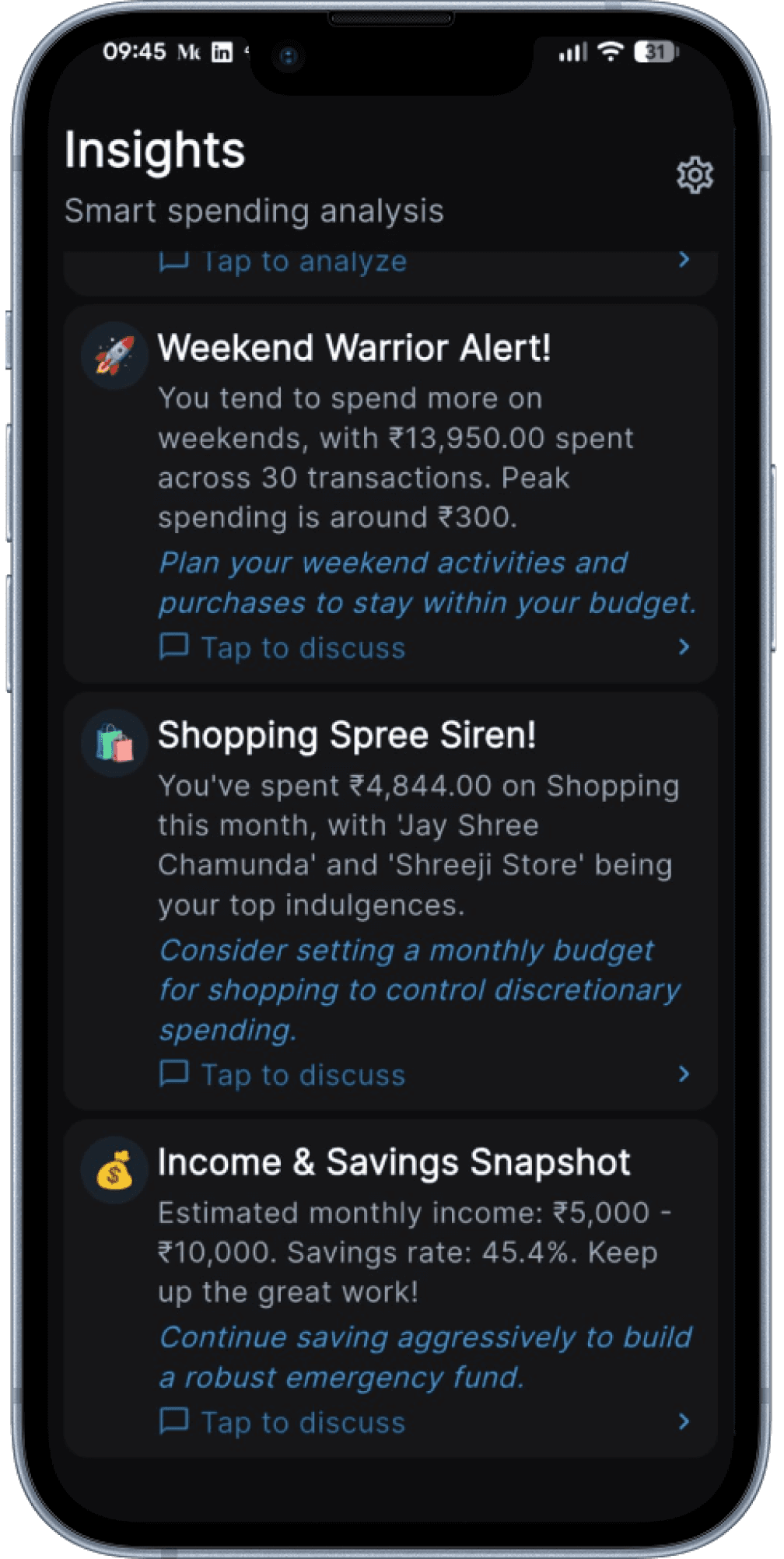
As for insights page which was filled with paragraphs worth of warnings or actionable insights, felt too overwhelming and it was easy to miss out on important stuff.
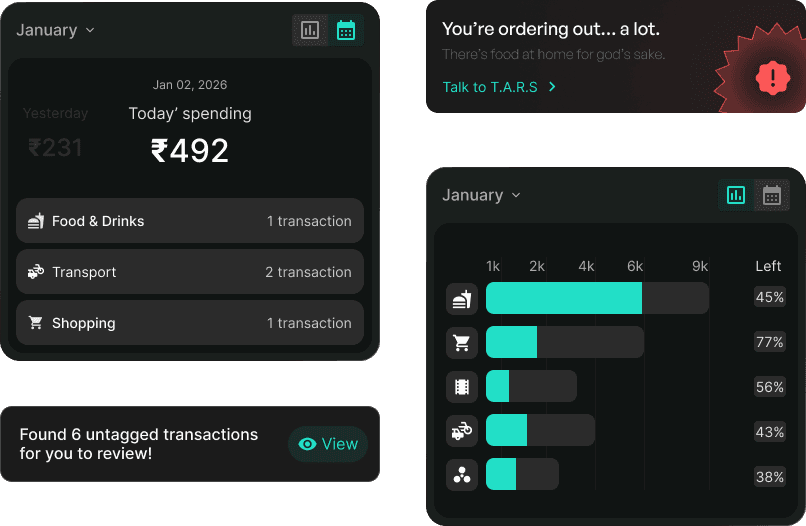
We shifted from dense conversational insights to actionable cards and contextual alerts, strategically integrated across relevant sections of the app for improved clarity and usability.

Other Key screens
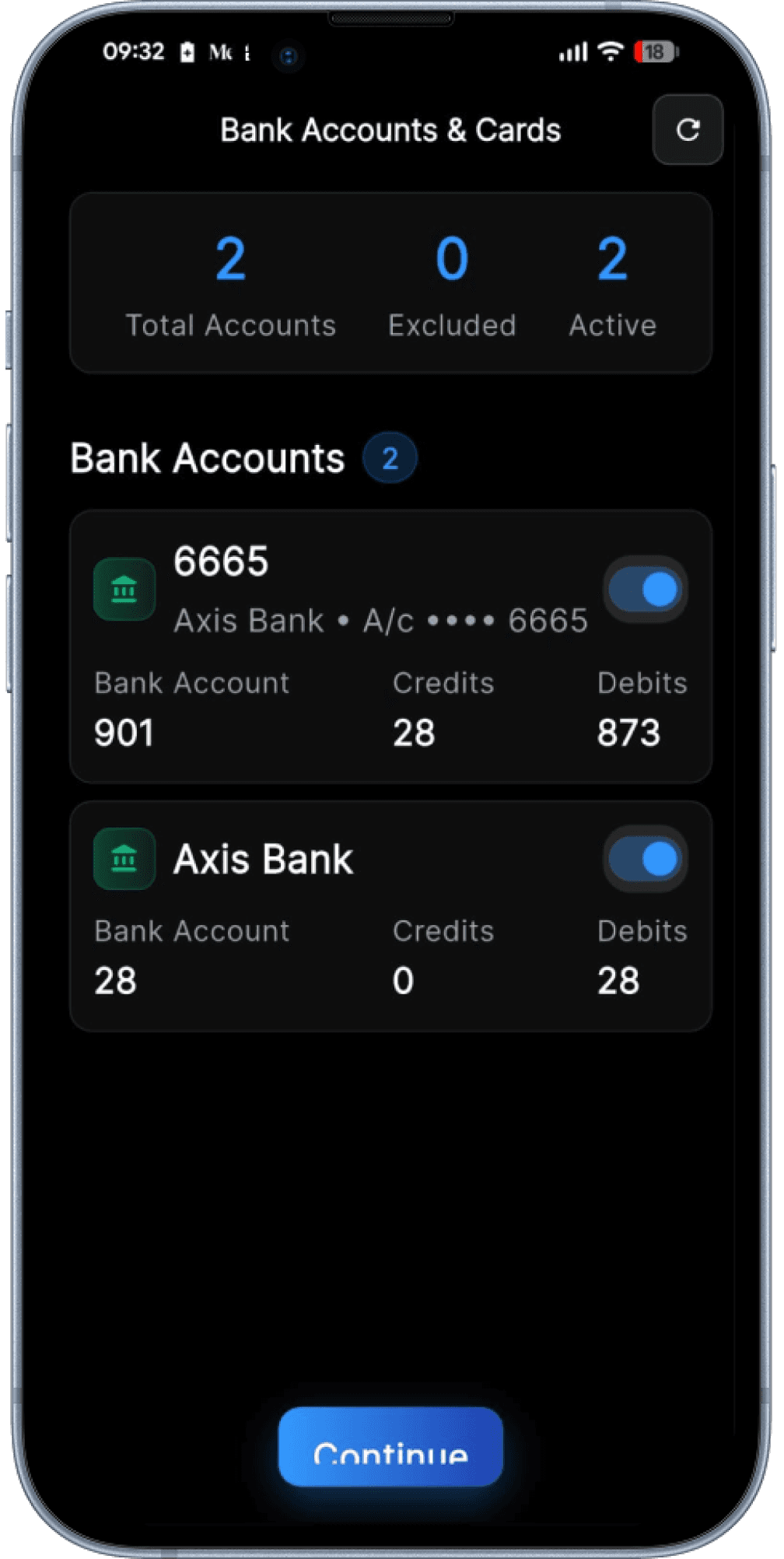
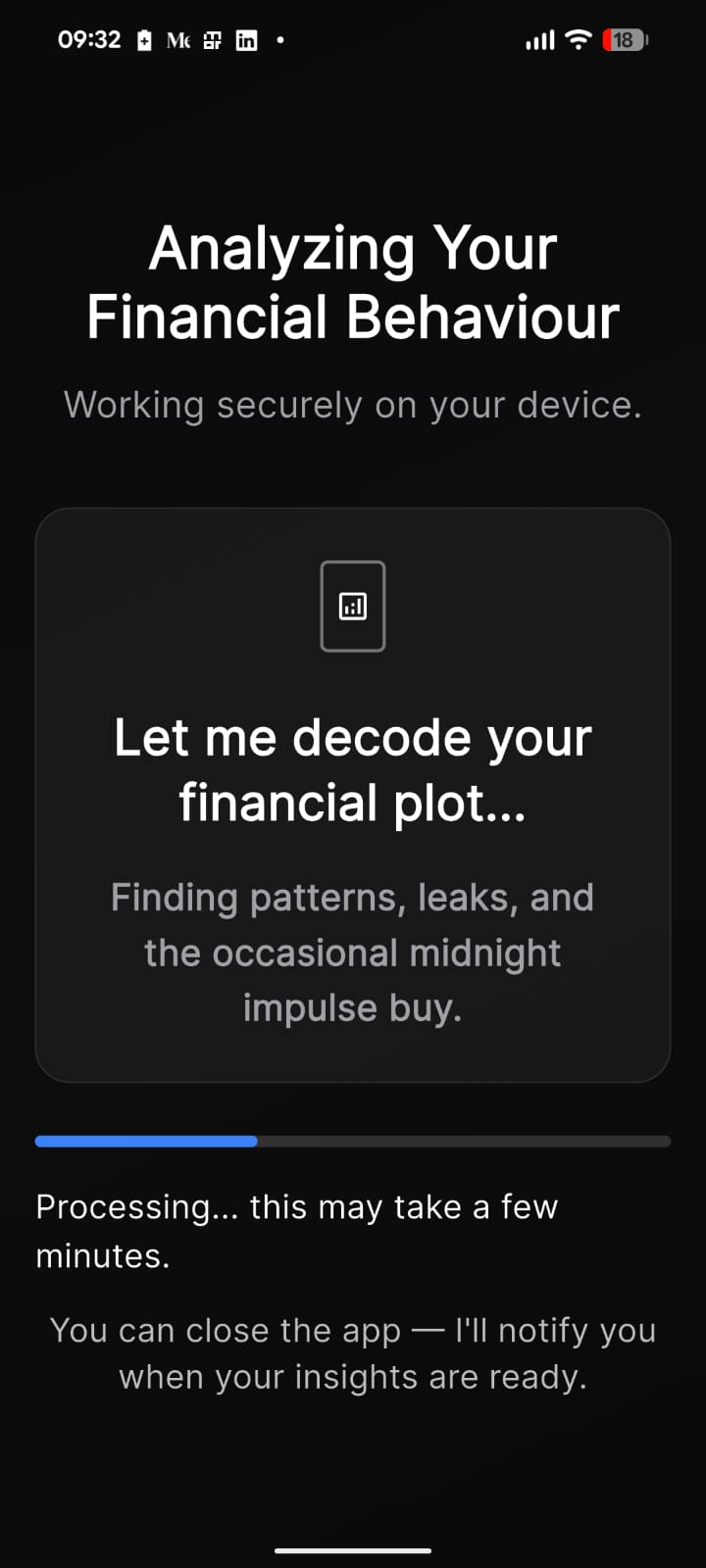
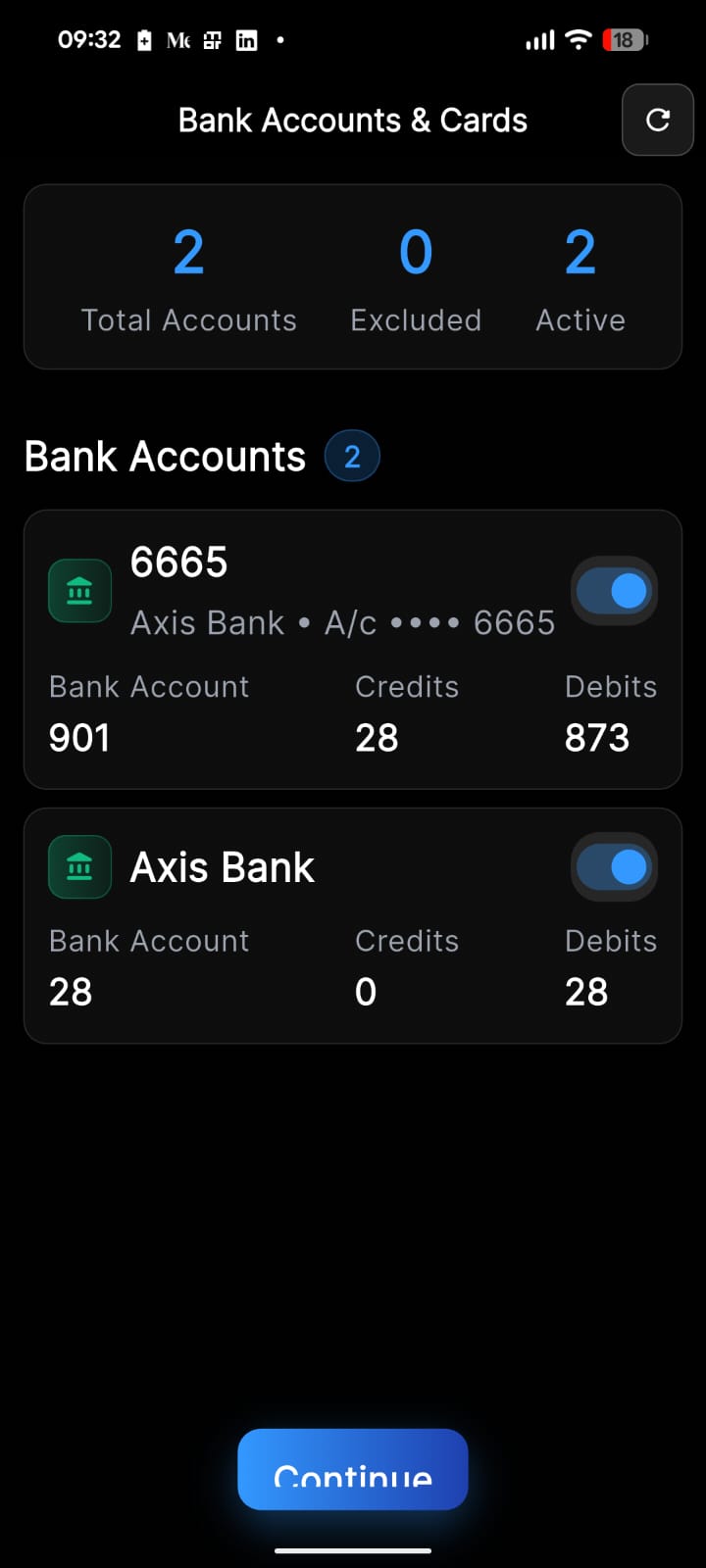
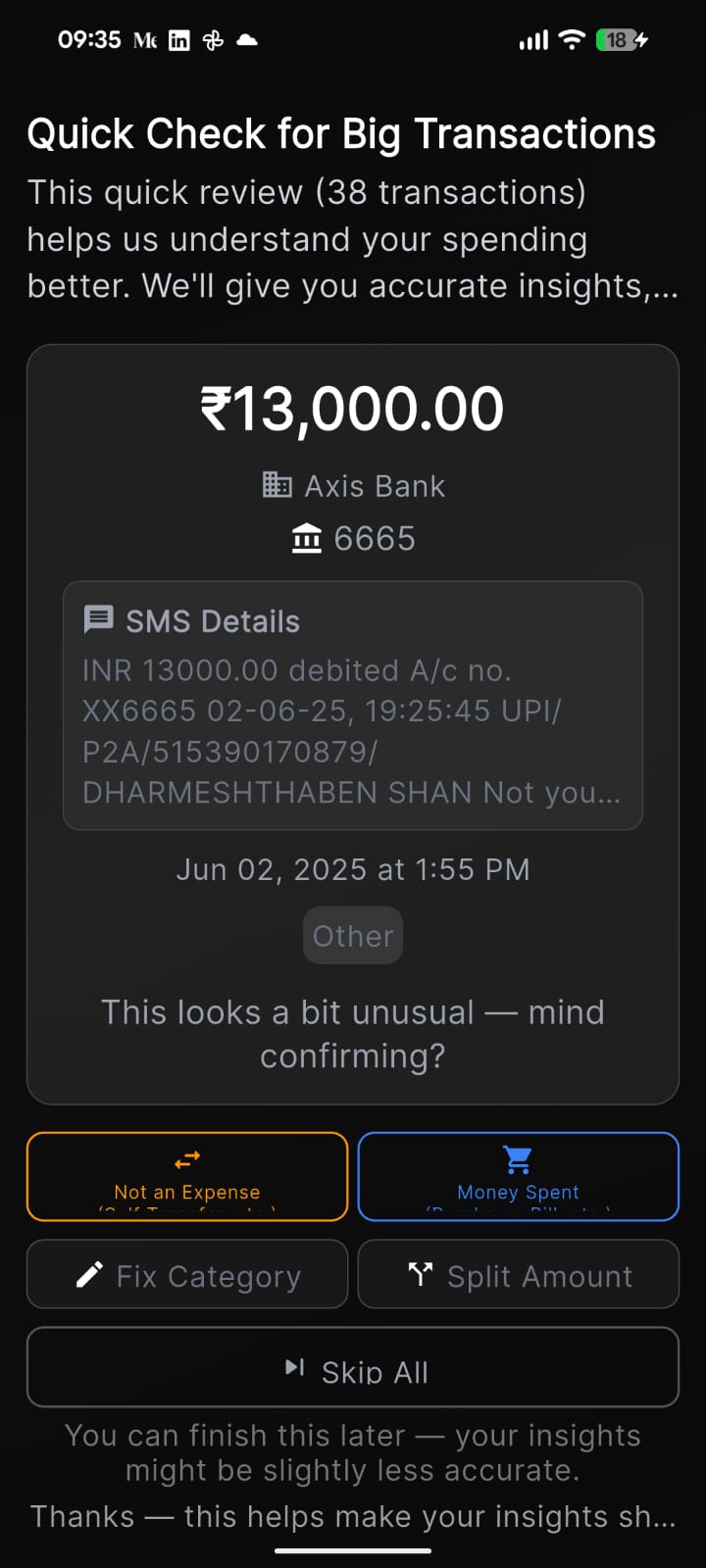
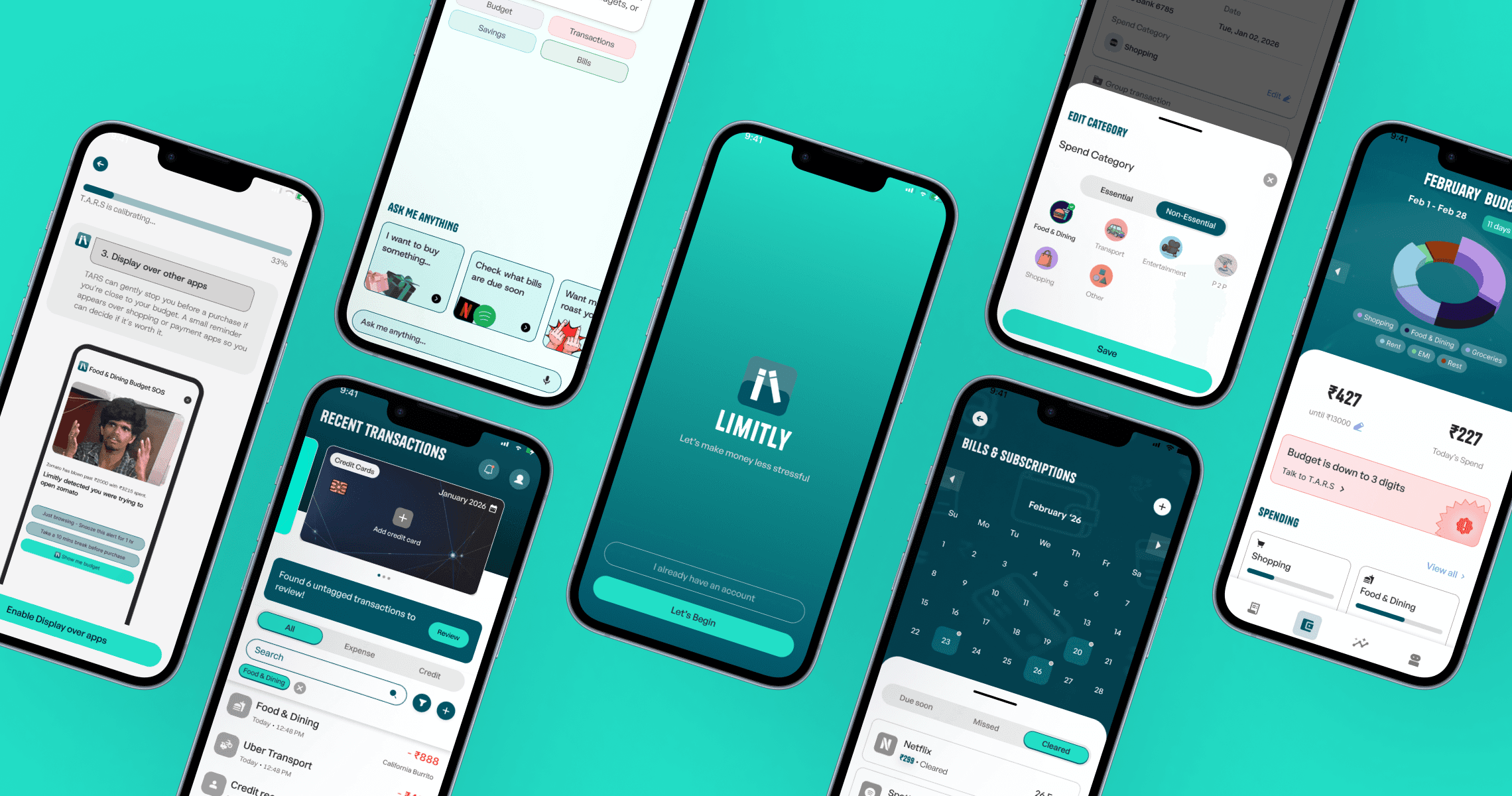
This section showcases the visual ideations and key screens developed for the Beta version of Limitly. The immediate focus was to refresh the product experience by reskinning existing features and refining current flows, rather than rebuilding journeys from scratch.


Great, now lets test it
Results of user testing
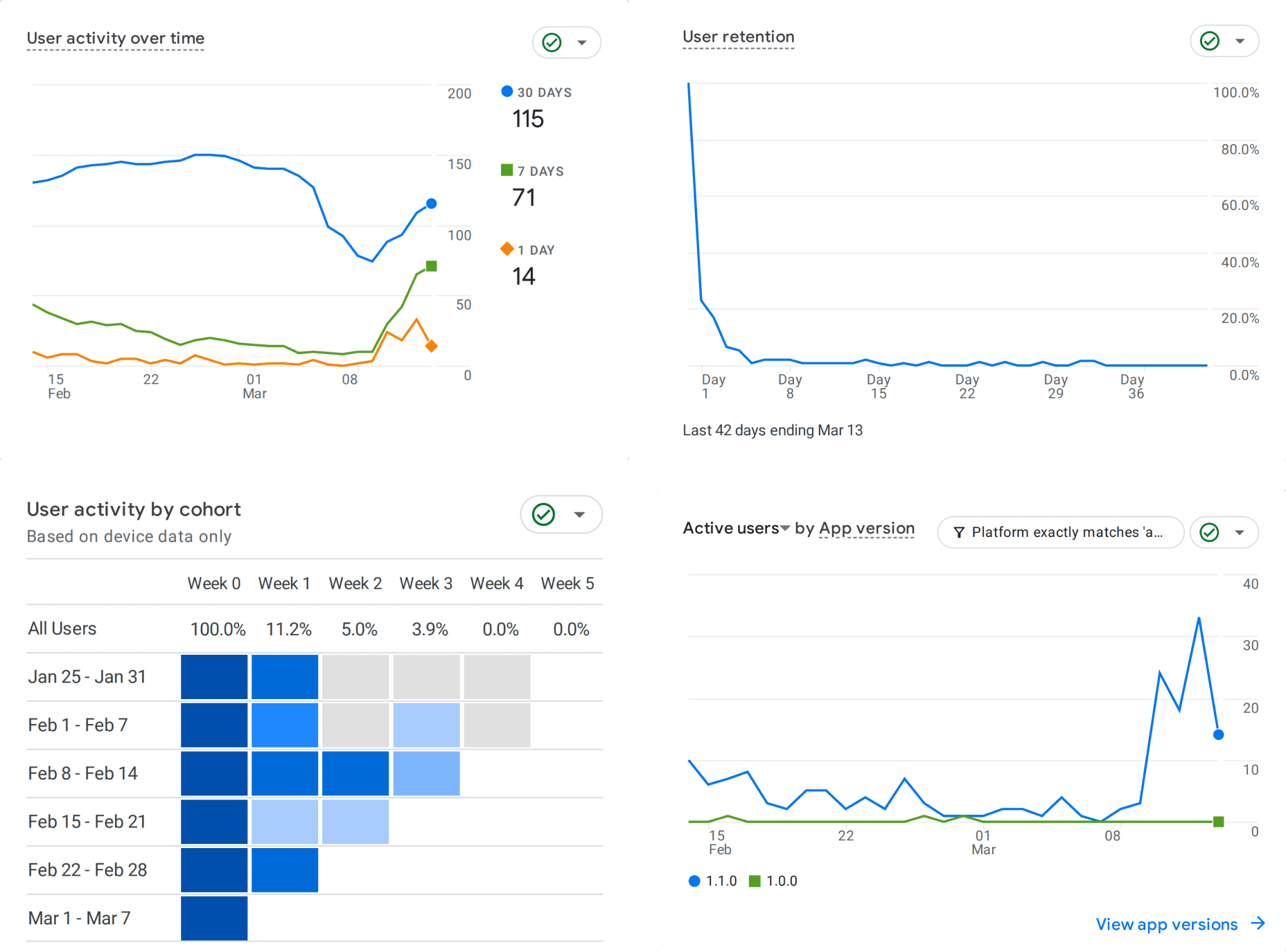
The reskin launched and early signals looked promising, with users actively exploring the product and navigating with ease.
We successfully addressed the onboarding problem, achieving a higher onboarding completion rate and stronger Day 0 engagement, with average session time reaching 727 seconds.
Retention dropped sharply soon after—falling to 6.6% by Day 3 and below 1% by Day 5.
By Day 8, average session time declined to 5.5 seconds, revealing that visual improvements alone were not enough to sustain long-term value.

Most users were dropping off due to bug reports in the application, but that is expected at the initial stages.
However, it created an opportunity for the design team to address deeper product challenges related to the application’s information architecture and user journeys.
Lets Refine and Iterate
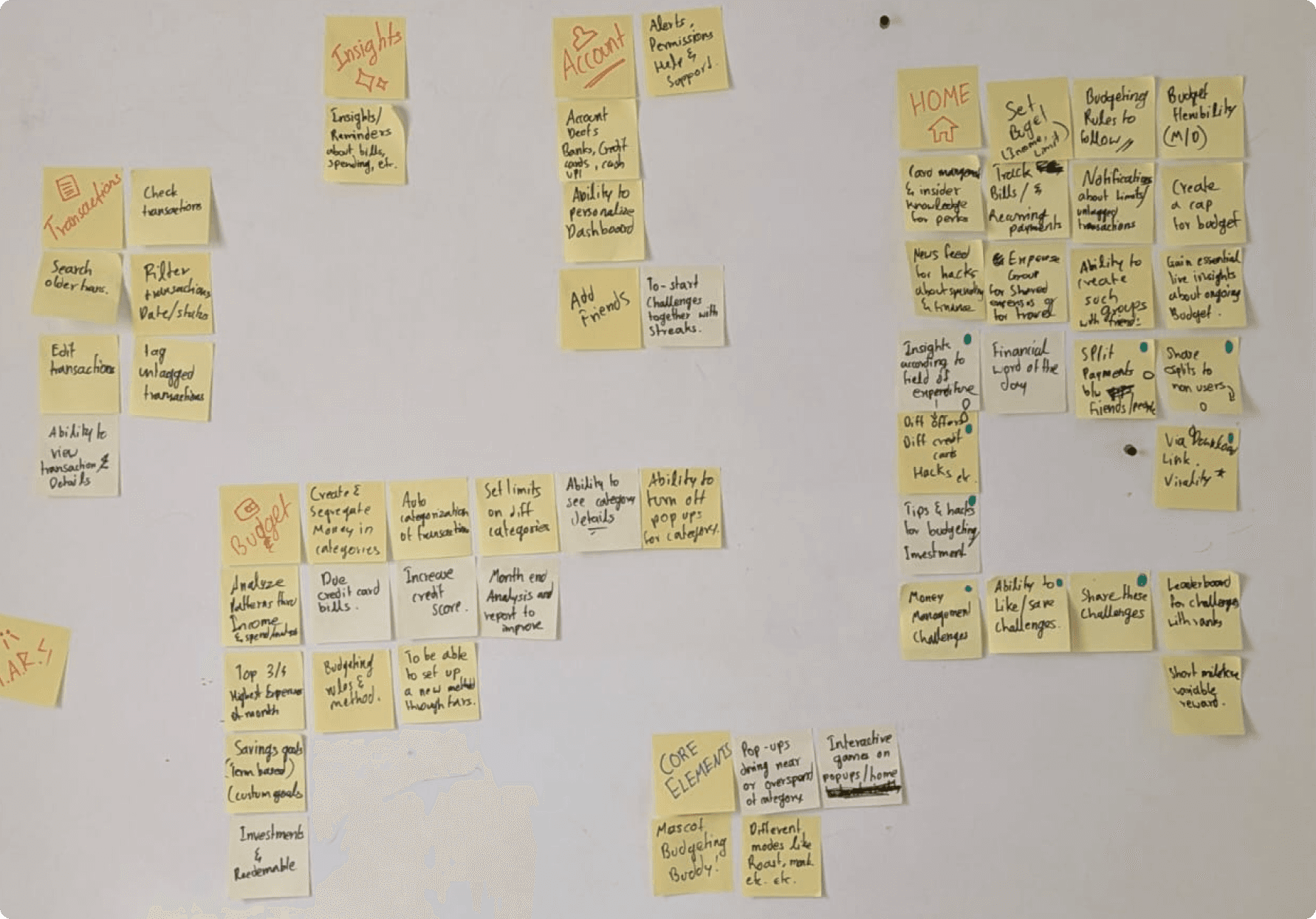
Card Sorting
This helped map limitly's overlapping features into distinct, navigable sections. This allowed users to find what they needed without friction.
Final Designs
Hover over the yellow circles to understand certain design decisions
Onboarding

Recent transactions

Transaction review
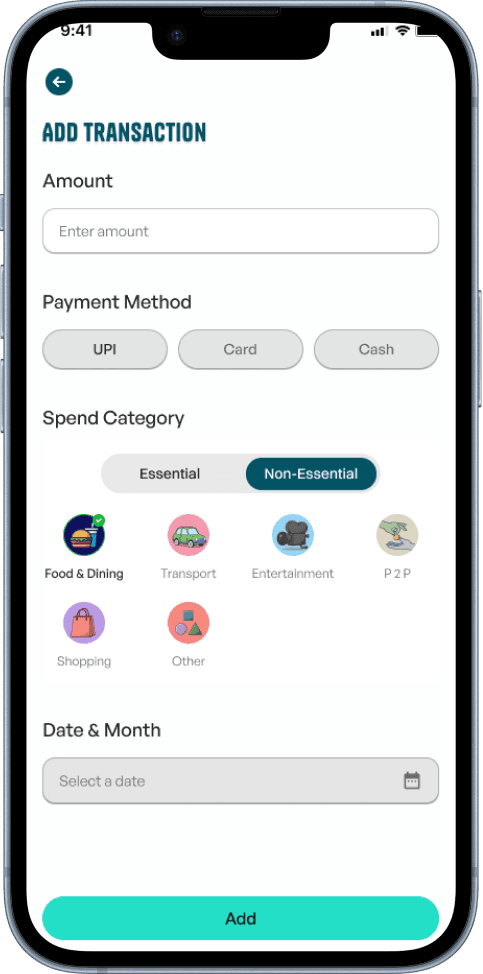
Adding transaction
Transactions page

Recent transactions

Transaction review

Adding transaction
Budget page
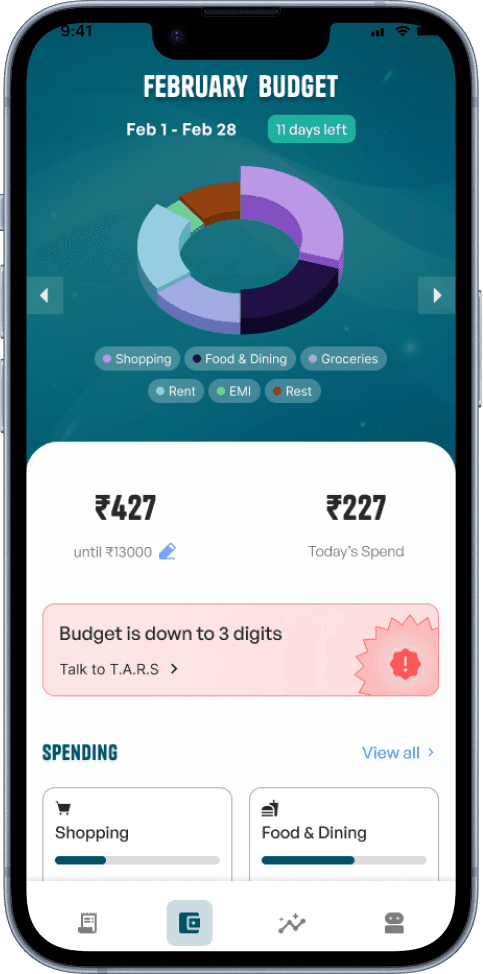
Monthly budget
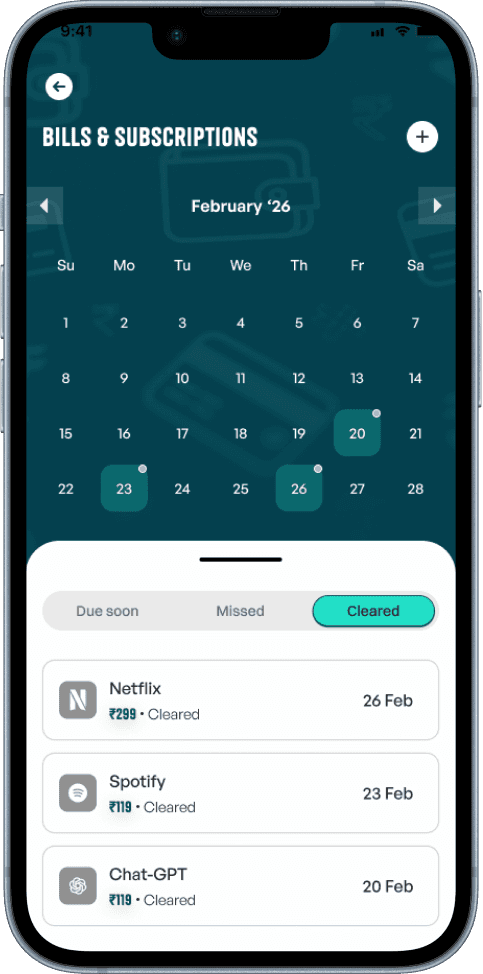
Bills & subscriptions
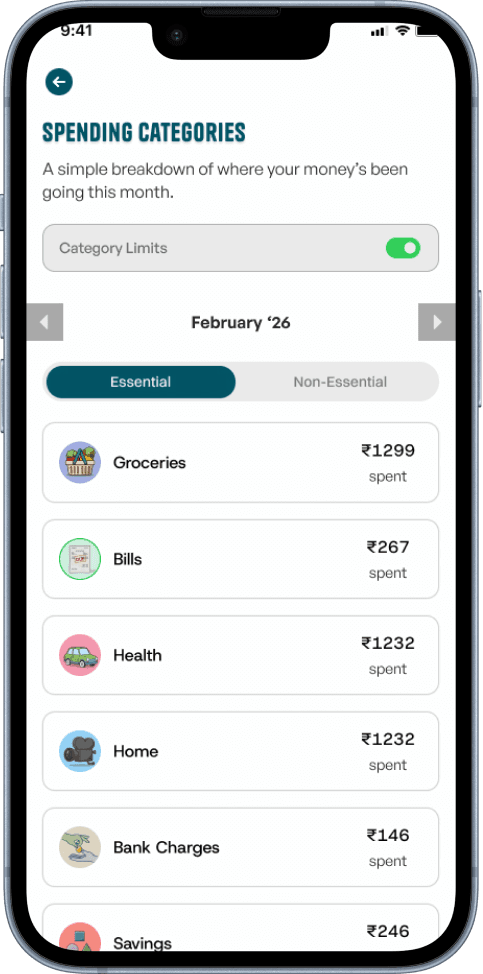
Spending categories
T.A.R.S
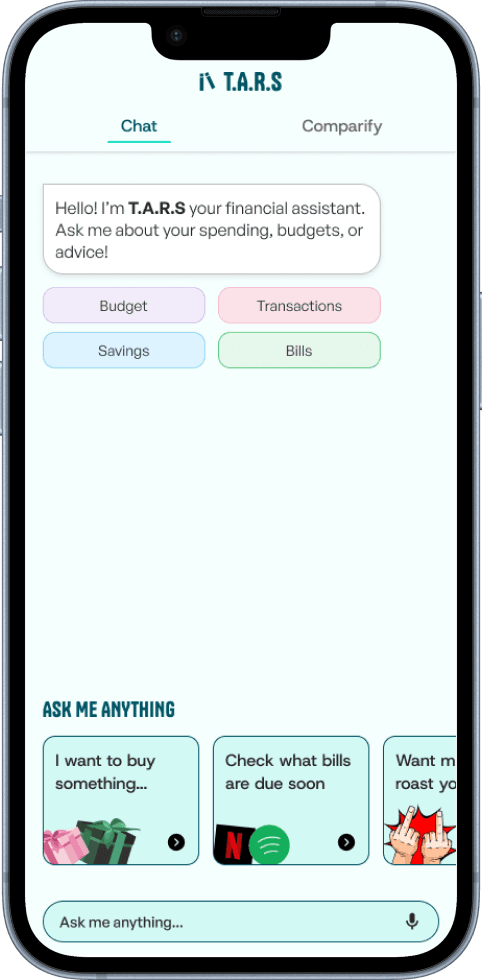
T.A.R.S
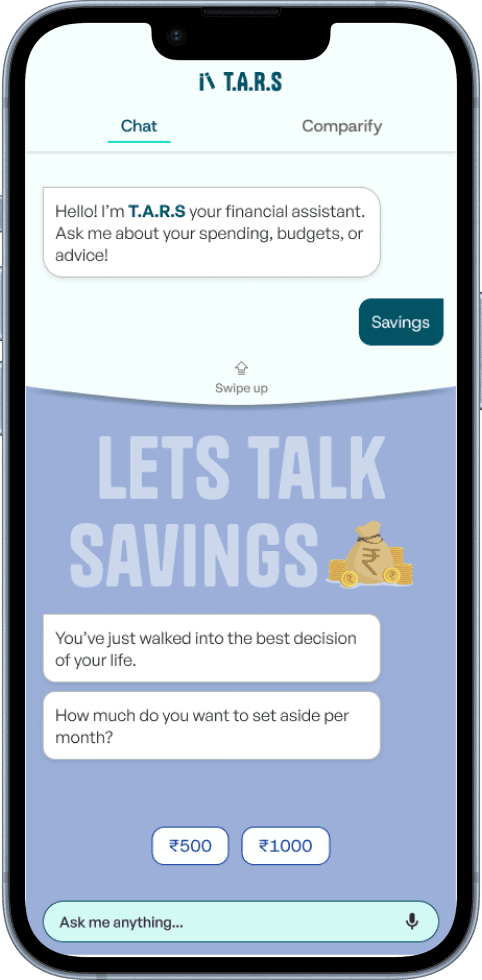
Savings section
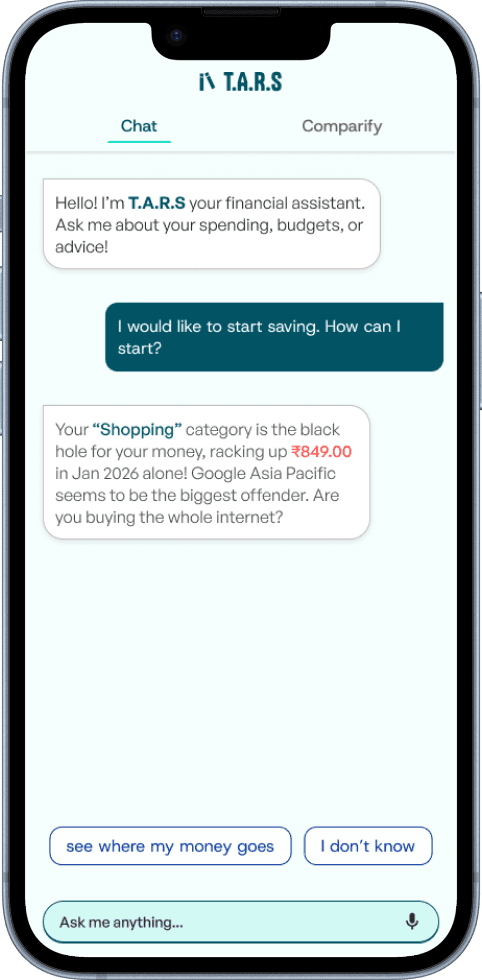
How T.A.R.S replies
Cool, so what's next?
Payment split groups - Exploration
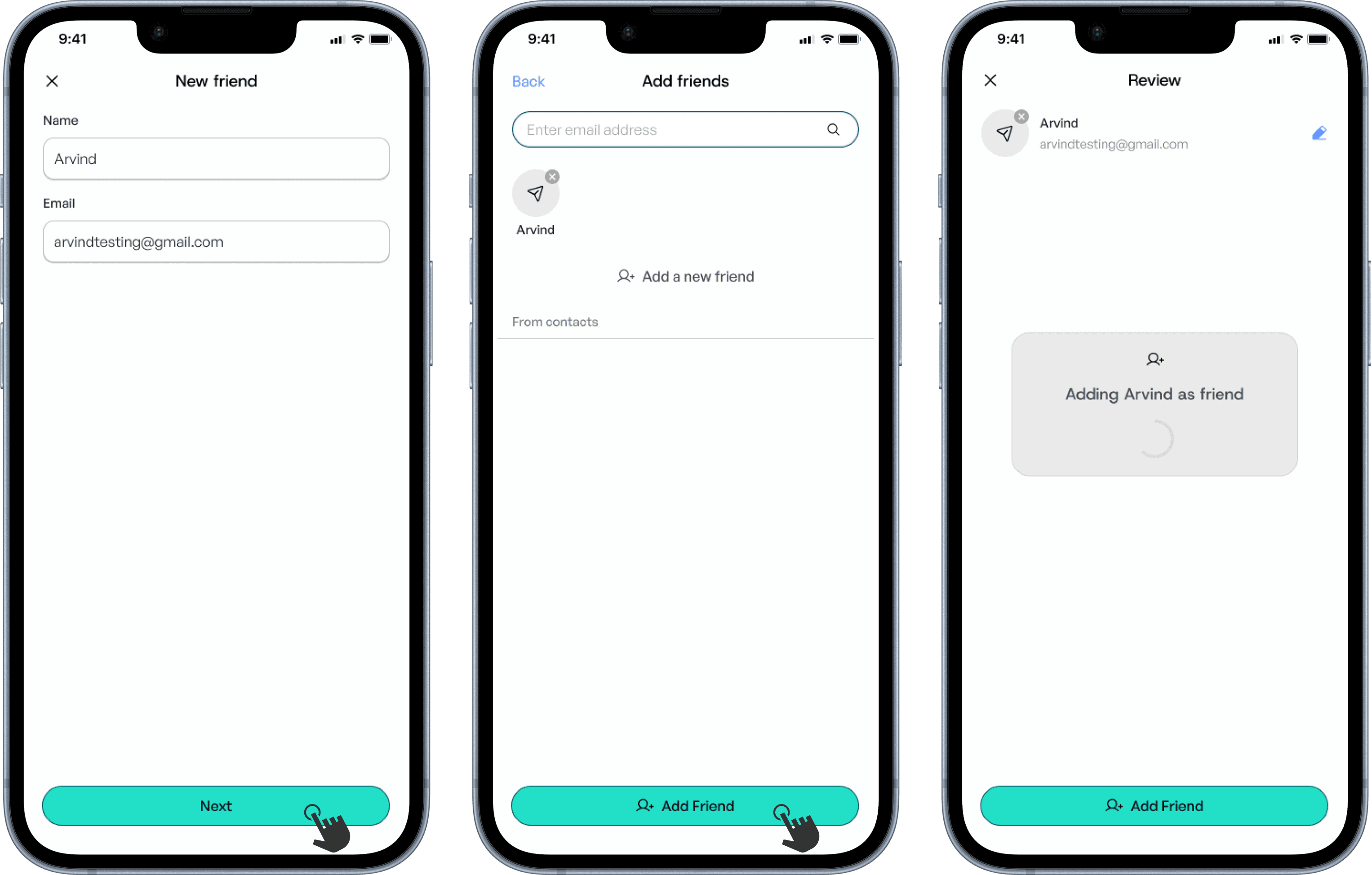
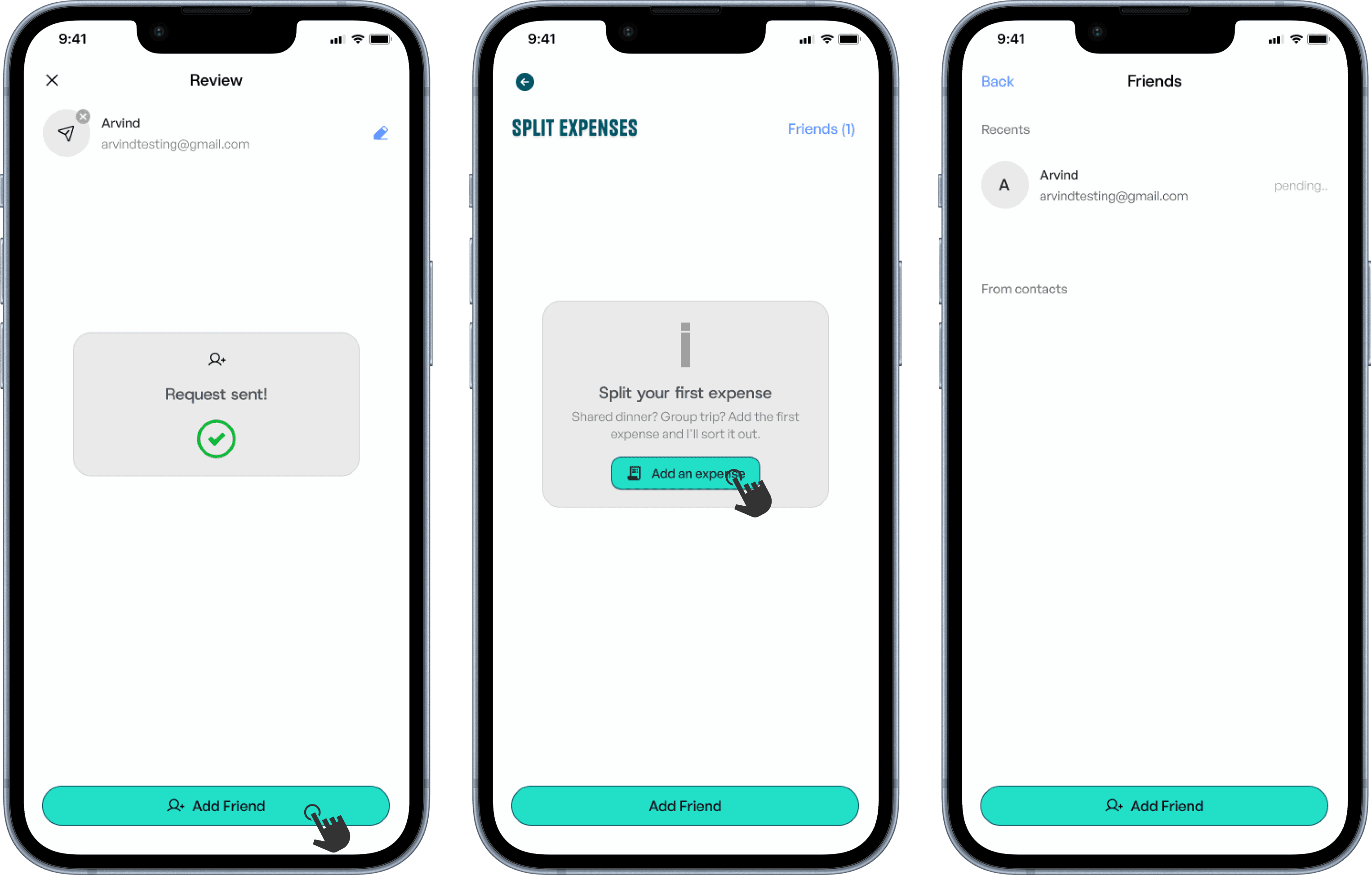
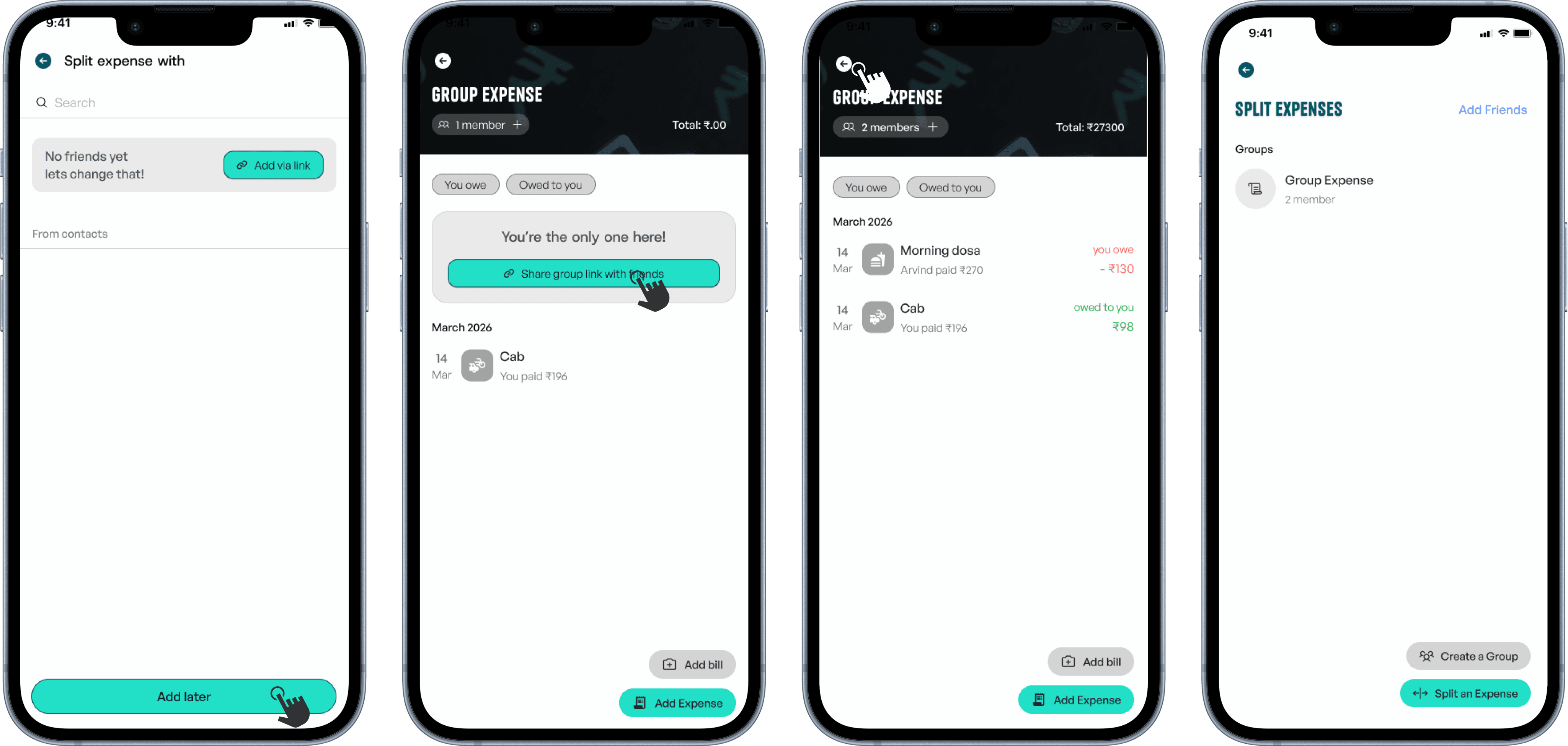
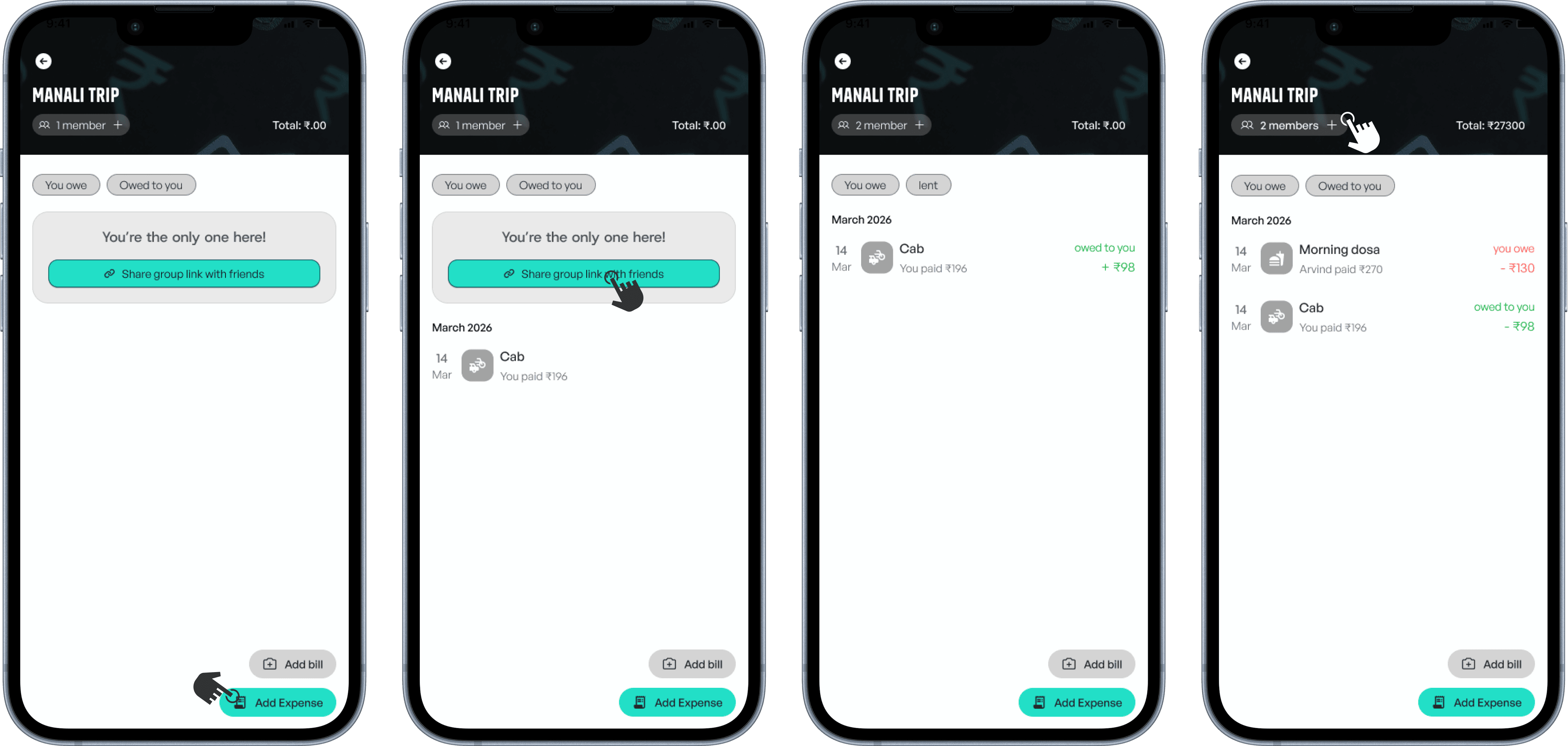
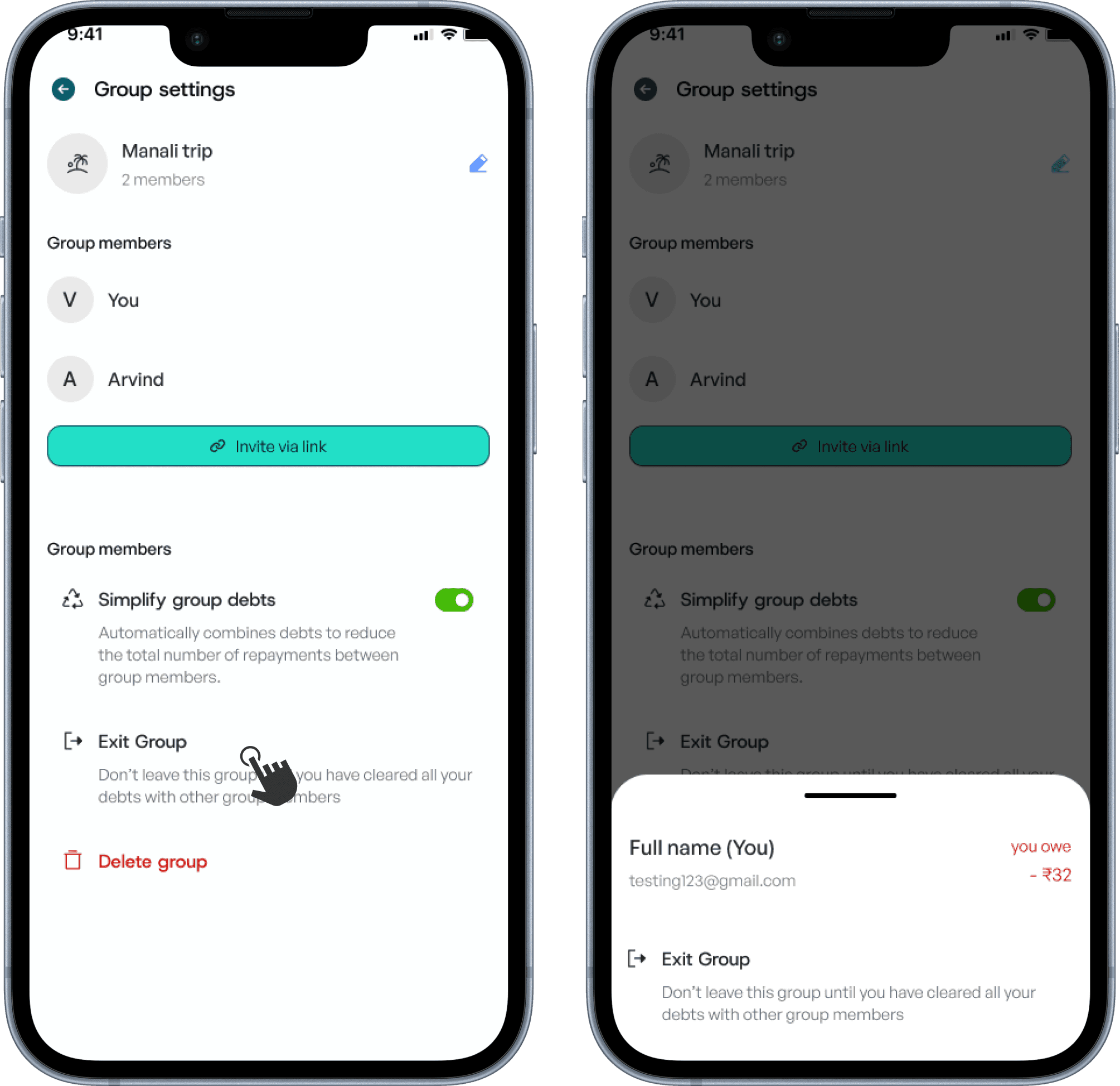
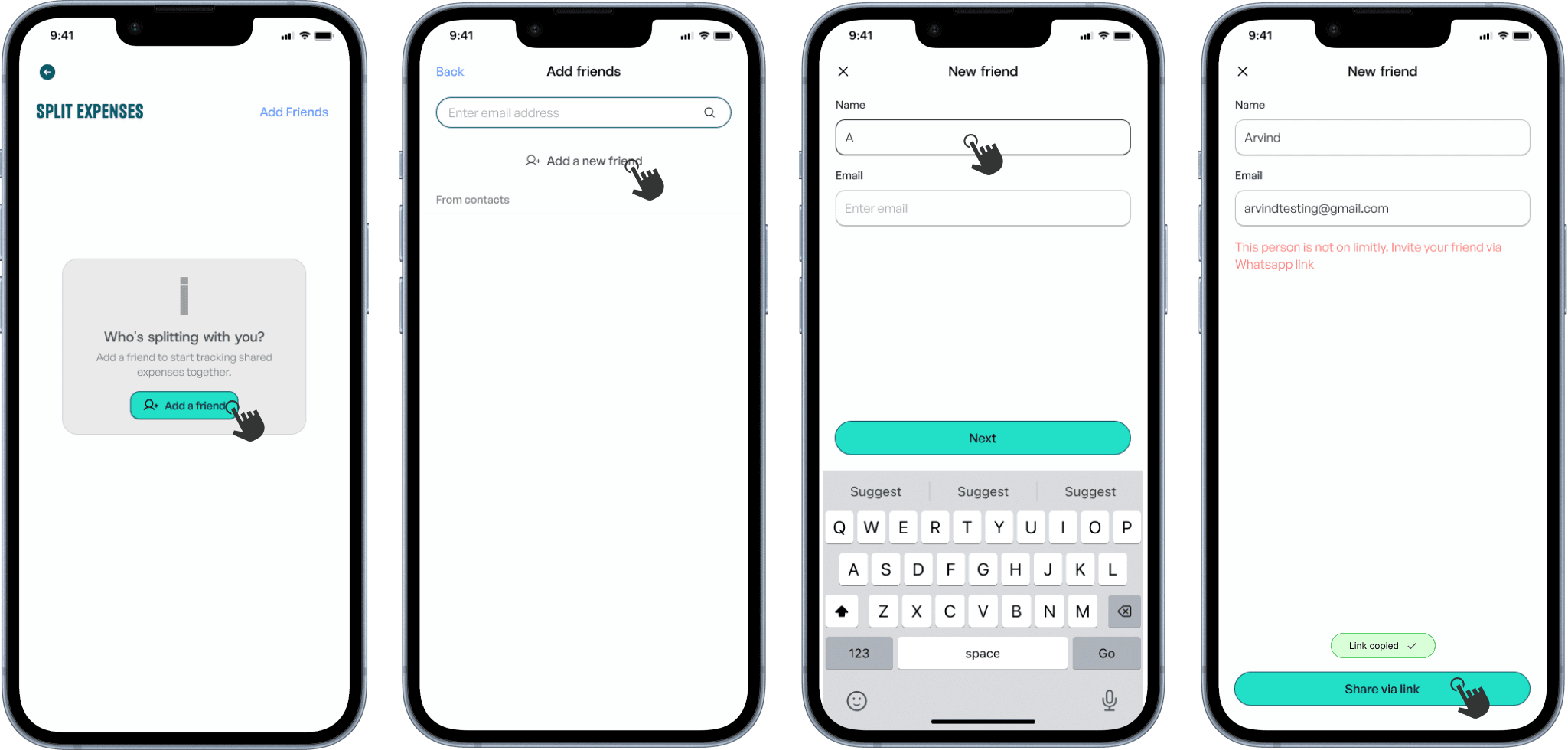
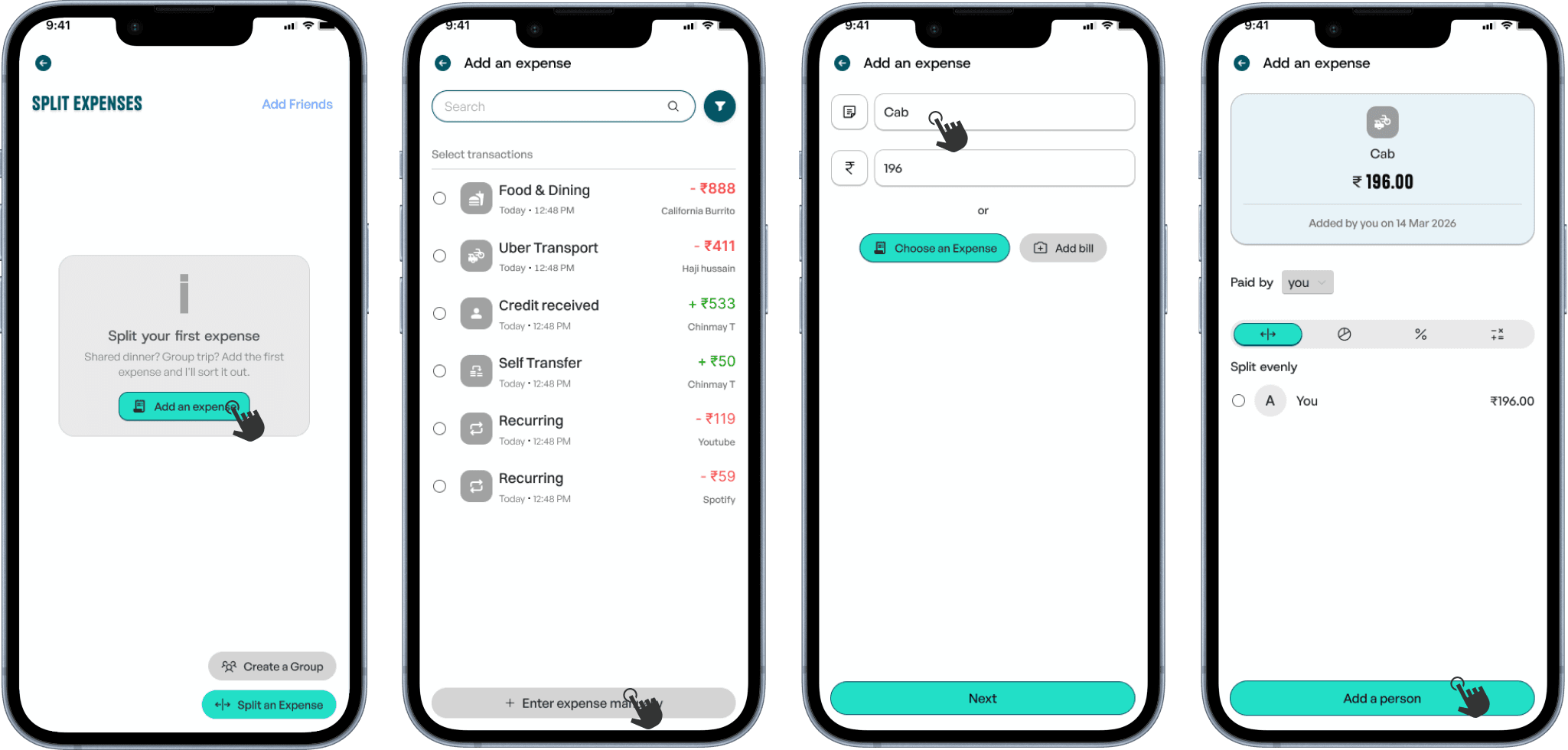
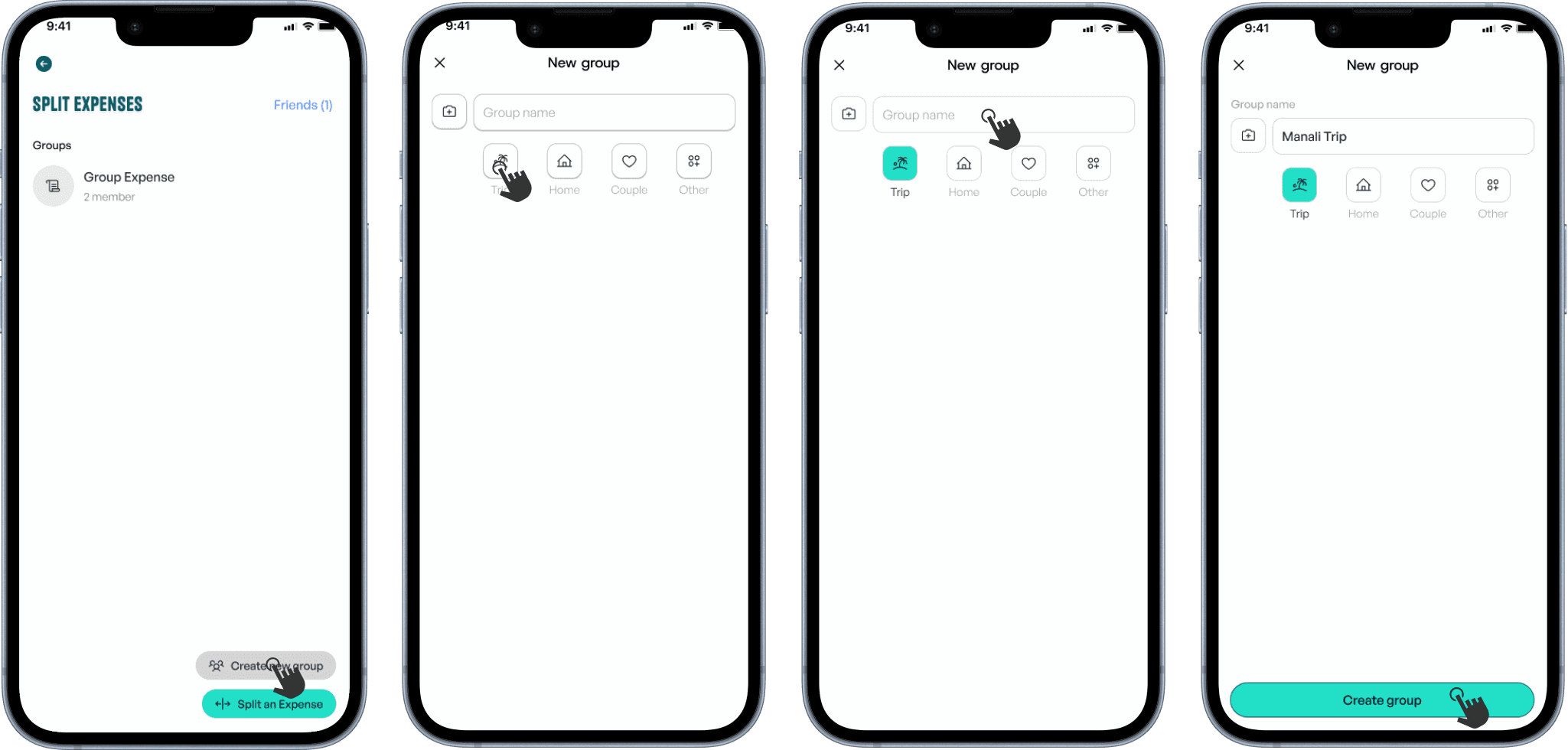
Add friends, split transactions, and automatically create groups. Or build groups from scratch to track shared expenses with multiple people. View balances, settle debts, and manage who owes whom—all in one place.
Adding a Friend
Splitting an expense
Creating a group
Agentic T.A.R.S - Exploration
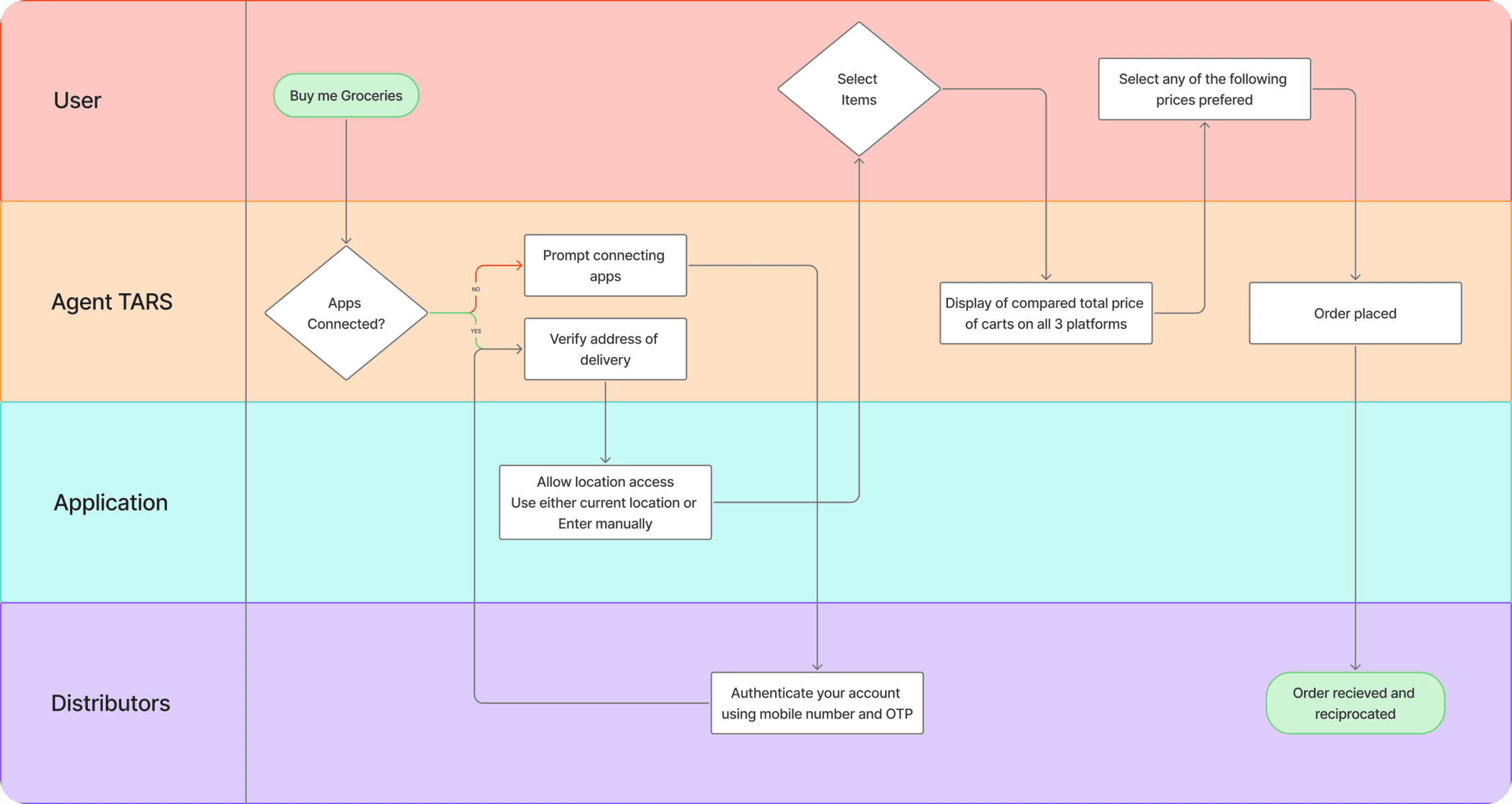
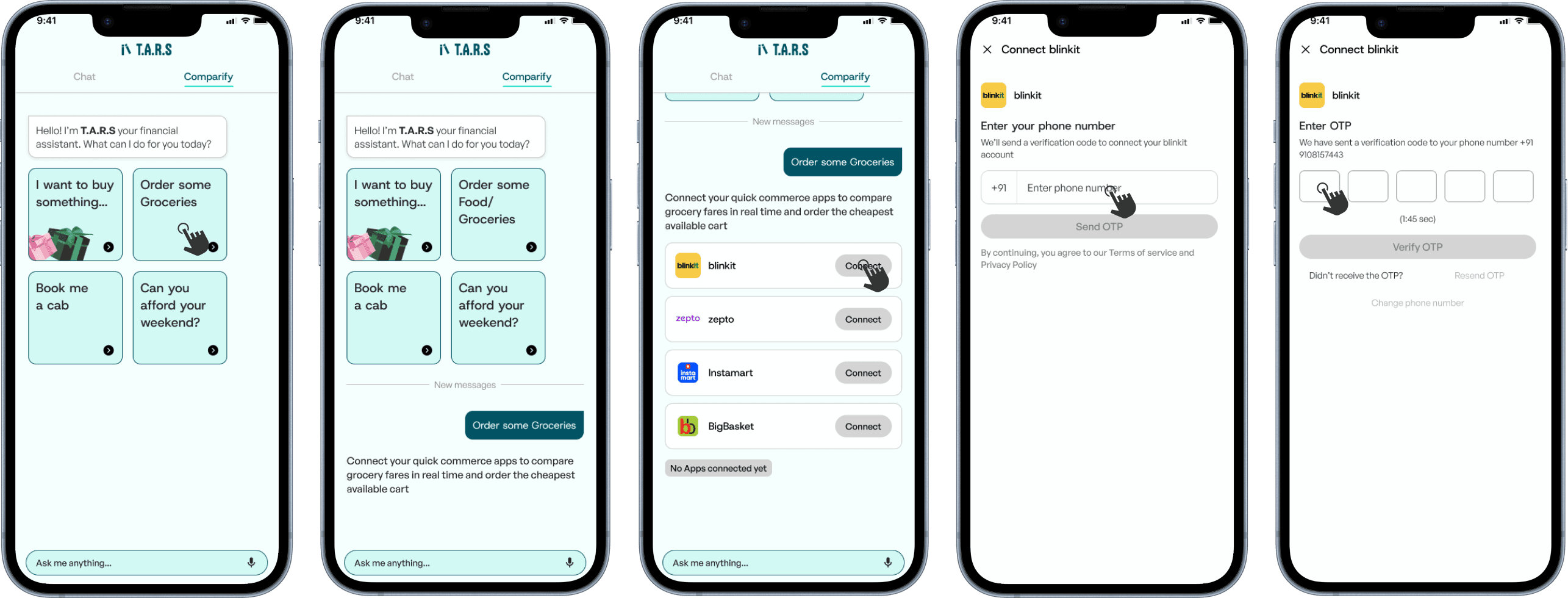
I created a Swimlane diagram that delineates responsibilities by segregating process steps into distinct horizontal or vertical lanes, where each lane represents a specific person, department, team,
or system.

Agentic T.A.R.S
Groceries were the starting point — a category every user had, a spend that recurred every month, and a scenario specific enough to test against.
Key takeaways
Things Left Unexplored
Demonstrate what Limitly can do for the user before requesting permissions, decisions, or configuration of any kind. Value first, friction later — or never.
Design System Exploration
As the sole designer, my primary focus remained on delivering production-ready interfaces that supported development and usability testing, leaving limited opportunity to build a comprehensive design system.
Exploring “Pot” for Passive Growth
We explored a concept called Pot, designed to help users grow idle
money through liquid funds. Although the foundation and direction were established, my internship concluded before the feature could be fully explored.
Gamifying Budgeting Experiences
Another direction involved reimagining budgeting through gamification by introducing challenges, streaks, milestones, and goal-driven interactions inspired by habit-forming platforms like Duolingo.